95
Taking Pictures
4
You can select the recorded pixels and quality level for taking movies.
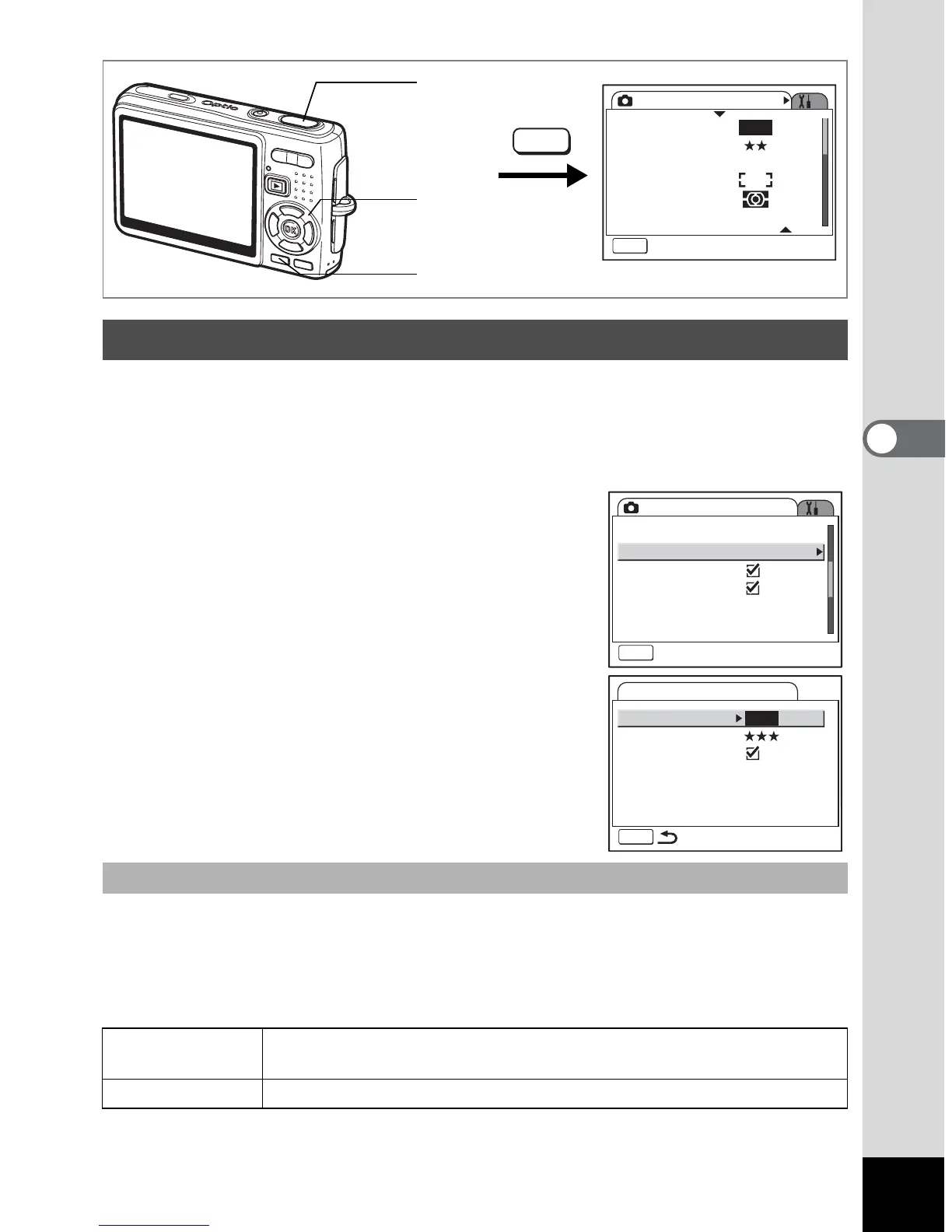
1 Press the MENU button in Capture mode.
The [A Rec. Mode] menu appears.
2 Use the four-way controller (23)
to select [Movie].
3 Press the four-way controller (5).
The Movie setting menu appears.
You can select the number of recorded pixels from [640 (640×480)] and [320
(320×240)]. The more pixels are selected, the larger the file size. The file size also
varies depending on the quality level setting.
Recorded Pixels
Selecting the Settings for Taking Movies
Selecting the Recorded Pixels of Movies
640 (640×480)
You can view high-quality movies at VGA size.The recordable time
is shorter.
320 (320×240) The file size is smaller and the recordable time is longer.
Rec. Mode
MENU
Exit
Recorded Pixels
Quality Level
White Balance
AF Setting
AE Metering
Sensitivity
AWB
10M
AUTO 800
MENU
Shutter release
button
MENU button
Four-way
controller
Rec. Mode
Shake Reduction
MENU
Exit
EV Compensation
Movie
Digital Zoom
Instant Review
Memory
0.5sec0.5sec
±0.0
MENU
Recorded Pixels
Quality Level
Movie anti-shake
Movie
640










 To Next Page