61
Taking Pictures
4
2
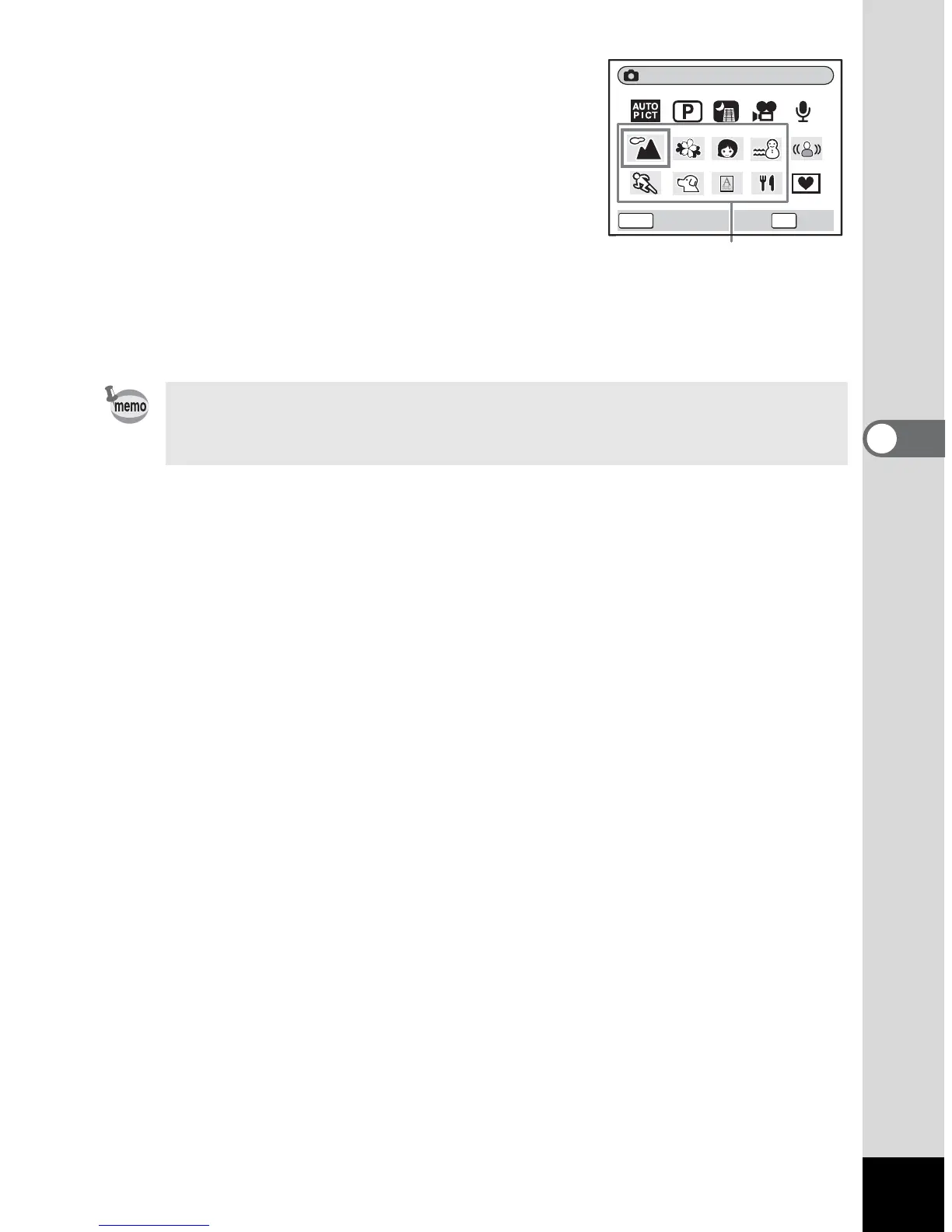
Use the four-way controller (
2345
)
to select a desired mode.
For example, select q (Landscape mode).
3
Press the OK button.
4
Press the shutter release button
halfway.
The focus frame on the LCD monitor will
light green when the camera is in focus.
5
Press the shutter release button fully.
The picture is taken.
In Picture mode, Saturation, Contrast, Sharpness and White
Balance are automatically set to their default settings. You cannot
change the settings.
Landscape
OKMENU
OK
Cancel
Picture modes










 To Next Page