69
Taking Pictures
4
This mode allows you to take clear pictures of written text. This is
convenient for capturing a digital copy of an important document or
enhancing legibility of small print.
1 Press the four-way controller (3) in Capture mode.
The Mode Palette appears.
2 Use the four-way controller (2345) to select
(Text mode).
3 Press the OK button.
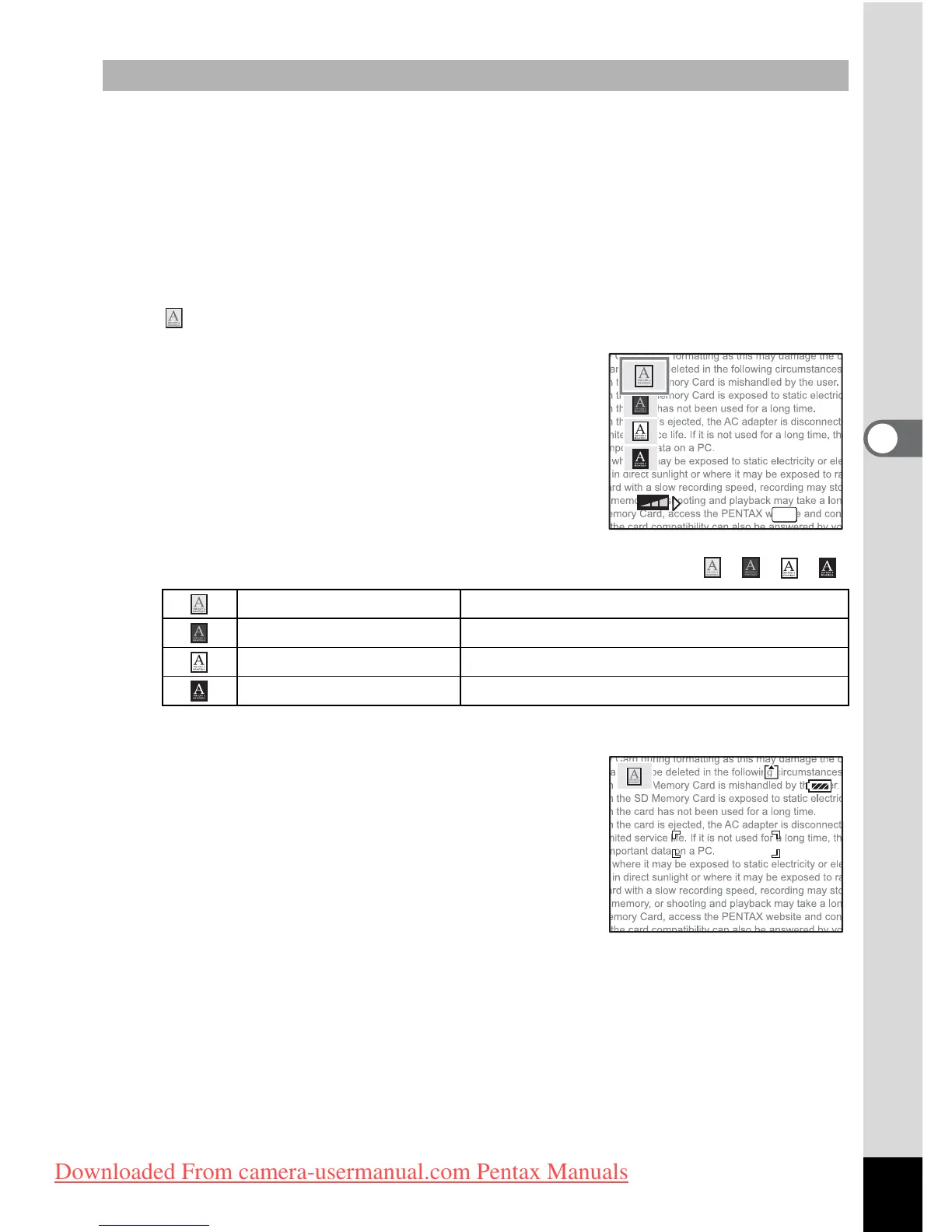
The screen for selecting the Text mode
appears.
4 Use the four-way controller (23) to select , , , .
Press the four-way controller (45) to adjust the contrast.
5 Press the OK button.
The desired text mode is selected and the
camera is ready for taking pictures.
6 Press the shutter release button
halfway.
The focus frame turns green when the
subject is in focus.
7 Press the shutter release button fully.
The picture is taken.
Taking Pictures of Text (Text Mode)
Color Maintains original colored text.
Neg. Color Reverses colored text.
B&W Turns colored text black/white.
Neg. B&W Reverses black/white text.
OK











 To Next Page