Camera Setup 16
Inserting an SD/MMC Memory Card
English
Inserting an SD/MMC Memory Card
The camera features Approx. 11 MB internal flash memory but you may also use an optional SD/MMC
memory card for additional storage.
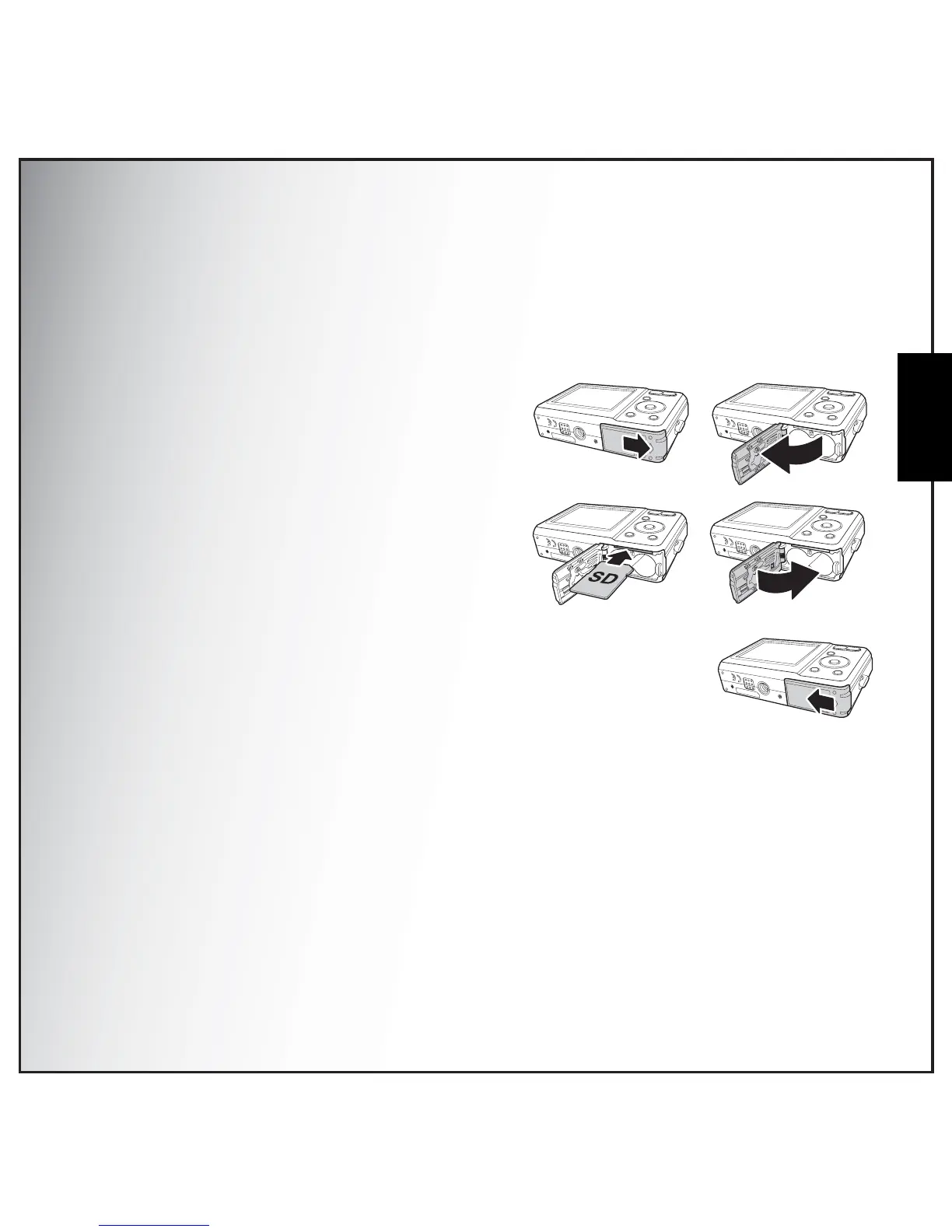
Follow these instructions to insert the SD/MMC card.
1. Open the battery compartment on the
bottom of the camera.
2. Insert the SD/MMC card into the memory
card slot as shown. (Label side up)
3. Close the battery compartment.
To remove the SD/MMC card, gently push the card until it pops out. Pull out
the card carefully.
Turning On
Press and hold the Power button to turn on the camera. To turn off the camera, press the Power
button again.



 To Next Page