EasyManua.ls Logo

Pentax OPTIO E70L - Setting the Scene Mode

Pentax OPTIO E70L
65 pages
Print Icon
To Next Page IconTo Next Page
To Previous Page IconTo Previous Page
Loading...
21 Getting Started
Taking Photos
English
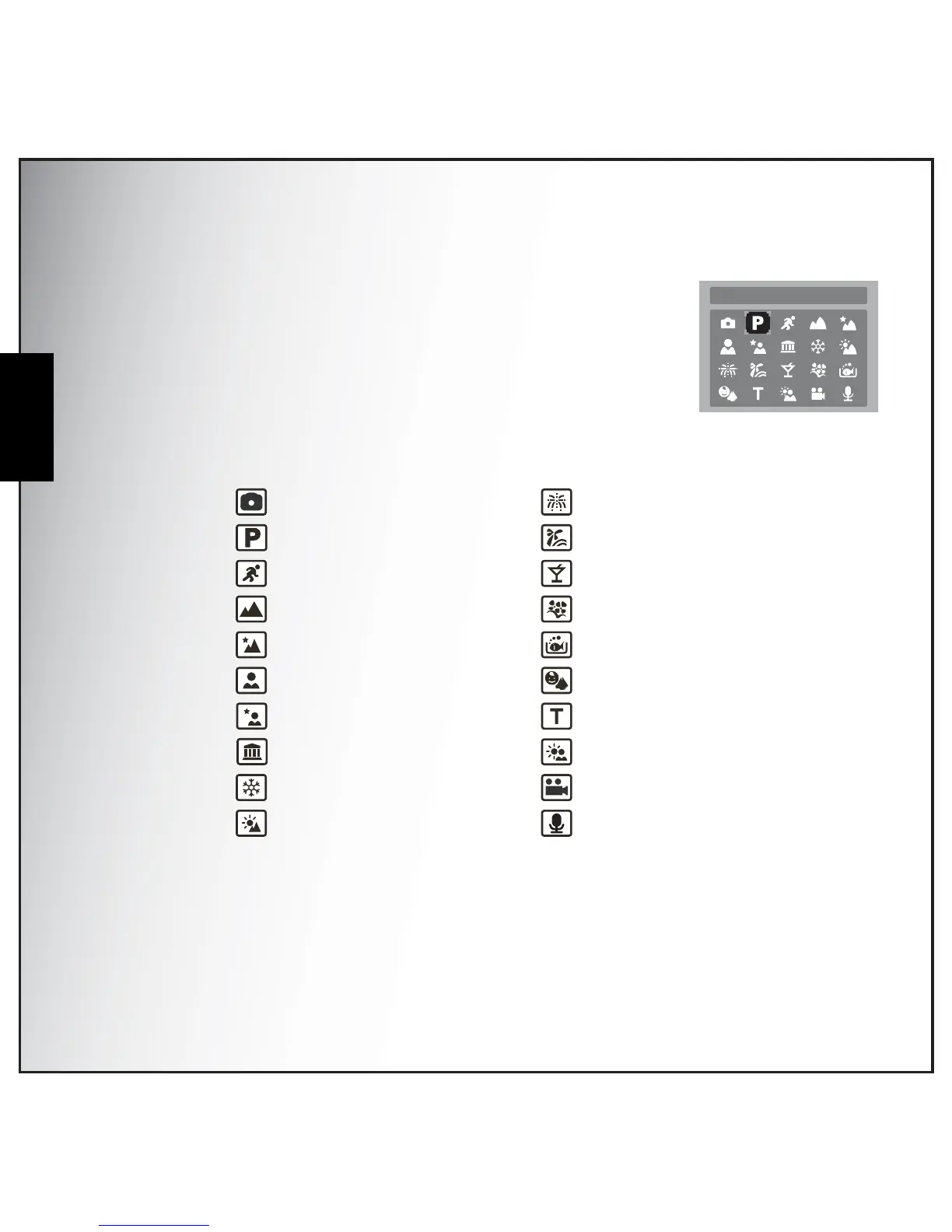
Setting the Scene Mode
The camera supports various preset modes for shooting in different
environments and conditions. Each setting is configured automatically by
the camera.
To select scene modes:
Press the SCENE button to access the Scene Menu which displays the
Scene menu options.
1. Use the Left/Right/Up/Down navigation buttons to scroll through
the modes.
2. Press OK to confirm your selection.
• Auto
• P-Mode
• Sport
Landscape
Night Landscape
Portrait
Night Portrait
• Museum
• Snow
• Sunset
Fireworks
Beach
• Party
• Foliage
Aquarium
Kids & Pets
• Copy
Backlight
• Video
Audio
P Mode

Table of Contents

Related product manuals