156
8
Settings
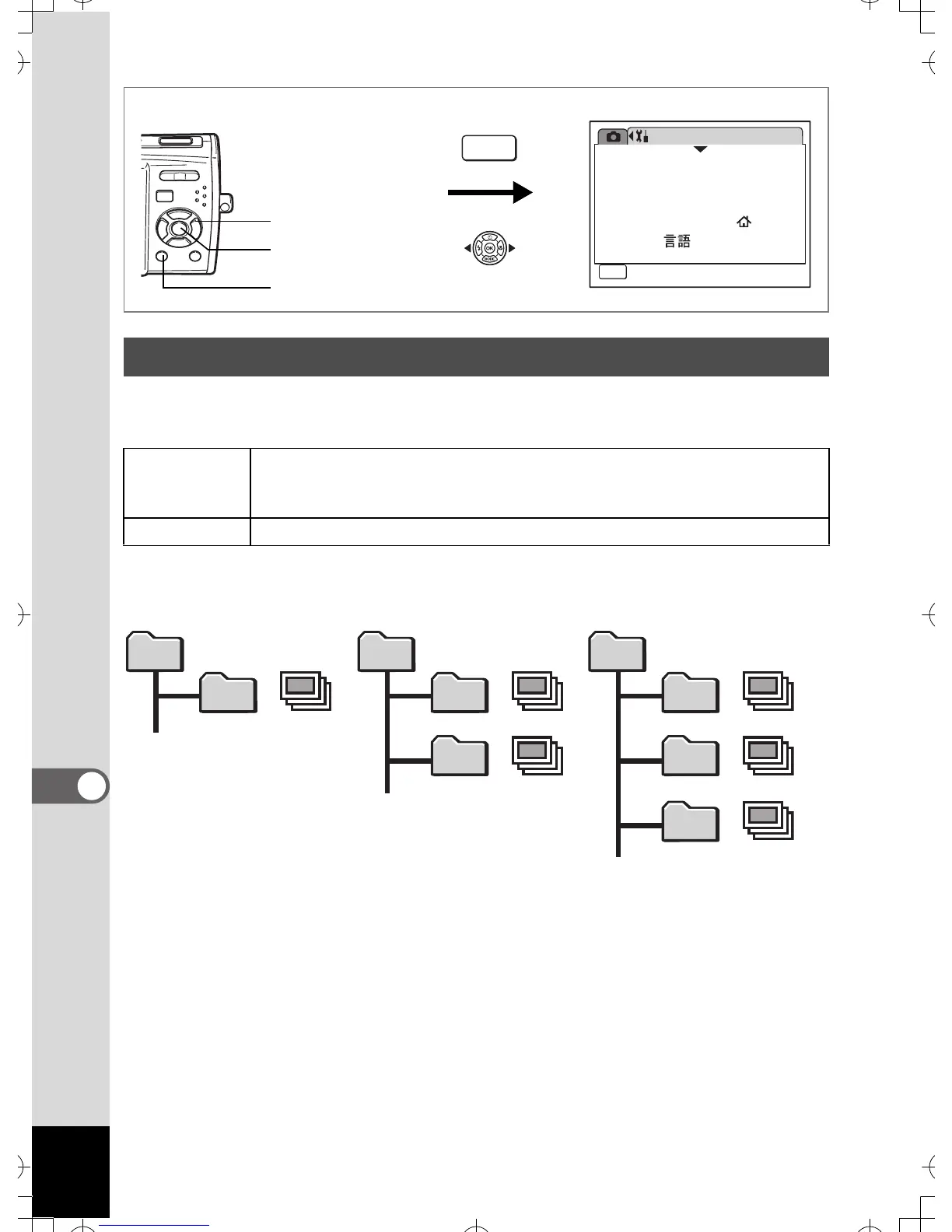
You can change the name of the folder where images are saved.
Folder Name
1 Use the four-way controller (23) to select [Folder
Name] on the [u Setting] menu.
2 Press the four-way controller (5).
A pull-down menu appears.
3
Use the four-way controller (
23
) to select [Standard] or [Date].
4 Press the 4 button.
The Folder Name setting is saved.
Changing the Image Folder Name
Date
(default setting)
XXX_mmdd (3-digit folder number_month day)
* xxx_ddmm (3-digit folder number_day month) when the date style
is set to [dd/mm/yy].
Standard XXXPENTX (where XXX is the 3-digit folder number)
Setting
08/01/2007
Language/
MENU
1/3
Format
Sound
English
Date Adjust
World Time
Exit
How to display the [u Setting] menu
MENU
3 button
4 button
Four-way controller
DCIM
100PENTX
101_0325
102_0401
DCIM
100PENTX
101_0325
DCIM
100PENTX
100 100
101
100
101
102
Picture taken with
standard folder name
(Example: March 25)
Folder name changed to
date setting
(Example: March 25)
Next time a picture
is taken
(Example: April 1)



 To Next Page