EasyManua.ls Logo

Pentax OPTIO L40 - Displaying Shooting Information in Playback Mode

Pentax OPTIO L40
191 pages
Print Icon
To Next Page IconTo Next Page
To Previous Page IconTo Previous Page
Loading...
113
5
Playing Back and Deleting Images
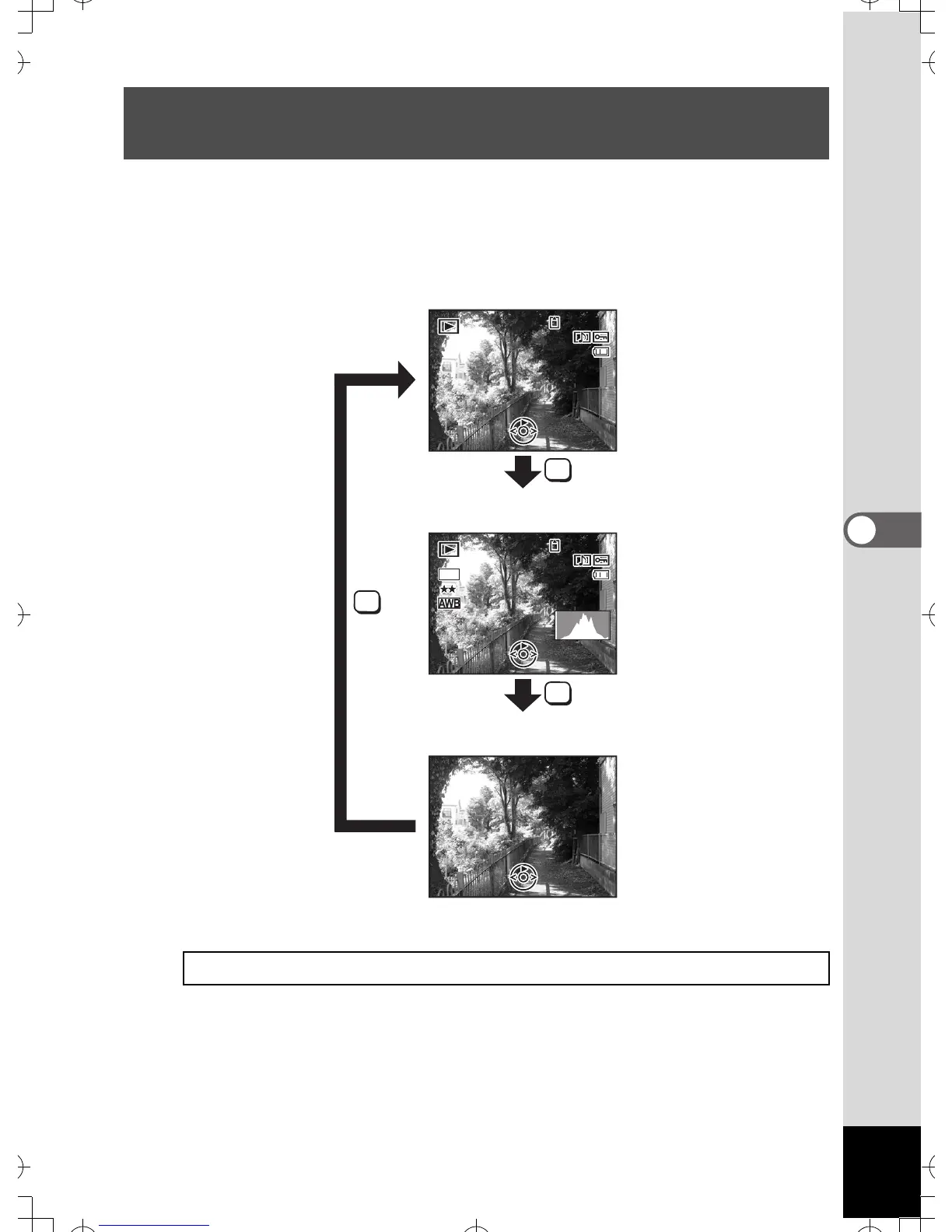
Shooting information can be displayed on the LCD monitor in Q mode.
Pressing the 4/W button changes the display mode.
Refer to p.18 for details of each display mode.
Displaying Shooting Information in Playback
Mode
Displaying Shooting Information 1p.77
OK
OK
OK
14:25

1 4 :25
14:25
100
1 0 0
-
0026
0 0 26
100
-
0026
F3.3
F 3 .3
1/250
1 / 250
F3.3
1/250
14:25
1 4 :25
14:25
200
200
ISO
ISO
200
ISO
8
M
100
1 0 0
-
0026
0 0 26
100
-
0026
0 8 /01/2007
08/01/2007
0 8 /01/2007
08/01/2007
Normal Display
Histogram + Info
No Info
e
_
kb453
.
book
Page
113
Monday
,
July
23
,
2007
3:35
PM

Table of Contents

Related product manuals