21
1
Getting Started
Use the battery that is provided with the camera. Charge the battery
before using it in the camera for the first time.
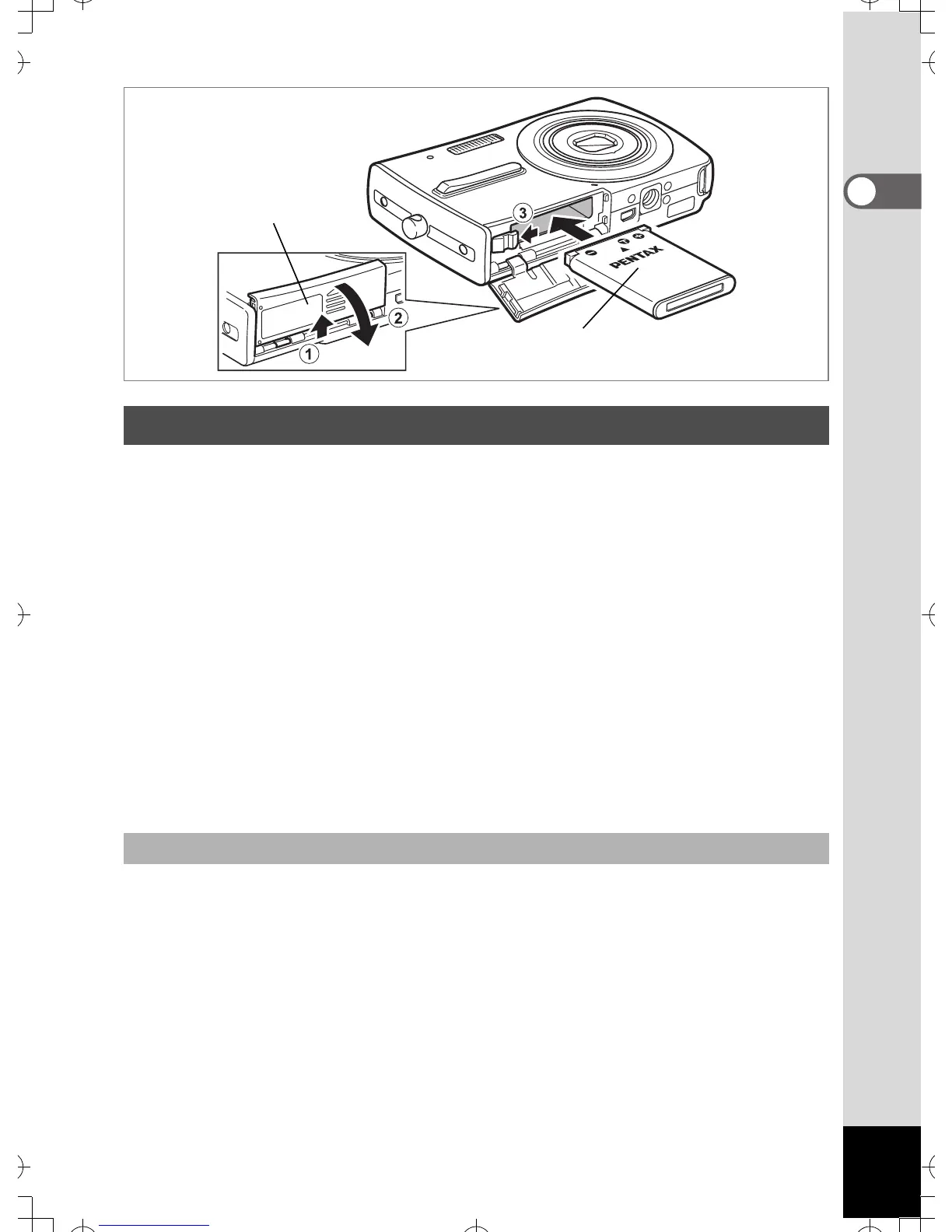
1 Open the battery/card cover.
Slide the battery/card cover in the direction of 1. When let go, the
cover opens automatically in the direction of 2.
2 Using the side of the battery to press the battery lock
lever in the direction of 3, insert the battery with the
PENTAX logo pointing toward the lens.
Push the battery in until it is locked in place.
3 Close the battery/card cover and slide it back into
place.
1 Open the battery/card cover.
2 Release the battery by using your finger to press the
battery lock lever in the direction of 3.
The battery will be ejected. Pull the battery out of the camera.
Installing the Battery
Removing the Battery
1
2



 To Next Page