96
4
Taking Pictures
R C C F
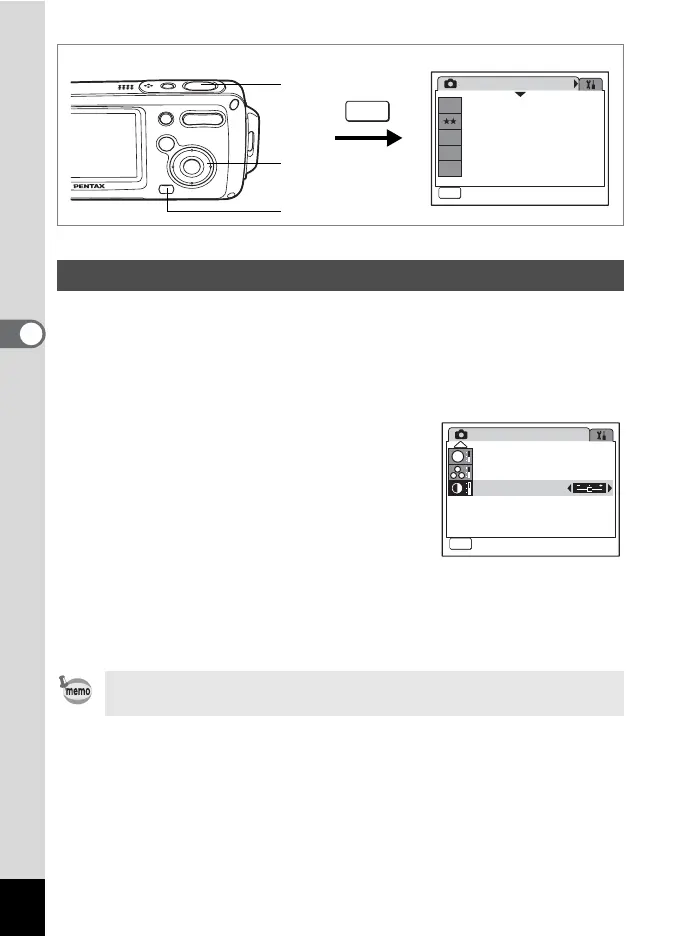
You can set the image contrast level.
1 Press the 3 button in A mode.
The [A Rec. Mode] menu appears.
2 Use the four-way controller (23) to select [Contrast].
3 Use the four-way controller (45)
to change the setting from
G [Normal] to H [High
(+)] or F [Low (–)].
To reduce the contrast, choose (–) and to
increase the contrast, choose (+).
4 Press the shutter release button
halfway.
The Contrast setting is saved and the camera returns to capture
status.
Setting the Image Contrast (Contrast)
If you use the [Contrast] function frequently, you can save time by
assigning it to the Green button. (p.58)
Rec. Mode
MENU
Exit
Exit
1/3
6
M
Recorded Pixels
Quality Level
White Balance
AF Setting
Sensitivity
AWB
AF
ISO
AUTO
4
2, 3
1
MENU
Rec. Mode
Exit
Exit
Sharpness
Saturation
Contrast
MENU
3/3
S



 To Next Page
 Loading...










