To Operation Timer
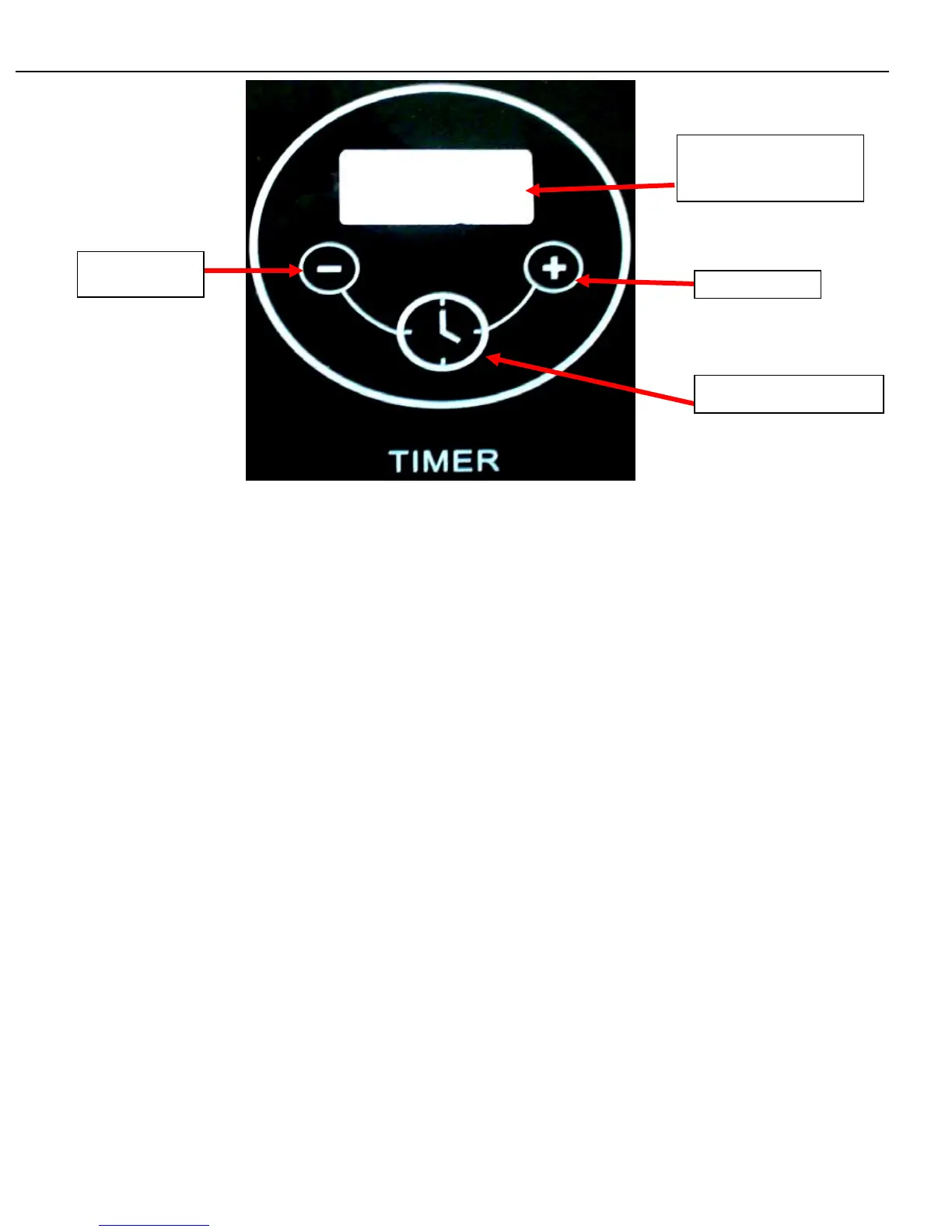
LCD Display (shows
Time and Error Codes)
“+” Button
“-” Button
Timer Activation Button
• The timer is function to control the main-burners and rear burner. It does not control the side burner. When the
timer is set, the main-burners and the rear burner can remain turned on until the preset time is over.
• The timer can be turned on by pressing the Timer Activation Button for 3 seconds. “Hour” can be adjusted by
pressing the button after the timer is on. “Minute” can be adjusted by pressing the button again. To adjust “Hour”
and “Minute”, press the “+” or “-” Button to increase or decrease the working hour/minute. The time can be
adjusted at 5 increment/decrement per second when the button is pressed for more than 2 seconds.
• When the timer is on, press the Timer Activation Button for 3 seconds to turn off.
17


 To Next Page