Special Remark For Touch Panel
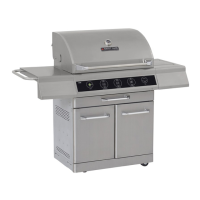
1. Switch the main power ON (by pressing the mechanical on/off switch) before using. Switch the main
power OFF when not in use.
2. The control system will perform a self-inspection after the main power is switch ON. The flame-
indication lights will flash when the corresponding burner is being checked. Do NOT operate the
system during the self-inspection. If the self-inspection is complete, one beep will sound, and the
system is ready to operate. If the self-inspection is incomplete for any error is detected, 3 beep will
sound, and the control system will be “locked out”.
3. If a burner is not working properly (for example: burner can no be ignited), the indication lights of the
corresponding burner will flash, 3 buzzes will be sounded, safety valve will be shut off, and the
control system will be “Locked out”.
4. If the system is “Locked out”, turn off the Mechanical ON/OFF switch, and then turn on again to
reactivate the control system.
5. Under normal working condition, one buzz will sounded every time a button on the touch panel is
pressed.
6. 3 buzzes will sound when the grill is turning off.
7. Timer only controls the main burners and the rear burner; it does not control the side burner.
20


 To Next Page