14
Finding new stations – DAB
As time passes new stations may become available. To nd new stations proceed as follows:
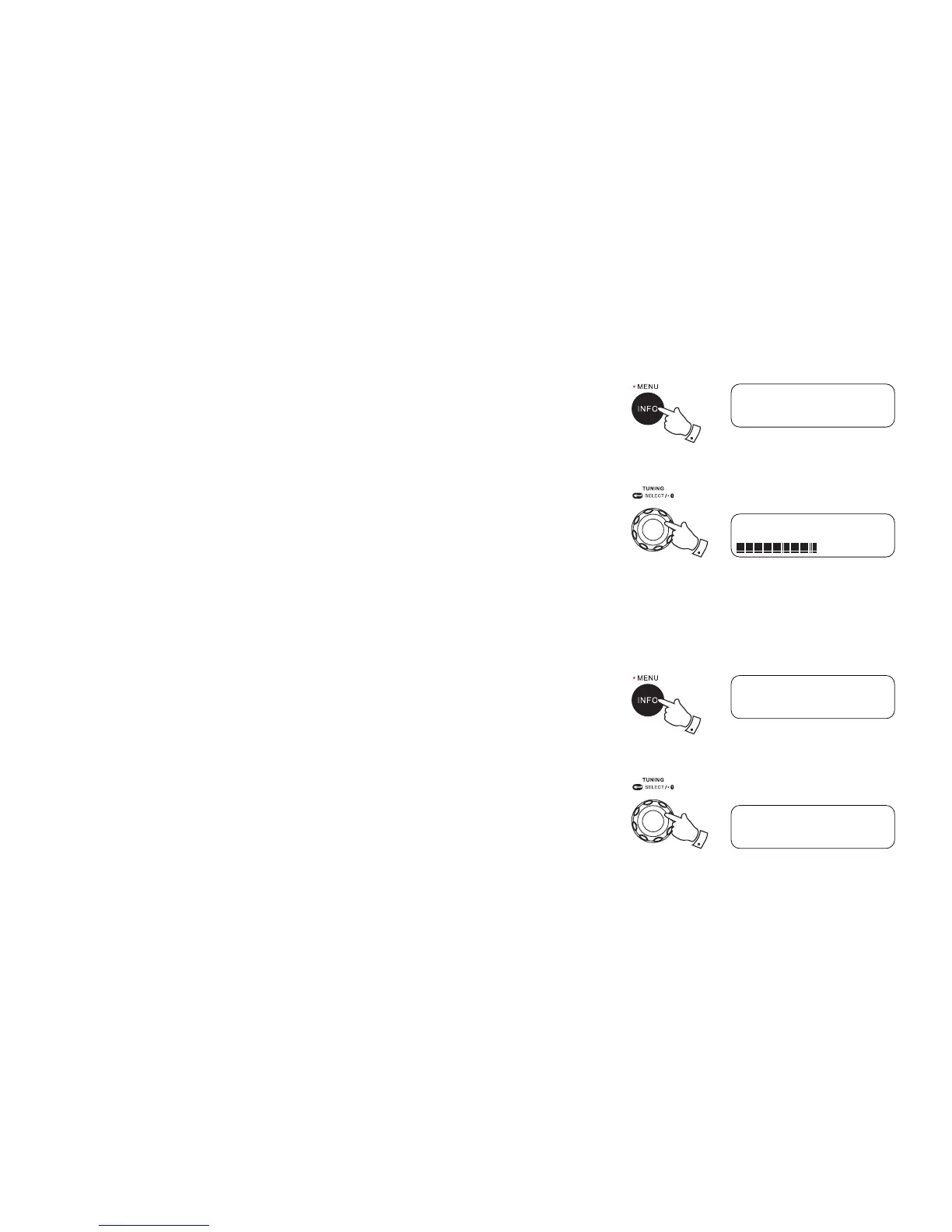
1. To carry out a full scan of the entire DAB Band III frequencies press and hold the Info/Menu
button. The display will show “Full scan”.
2. Press and release the Tuning control to conrm setting. As new stations are found, the station
counter on the right hand side of the display will increase and stations will be added to the list.
Manual Tuning – DAB
Manual tuning allows you to tune directly to the various DAB band III channels.
1. Press and hold the Info/Menu button for 2 seconds, display will show “Full scan”.
2. Rotate the Tuning control knob to nd “Manual tune”. Press and release the Tuning control
knob to enter DAB channels in the list. Rotate the Tuning control knob to select required DAB
channel. When required DAB channel is found, press and release the Tuning control knob to
select the required DAB channel.
1
DAB
<Full scan >
Scanning... 7
2
1
<5A 174.928MHz >
DAB
<Manual tune >
Manual tune
2



 To Next Page