Installing your Lambda Spectrometer . 41
8. Click Next.
The software will automatically perform a check to see if the correct instrument is
attached to the selected port and switched on, and will display a warning message if
not.
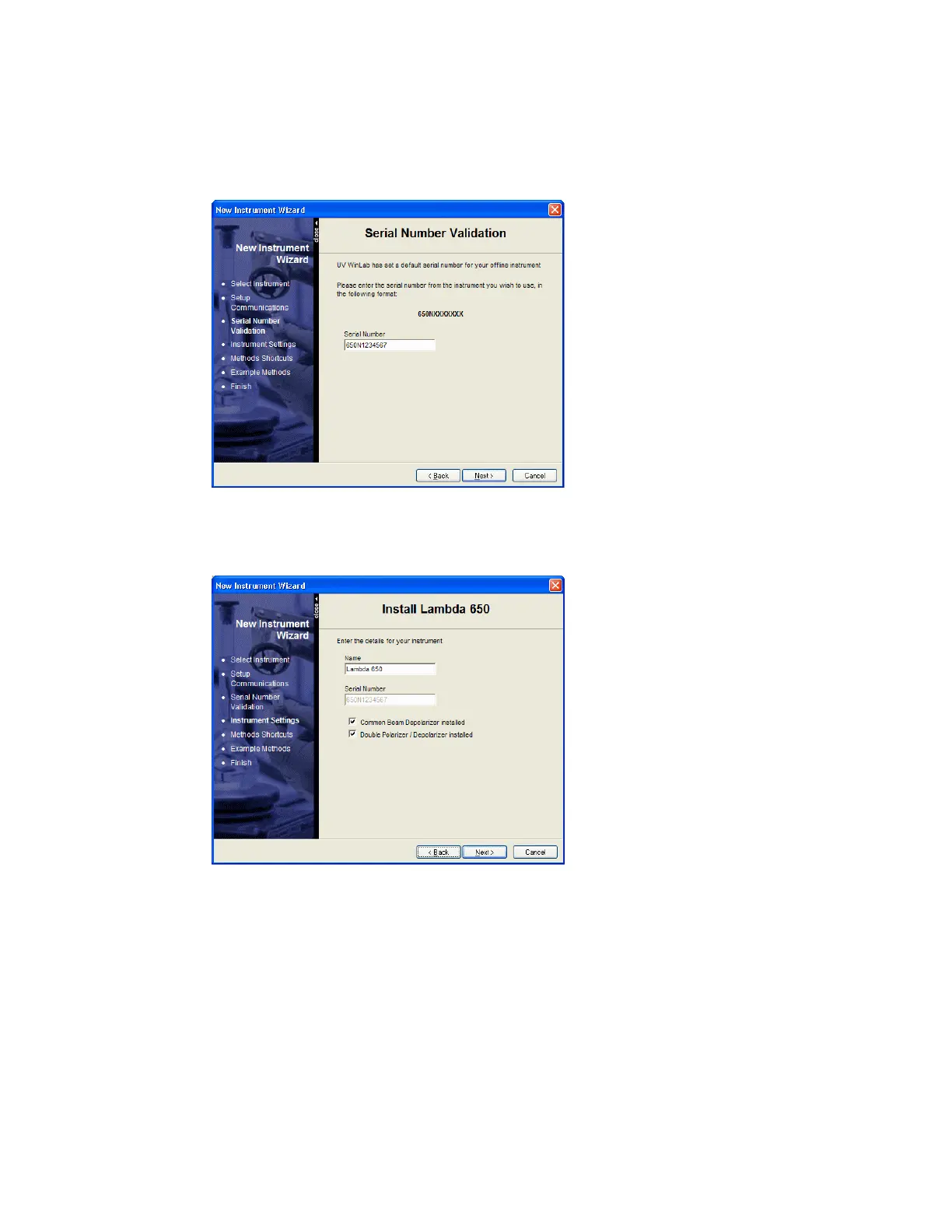
You may then be asked to confirm the serial number of the instrument.
9. Check the serial number on the right-hand side of the instrument, where the PC
connects to the instrument, correct it if necessary, and then click Next.
The Install Lambda 650 page is displayed.
10. Enter a Name for the instrument.
The Name you enter will be displayed in the UV WinLab Explorer beneath the
instrument icon. It can be edited in future if required.






 To Next Page