09931286E
35
Troubleshooting
Power LED is not lit on
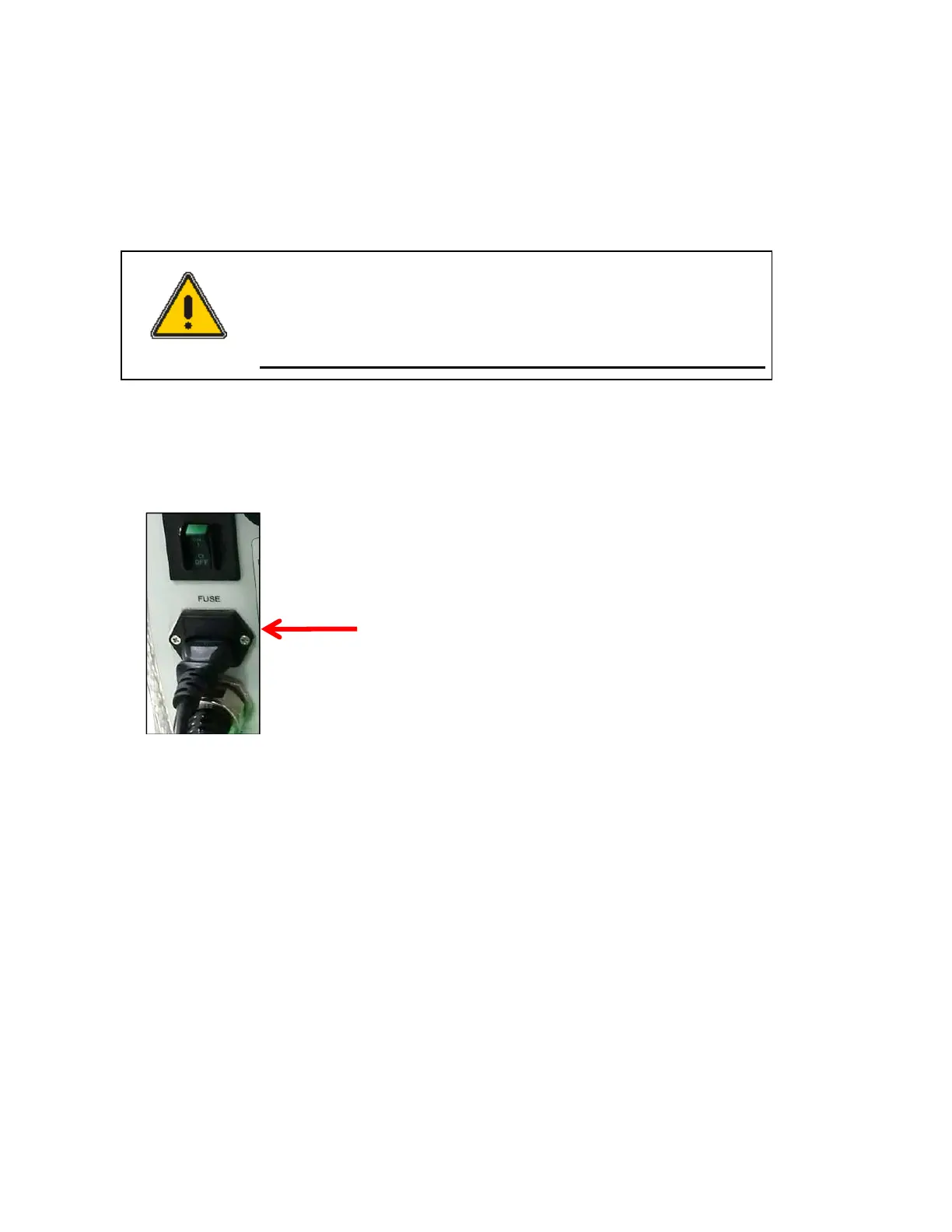
1. Check the connection of the power cord or the fuse. The fuse is located at the rear of the
instrument.
WARNING
There is risk of receiving a fatal electric shock if the fuses are replaced
with the power cord connected.
Il y a un risque d’électrocution si les fusibles sont remplacés tandis que
le cordon d'alimentation est encore branché.
2. Turn off and unplug the instrument.
3. Locate the fuse cover on the left rear panel of the instrument.
4. Carefully open the compartment latch where the fuse is located.
5. Disconnect the fuse.
6. Replace with a new T5AL fuse (AC 250V). One spare is contained in the power module.
7. Close the compartment door.
8. Plug in the instrument and turn on.
On-Line LED is not lit on
1. Check whether the communication cable is connected tightly.
2. Check whether the Air Vent Manual button is switched off.
3. Check whether the emergency switch is off.
4. When you use the USB to RS-232 cable, change the port setting referring to the chapter
Setting
USB to RS-232 Cable (p15).
Location of latch on the
fuse compartment door






 To Next Page