
 Need help?
Do you have a question about the PESA Smart 32 and is the answer not in the manual?
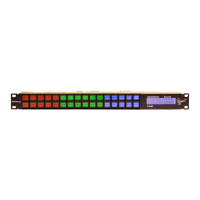
Lists technical specifications for the Smart 32 panel, including mounting, network, power, mechanical, and environmental data.
Provides general information on installing up to 256 remote control panels and mounting the Smart 32 panel.
Explains the requirement for unique IP and Panel ID addresses and how they must match for panel operation.
Details steps for locating the panel, setting the Panel ID address via rotary switches, and connecting Ethernet cables.
Explains assigning functions to panel keys via Cattrax panel key lists, supporting 16 pages of 32 keys each.
Details assigning router resources/functions to panel keys, key types, and system-wide color coding for identification.
Explains PESA routers are destination-oriented and the default power-up operation of the Smart 32 panel.
Describes how to apply Protect or Lock modes to destinations to prevent accidental switching, with visual indicators.
Advises consulting warranty documents and Customer Service before attempting repairs due to SMT components.
 General
| Category | Control Panel |
|---|---|
| Touchscreen | Yes |
| Screen Size | 3.2 inches |
| Resolution | 320 x 240 |
| Communication Interface | RS-485 |

 To Next Page
