Page 51
Pettibone Michigan, L.L.C. OWNER/OPERATOR MANUAL MODEL 6036/6044/8036/8044
This section describes the location and func-
tion of each gauge and control in the
operators compartment. With the engine
off, practice reaching for these controls as
you read about them. This should help you
become familiar with their location.
Entering the Operators Compartment
Proper care should be used whenever entering
or leaving the operators compartment. Use
the step and grab handle provided and always
keep them clear of debris.
NEVER USE THE STEERING WHEEL
OR ARM REST AS A GRAB HANDLE!
Use both hands when climbing on
machine. Failure to comply may result in
personal injury.
Never jump down from the
operators compartment when leaving the
machine.
Operators Seat
The operators seat can be adjusted to move
forward or back. The horizontal adjustment
lock lever is located under the front of the
seat. (See Fig. 2-2)
Adjust the seat as follows:
1. Move lock lever to the left and hold.
2. Slide the seat forward or back to your
desired position.
!
!
!
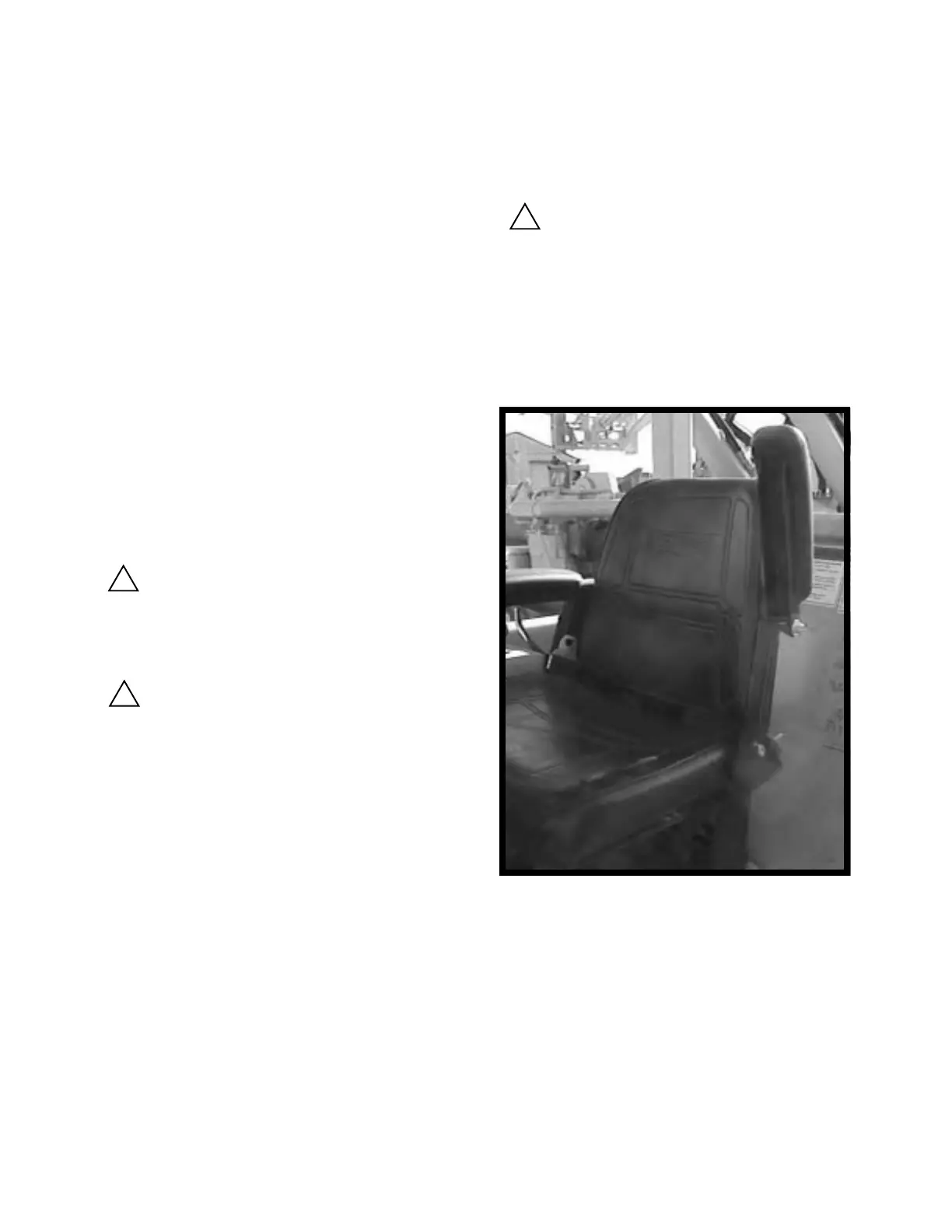
Fig. 2-1, Arm rest shown in the up position
for entering and exiting the operators com-
partment.
Arm Rest
Raise the arm rest for safe entering or exiting
of the operators compartment. (See Fig. 2-1)
Seat Suspension Adjustment (optional)
The adjustment for the suspension is located
under the front of of the operators seat. To
adjust for a firmer ride, rotate the knob clock-
wise. To adjust for a softer ride, rotate the
knob counterclockwise. (See Fig 2-2)
3. Release lever to lock.
Do not adjust the operators seat
while the vehicle is moving. Operating this
machine with one or both hands away from
the steering wheel may result in a loss of
vehicle control.
OPERATION



 To Next Page