16
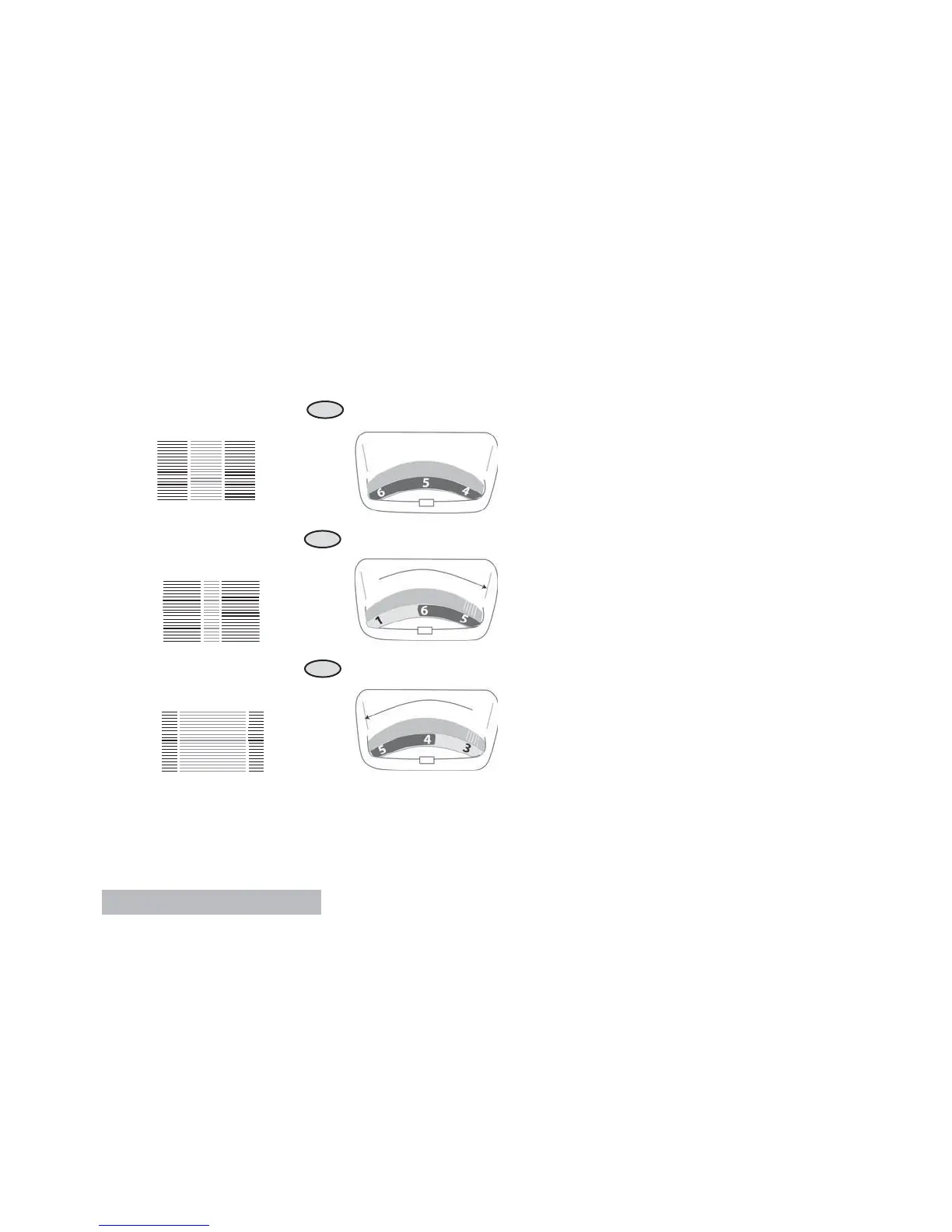
T-1
T-2
T-3
User’s Guide
Top Tension
1. The tension adjustment for the top
tension is the numbered dial located
at the top of the machine. The
normal range is marked with a darker
section behind the numbers. When
embroidering the top thread should be
pulled to the underside of the fabric.
(Fig. T-1).
2. In Fig. T-2, there is too much top
thread pulled to the underside. Adjust
by tightening the top thread tension.
Move the dial to a higher number.
3. In Fig. T-3, there is too little top thread
pulled to the underside. Adjust by
loosening the top thread. Move the
dial to a lower number.
If these adjustments fail to produce
a proper tension balance, contact an
authorized service center.


 To Next Page