685408006D 45
the cooling unit will open the failure contact and the alarm code will be shown on the display. (See Section 15
for trouble shooting).
• Device fault signal X51—1, 2pin is NC, it closes when power supply is on without alarm, a fault at the cooling
unit will open the failure contact and the alarm code will be shown on the display. (See Section 15 for trouble
shooting).
The installation of the fault signal line is not subject to any special requirement.
12 Parameters View and Settings
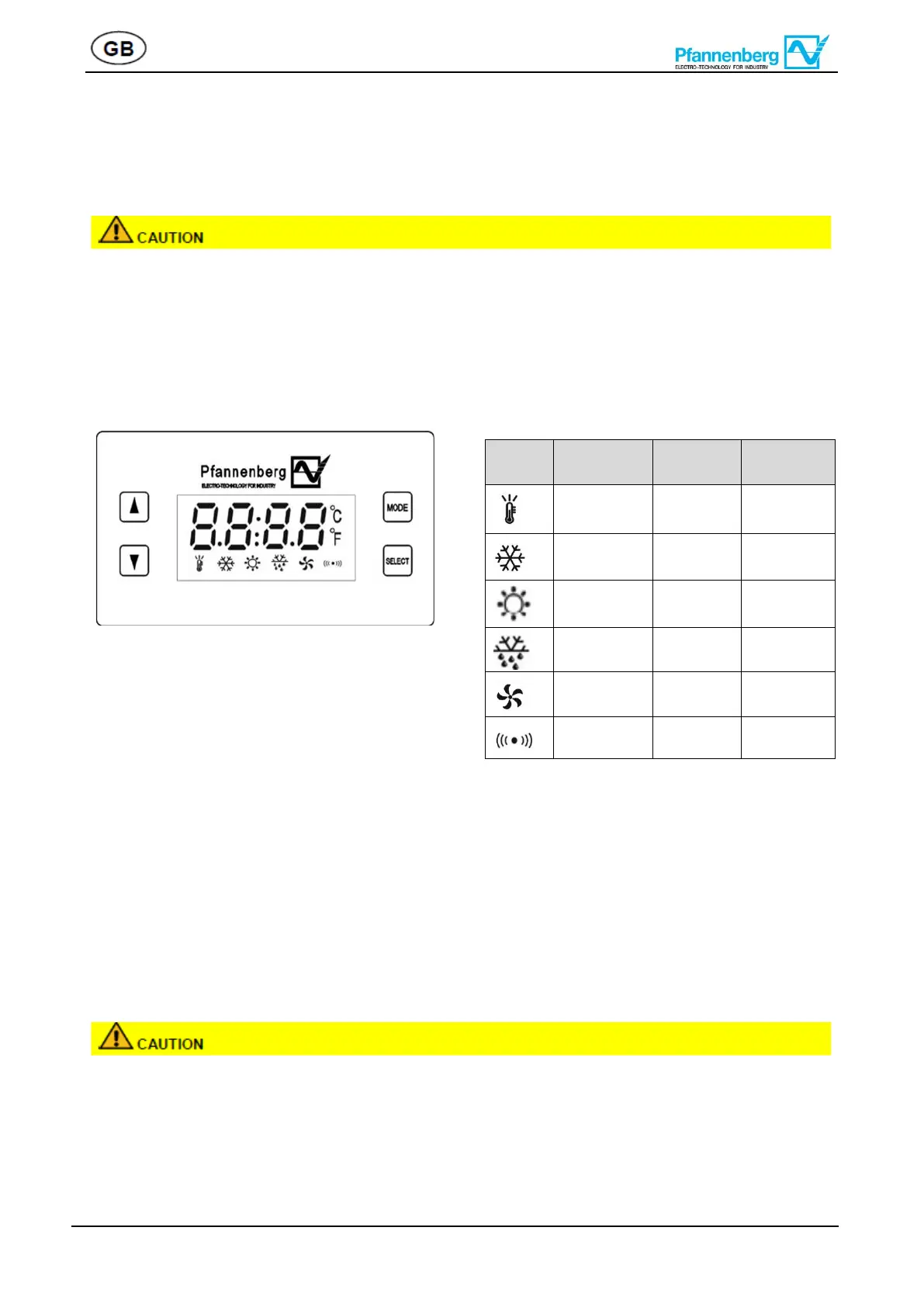
•Parameters of cooling unit can be monitored and set via operation display.
•Cooling unit control system includes control board, operation display.
12.1 View Parameters
Press “Select”, operation display shows SEE, using ▲” or “▼”, user can select following parameters in cycle :
Pb1“t1“rh“U“sc“add“bau“r1“r2“no6“no7, at any parameter press ”Select”
again, corresponding value will be shown. Press “Mode” to go back to previous menu, or wait 5min system
goes back to home page automatically. The meaning for each code refer to (Appendix I)
12.2 Parameter setting
For parameter setting, description and notice shall be observed in appendix I. Failed to observe this may lead
to malfunction of the unit.
• At main interface, press ”Select” for 3s, operation display shows SEE , using “” “PASS” popping up,
press ”Select”, change password to “666” by using ”” “”(continuous press changes the value faster ),
press “Select” again, then the second level menu shown.


 To Next Page