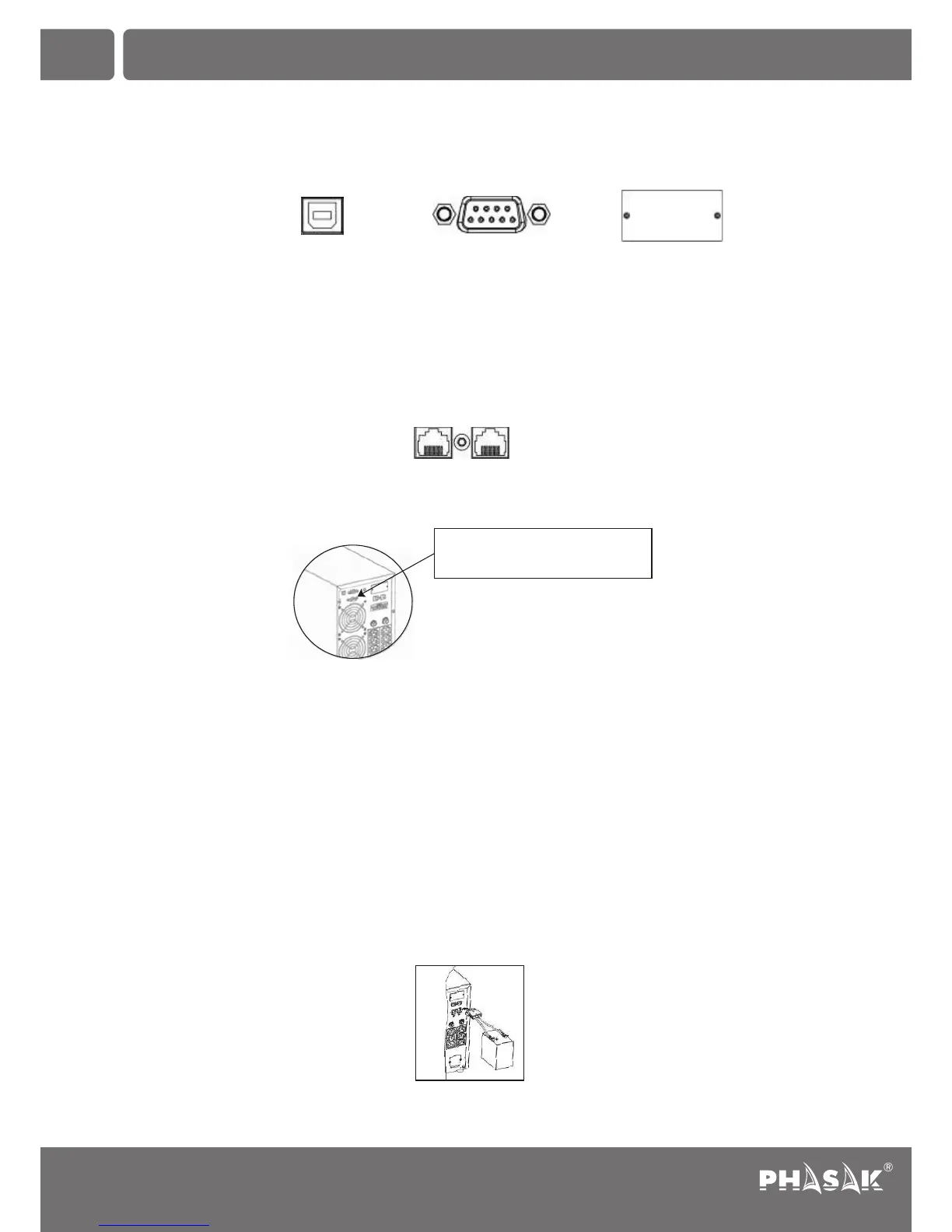
Step 3: Communication connection
Communication port:
To allow for unattended UPS shutdown/start-up and status monitoring, connect the communication cable one end to the
USB/RS-232 port and the other to the communication port of your PC. With the monitoring software installed, you can
schedule UPS shutdown/start-up and monitor UPS status through PC.
The UPS is equipped with intelligent slot perfect for either SNMP or AS400 card. When installing either SNMP or AS400
card in the UPS, it will provide advanced communication and monitoring options. Note. USB port and RS-232 port can't
work at the same time.
Step 4: Network connection (varies depending on the model)
Network/Fax/Phone surge ports
Step 5: Disable and enable EPO function (varies depending on the model)
Keep the pin 1 and pin 2 closed for UPS normal operation. To activate EPO function, cut the wire between pin 1 and pin
2.
Step 6: Turn on the UPS
Press the ON/Mute button on the front panel for two seconds to power on the UPS.
Note: The battery charges fully during the first five hours of normal operation. Do not expect full battery run capability
during this initial charge period.
Step 7: Install software
For optimal computer system protection, install UPS monitoring software to fully configure UPS shutdown. You may insert
provided CD into CD-ROM to install the monitoring software. If not, please follow steps below to download and install
monitoring software from the internet:
1. Go to the website http://www.phasak.com/descargas
2. Click ViewPower software icon and then choose your required OS to download the software.
3. Follow the on-screen instructions to install the software.
4. When your computer restarts, the monitoring software will appear as an orange plug icon located in the system tray,
near the clock.
Step 8: External battery connection
Follow below chart to make external battery connection:
(varies depending on the model)
EN
2. Installation and setup
IN OUT
It's in closed status for UPS
normal operation.
Segurança e harmonia
ININTERRUPTA
RS-232 Port Intelligent SlotUSB Port
36
Uninterruptable Power Supply
PH 9210 | PH 9220 | PH 9230 | PH 9260


 To Next Page