10BDL3051T
10
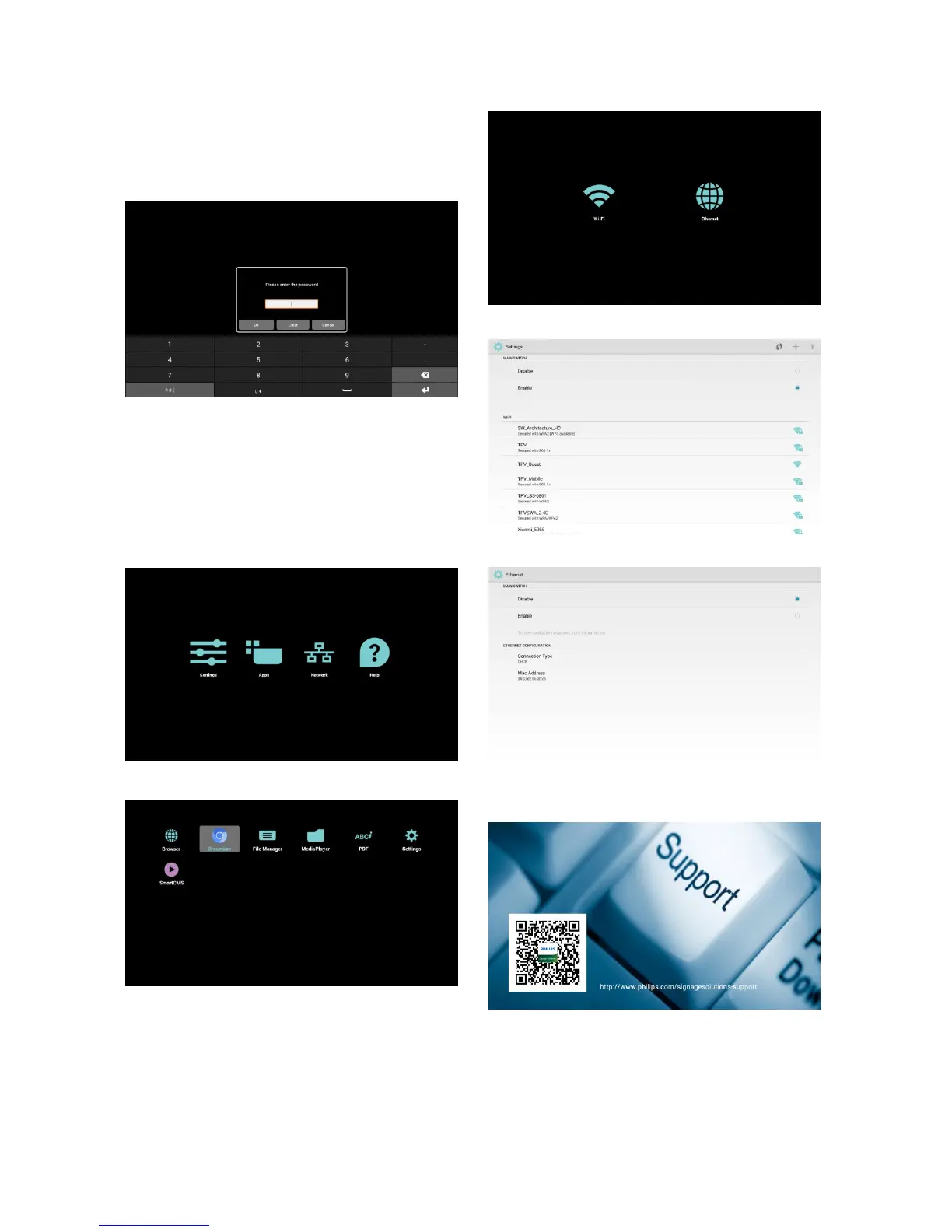
(1)First, you must enter password. The default
password is “1234”. If you want to change
password, you must go to Settings. “Signage
Display” -> “Change the Administrator Password”.
(2)Home page of Admin mode.
This page has 4 items: “Settings”, “Apps”, “Network”
and “Help”.
Settings : go to settings app.
Applications : show all existing apps.
Network : set wifi or ethernet.
Help : display QRcode.
(3) Applications page:
(4) Network page:
(5) Wi-Fi page:
(6) Ethernet page:
(7) Help page:
Display QR code page.



 To Next Page
 Loading...