10BDL3051T
27
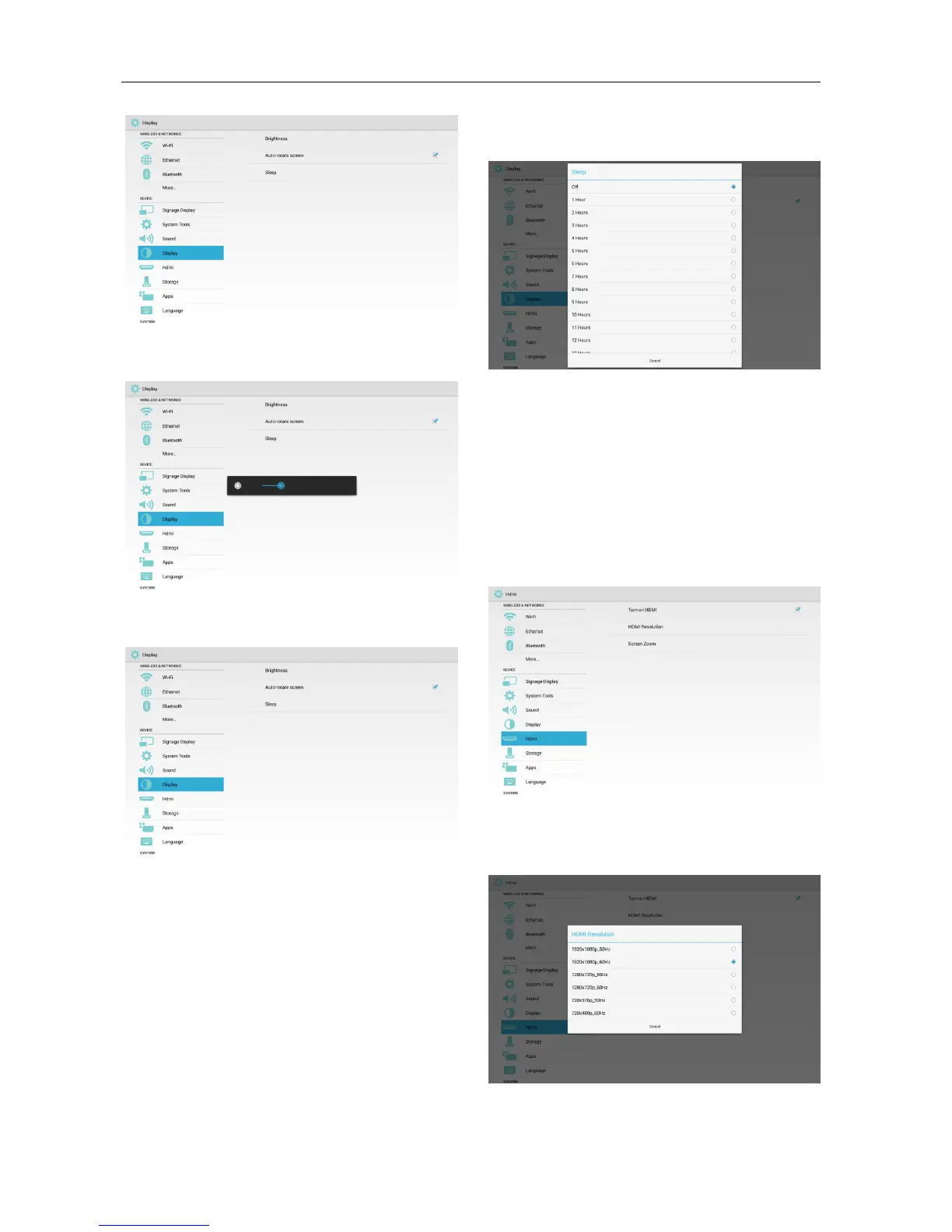
3.3.9.1 Brightness
3.3.9.2 Auto-rotate screen
3.3.9.3 Sleep
Set Sleep time.
* Off (not to sleep), 1 Hour – 24 Hours.
* In Sleep mode, you can use the key combination
“Power + Power + Volume Down + Volume Down”
to wake up the display.
* The priority of “Schedule” is higher than “Sleep”.
That means, if the Sleep time is during the
Schedule” period, Sleep time will be ignored till end
of the Schedule.
Different from “Schedule” function, it will stay
at last status if it is awaken from Sleep mode.
3.3.10 HDMI
3 functions:
* Turn on HDMI
* HDMI Resolution
* Screen Zoom
3.3.10.1 Turn on HDMI
Select : Enable HDMI
Unselect : Disable HDMI
3.3.10.2 HDMI Resolution
Set the resolution.



 To Next Page