10BDL3051T
29
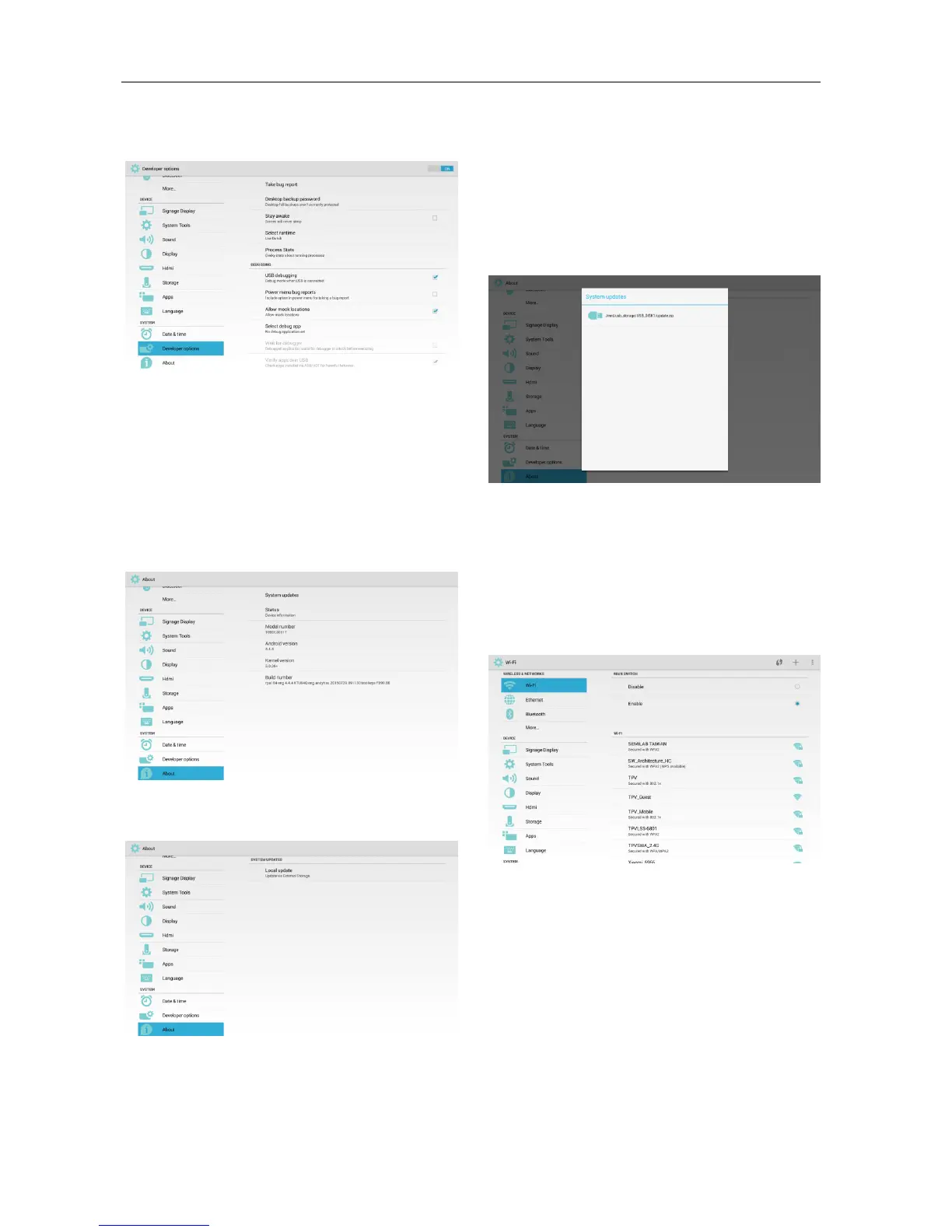
3.3.15 Developer options
To show Android developer information.
3.3.16 About
Items to show:
* System updates
* Status
* Model number
* Android version
* Kernel version
* Build number
(1) System updates
Local update
* Look for “update.zip” file in SD card and USB
drive. If it finds the file, the user can decide to
update or not.
* After choosing the file source, it will re-boot
and update automatically.
PS:
* Only supports Android Full Image
* The file name is update.zip
* The location of the file is under the root
directory of storage devices.
3.3.17 Appendix
3.3.17.1 Landscape
In Landscape Mode, the screen is divided to 2
columns.
When you click the item at left side, right side will
show its content.
3.3.17.2 Portrait
In Portrait Mode, you can only see 1 column.
When you click the item, it will go to the next page.



 To Next Page
 Loading...