Re-programming DDC IC
For VGA/DVI:
Step 1: After initialize the alignment fixture, connecting all cables. Be using VGA or DVI port from monitor.
Step 2: Connect the power code of monitor and power on it.
Step 3: Double check the EDID_Tool_3.7 icon to run the EDID_Tool_3.7.exe.
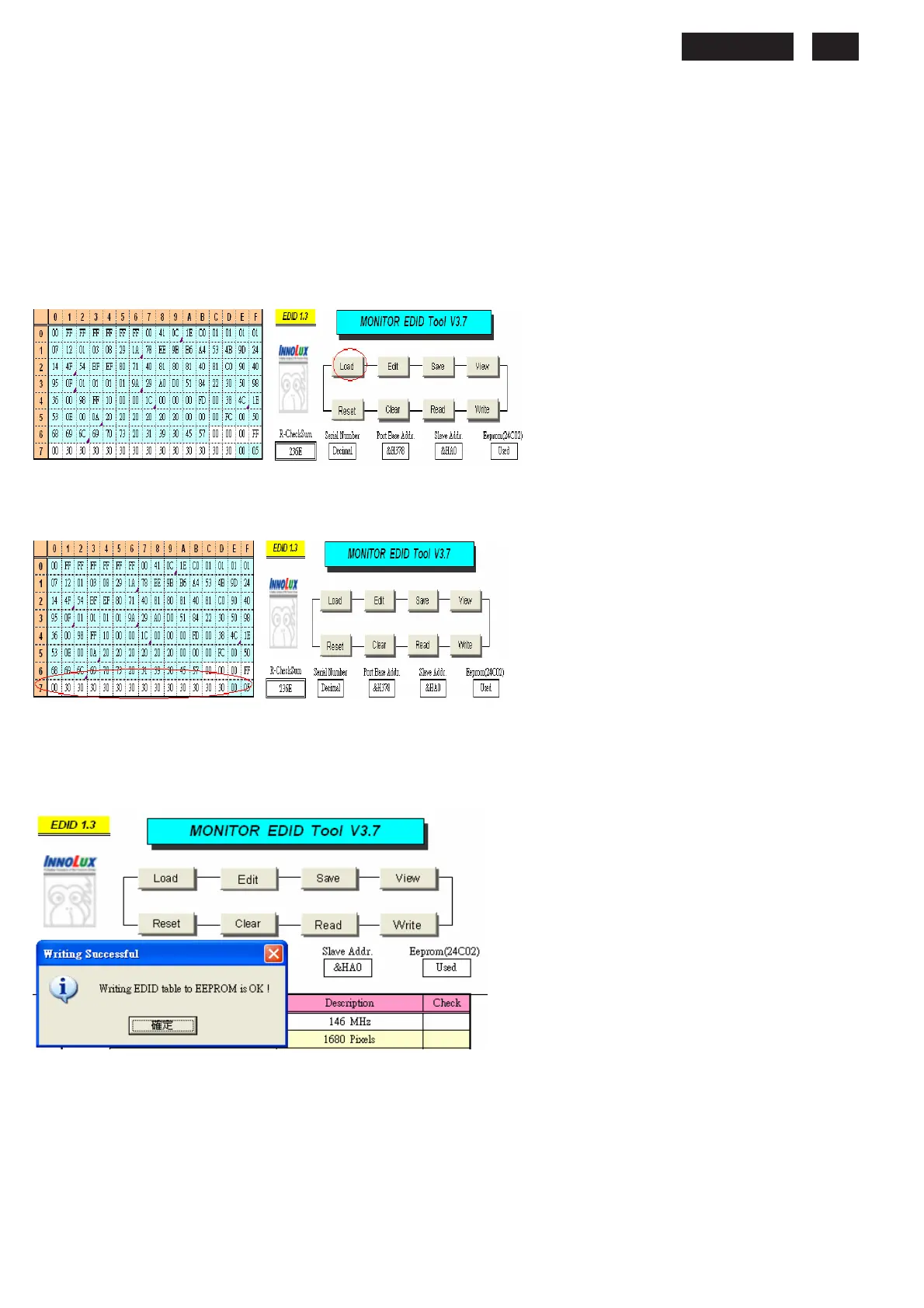
Step 4: Click the LOAD icon at the main menu to open the DDC files, load the files into EDID Tool, The
EDID table will be appeared automatically as shown in below photos.
Fig 4
Step 5: In the “Detailed Timings”, key in the monitor serial number.
Fig 5
Step 6: Press “Write” button in the tool main ,when the DDC data download into the monitor, the message will be appeared
automatically as shown in below photos.
Fig 6










 To Next Page