DDC instructions
General
DDC Data Re-programming
In case the DDC data main EEPROM which
storage all factory settings were replaced due to a defect,
the
serial numbers have to be re-programmed
It is advised to re-soldered DDC IC and main EEPROM from
the old board onto the new board if circuit board have been
replaced, in this case the DDC data does not need to be re-
programmed.
* According to the design concept of this product,
DDC data of VGA/DVI interface are saved in EEPROM(IC
24C02)
Additional information
Additional
information
about
DDC
(Display
Data
Channel)
may
be
obtained
from
Video
Electronics
Standards
Association
(VESA).
Extended
Display
Identification
Data(EDID)
information
may
be
also
obtained
from
VESA.
System and equipment requirements
1. An i486 (or above) personal computer or compatible
2. Microsoft operation system Windows 98/2000/XP
3. Installation software of "EDID_Tool_3.7"( for VGA and
DVI EDID)
4. Executive program "EDID_Tool_3.7"( for VGA and DVI
EDID)
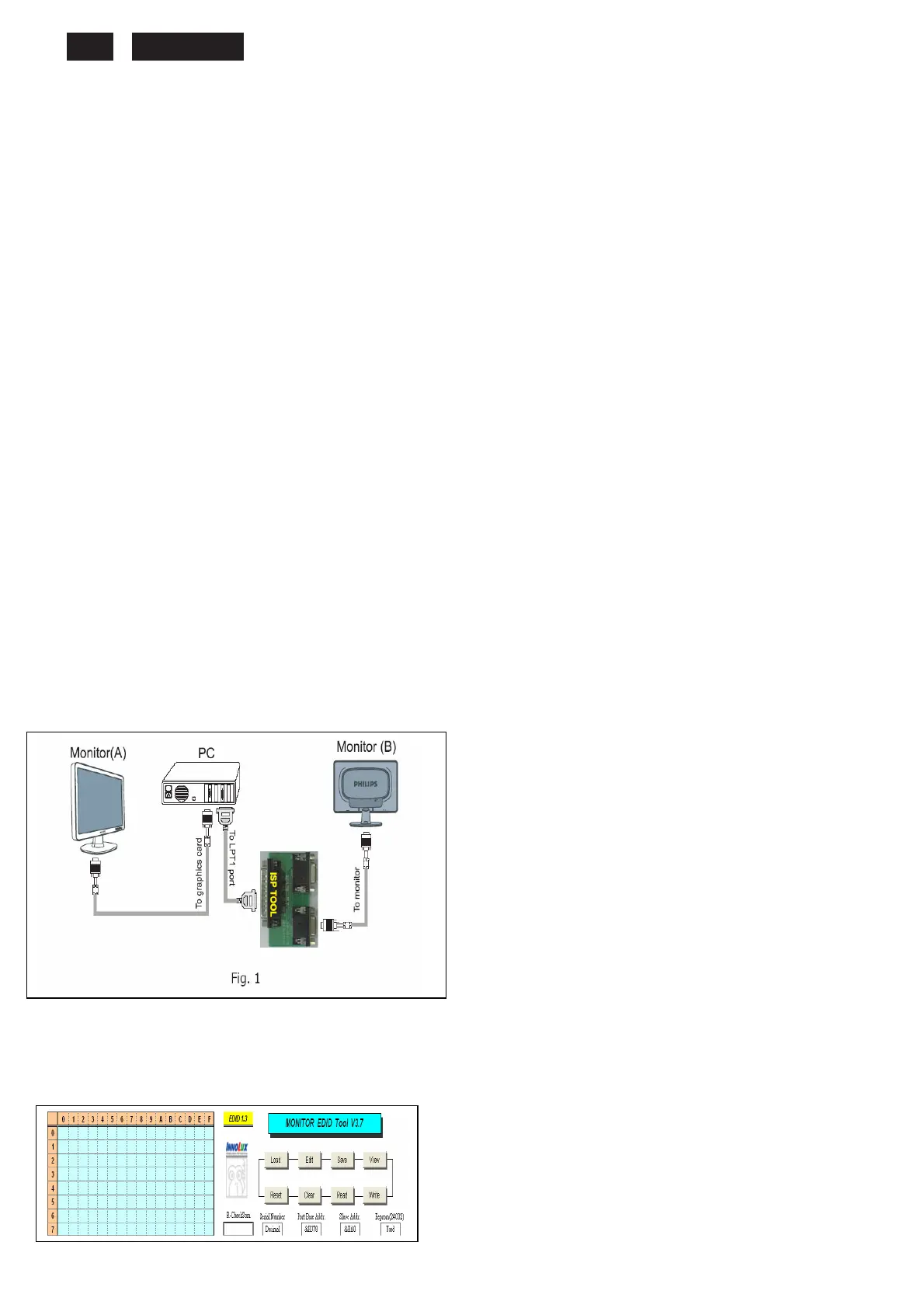
5. ISP tool kit, as shown in Fig1
Connect the EDID tool as follow in Fig1: The parallel port
connects to the computer. VGA or DVI port connects to the
Monitor.
Including: a. Alignment fixture x 1
b. Printer cable (LPT type) x 1
c. D-sub to D-sub cable x 1 or DVI to DVI Cable x
1
Fig 1
Install and setup EDID_Tool_3.7 program
Step 1: Double press the “EDID_Tool_3.7.exe”,as follow:
Step 2: The EDID Tool Install finished.
Fig 2
+











 To Next Page