EasyManua.ls Logo

Philips 231E1HSB/00 - Page 22

Philips 231E1HSB/00
69 pages
Print Icon
To Next Page IconTo Next Page
To Previous Page IconTo Previous Page
Loading...
231E1
LCD
22
Safety Instruction,
Satety instruction,warnings and notes
index
of
this
chapter:
1
Safety
Instructions
2
Warnings
3
Notes
1
Safety
Instructions
Safety
regulations
require
that
during
a
repair:
a.
Connect
the
set
to
the
AC
Power
via
an
isolation
transformer
(>
800
VA).
b.
Replace
safety
components,
indicated
by
the
symbol
,
only
by
components
identical
to
the
original
ones.
Any
other component
substitution
(other
than
original
type)
may increase
risk
of
fire
or
electrical
shock
hazard.
Safety
regulations
require
that
after
a
repair,
the
set
must
be returned
in
its
original
condition.
Pay
in
particular
attention
to the
following
points:
a.
Route
the
wire
trees
correctly
and
fix
them
with
the
mounted cable
clamps.
b.
Check
the
insulation
of
the
AC
Power
lead
for
external damage.
c.
Check
the
strain
relief
of
the
AC
Power
cord
for
proper function.
d.
Check
the
electrical
DC
resistance
between
the
AC
Power
plug
and
the
secondary
side
(only
for
sets
which
have
a
AC Power
isolated
power
supply):
*
Unplug
the
AC
Power
cord
and
connect
a
wire
between
the two
pins
of
the
AC
Power
plug.
*
Set
the
AC
Power
switch
to
the
"on"
position
(keep
the
AC Power
cord
unplugged!).
*
Measure
the
resistance
value
between
the
pins
of
the
AC
Power
plug
and
the
metal
shielding
of
the
tuner
or
the
aerial connection
on
the
set.
The
reading
should
be
between
4.5
Mohm
and
12
Mohm.
*
Switch
"off"
the
set,
and
remove
the
wire
between
the
two
Pins
of
the
AC
Power
plug.
e.
Check
the
cabinet
for
defects,
to
avoid
touching
of
any
inner parts
by
the
customer.
2
Warnings
a.
All
ICs
and
many
other
semiconductors
are
susceptible
to
electrostatic
discharges
(ESD
).
Careless
handling
during repair
can
reduce
life
drastically.
Make
sure
that,
during
repair,
you
are
connected
with
the
same
potential
as
the
mass
of
the
set
by
a
wristband
with
resistance.
Keep
components
and
tools
also
at
this
same
potential.
b.
Be
careful
during
measurements
in
the
high
voltage
section.
c.
Never
replace
modules
or
other
components
while
the
unit
is
switched
"on".
d.
When
you
align
the
set,
use
plastic
rather
than
metal
tools.
This
will
prevent
any
short
circuits
and
the
danger
of
a
circuit becoming
unstable.
3
Notes
3.1
General
Measure
the
voltages
and
waveforms
with
regard
to
the
chassis
ground
or
hot
ground,
depending
on
the
tested
area
of circuitry.
The
voltages
and
waveforms
shown
in
the
diagrams are
indicative.
The
semiconductors
indicated
in
the
circuit
diagram
and
in
the
parts
lists,
are
interchangeable
per
position
with
the
semiconductors
in
the
unit,
irrespective
of
the
type
indication
on
Warnings and Notes
3.2
Schematic
Notes
All
resistor
values
are
in
ohms
and
the
value
multiplier
is
often
used
to
indicate
the
decimal
point
location
(e.g.
2K2
indicates
2.2
Kohm).
Resistor
values
with
no
multiplier
may
be
indicated
with
either
an
"E"
or
an
"R"
(e.g.
220E
or
220R
indicates
220
ohm).
All
capacitor
values
are
given
in
micro-farads
(
X10
-6
),
nano-farads
(n=
X10
-9
),
or
pico-farads
(p=
X10
-12
).
Capacitor
values
may
also
use
the
value
multiplier
as
the
decimal
point
indication
(e.g.
2p2
indicates
2.2
pF).
An
"asterisk"
(*)
indicates
component
usage
varies.
Refer
to
the
diversity
tables
for
the
correct
values.
The
correct
component
values
are
listed
in
the
Electrical
Replacement
Parts
List.
Therefore,
always
check
this
list
when
there
is
any
doubt.
3.3
Lead
Free
Solder
Philips
CE
is
going
to
produce
lead-free
sets
(PBF)
from
1.1.2005
onwards.
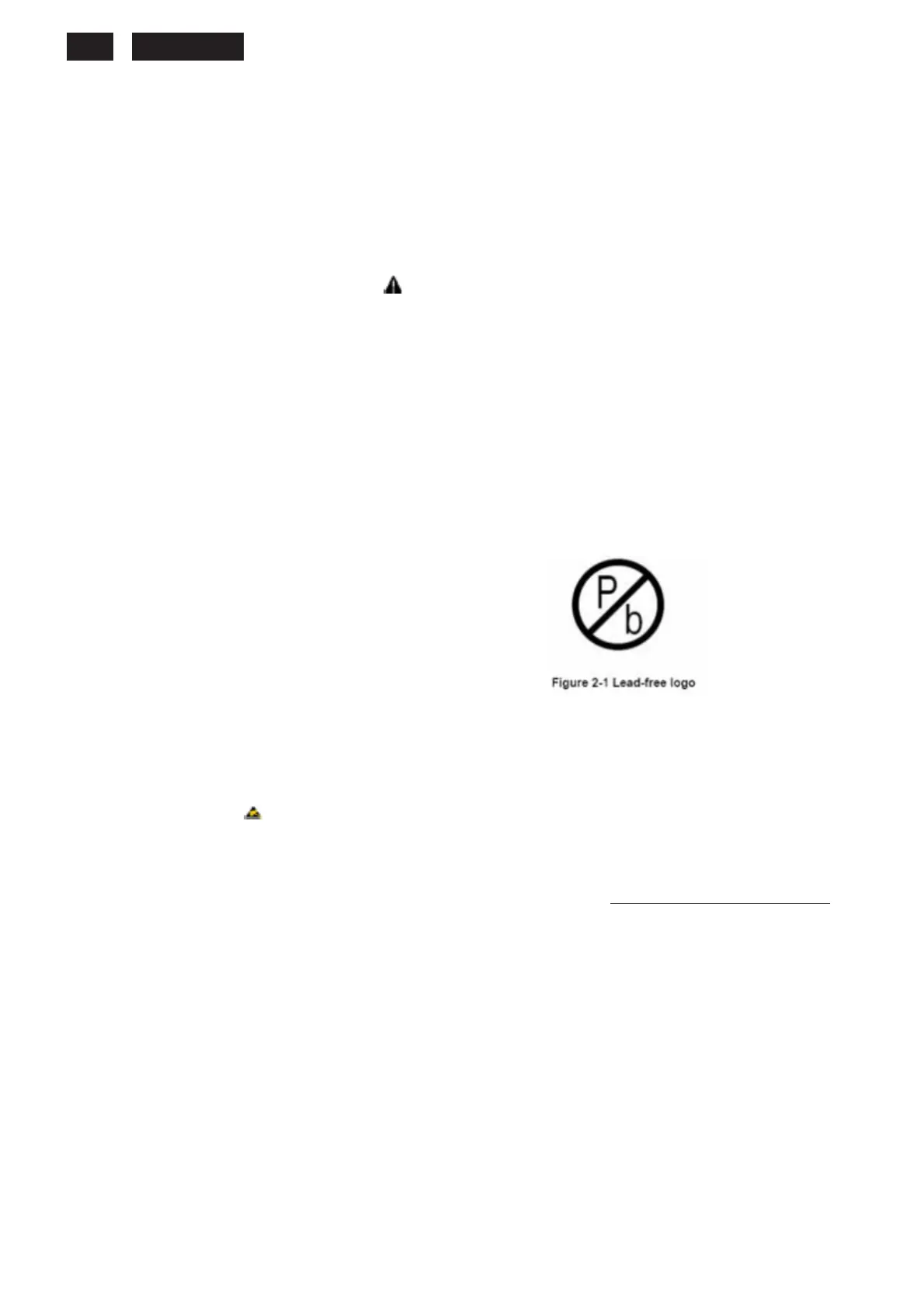
Lead-free
sets
will
be
indicated
by
the
PHILIPS-lead-free
logo
on
the
Printed
Wiring
Boards
(PWB):
This
sign
normally
has
a
diameter
of
6
mm,
but
if
there
is
less
space
on
a
board
also
3
mm
is
possible.
In
case
of
doubt
wether
the
board
is
lead-free
or
not
(or
with
mixed
technologies),
you
can
use
the
following
method:
*
Always
use
the
highest
temperature
to
solder,
when
using
SAC305
(see
also
instructions
below).
*
De-solder
thoroughly
(clean
solder
joints
to
avoid
mix
of
two
alloys).
Caution: For
BGA-ICs,
you
must
use
the
correct
temperature
profile,
which
is
coupled
to
the
12NC.
For
an
overview
of
these
profiles,
visit
the
website
http://www.atyourservice.ce.philips.com/
You
will
find
this
and
more
technical
information
within
the
"Magazine",
chapter
"Workshop
information".
For
additional
questions
please
contact
your
local
repair
desk.
Due
to
lead-free
technology
some
rules
have
to
be
respected
by
the
workshop
during
a
repair:
Use
only
lead-free
soldering
tin
Philips
SAC305
with
order
code
0622
149
00106.
If
lead-free
solder
paste
is
required,
please
contact
the
manufacturer
of
your
soldering
equipment.
In
general,
use
of
solder
paste
within
workshops
should
be
avoided
because
paste
is
not
easy
to
store
and
to
handle.
Use
only
adequate
solder
tools
applicable
for
lead-free
soldering
tin.
The
solder
tool
must
be
able
-
To
reach
at
least
a
solder-tip
temperature
of
400
degree
C.
-
To
stabilise
the
adjusted
temperature
at
the
solder-tip.
-
To
exchange
solder-tips
for
different
applications.

Related product manuals