241B4LPY LCD 27
DDC Instructions
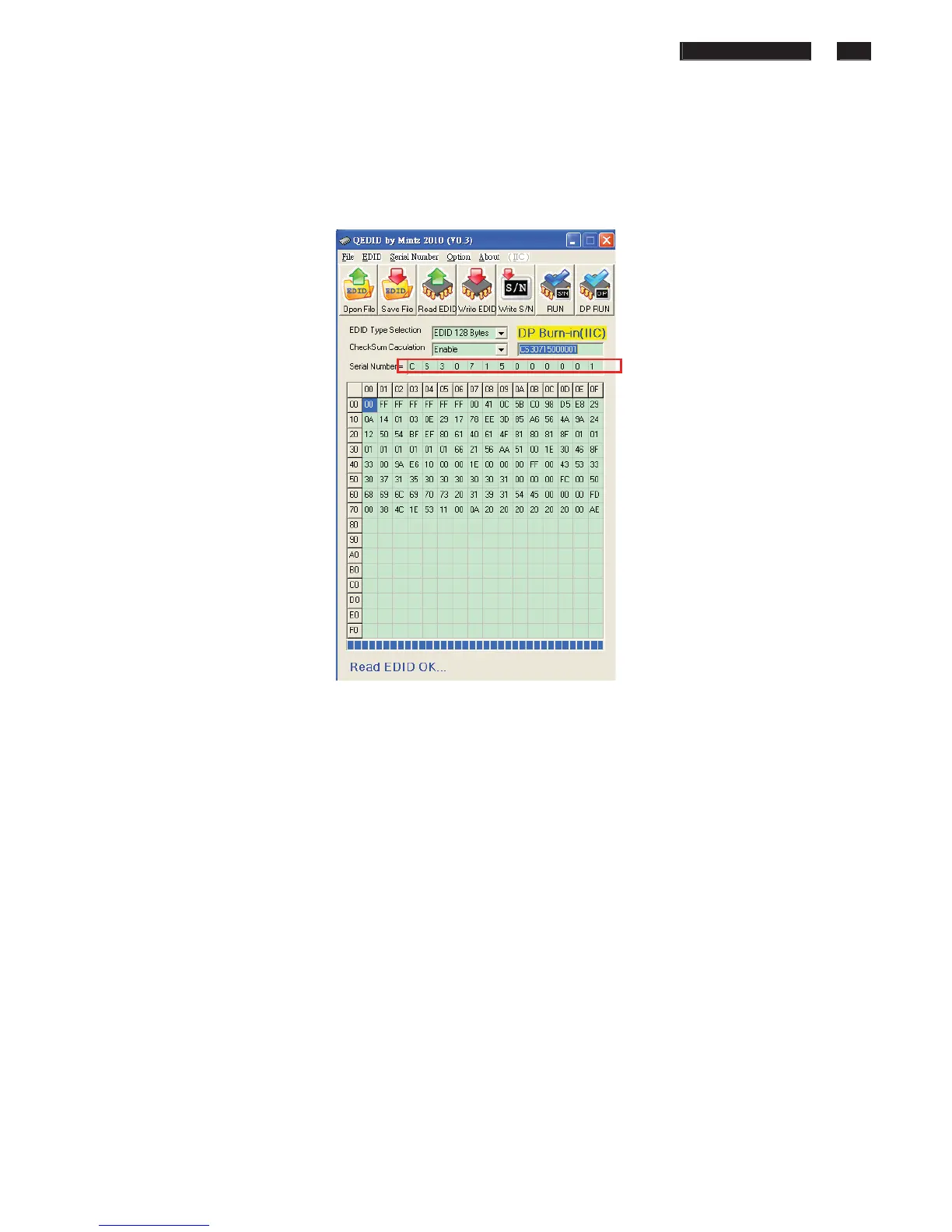
8. Press “Read EDID” to read EDID and serial number shown as Fig.10 . and check
Serial number is the same as we set.
Note: If not the same, please rewrite EDID S/N again.
Fig.10
9. Repeat Step2~7 for DVI port.
10. For DP, please use Factory function “DP EDID”. Select and enter to run this
function, if success it will show OK. shown as Fig.11














 To Next Page