7�2�4 S-Video - Good quality
An analogue connection, S-Video provides
better picture quality than composite video.
When connecting your device with S-Video,
plug the S-Video cable to the S-Video
connector on the side of the TV. You must
connect a separate Audio L/R cable from
the device to the red and white Audio L/R
connectors on the side of the TV.
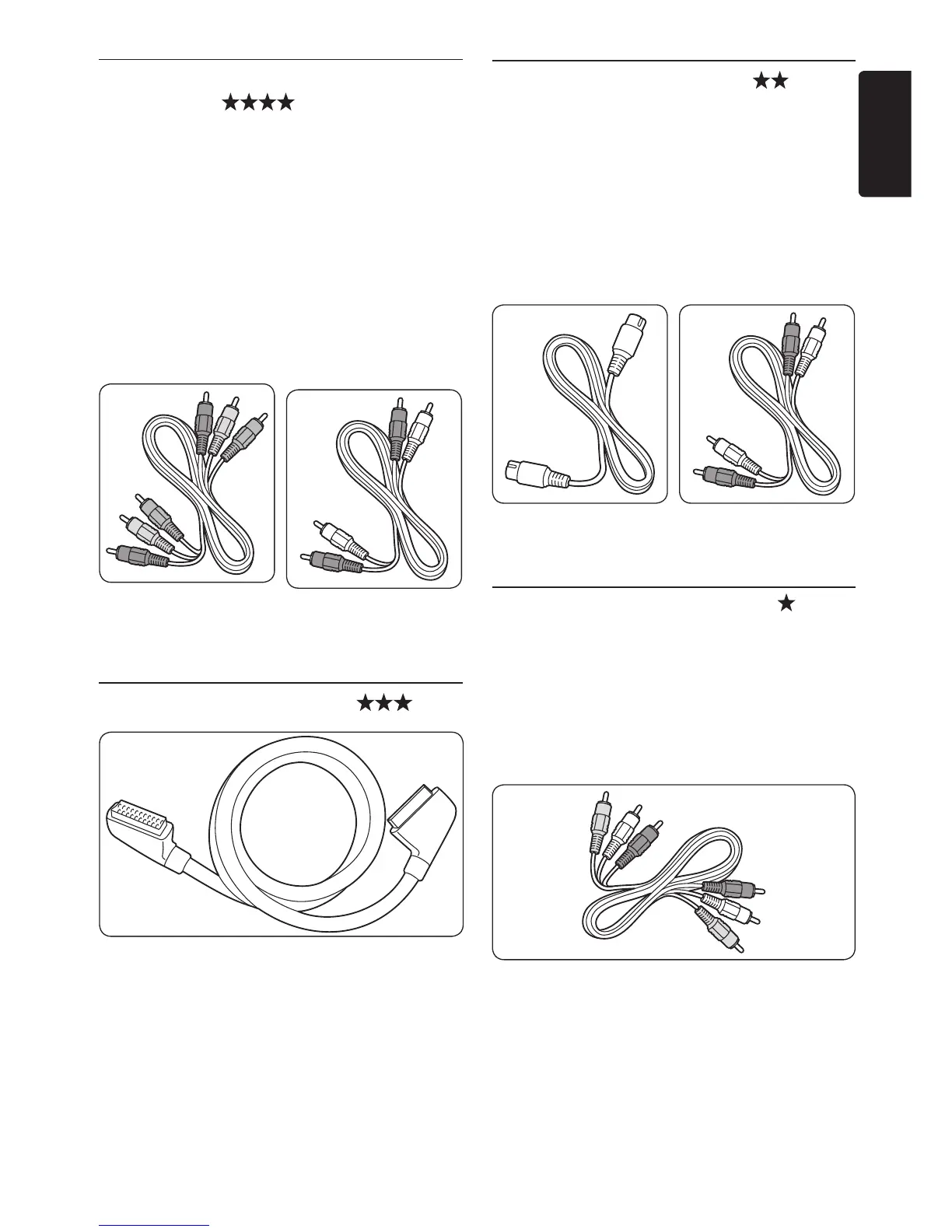
S-Video cable
Audio L/R cable
- Red, White
7�2�5 Composite - Basic quality
Composite video provides basic analogue
connectivity, usually combining a (yellow) video
cinch cable with (red and white) Audio L/R
cinch cable. Match the cable colours when
connecting to the composite Video and Audio
L/R input connectors on the side of the TV.
Composite audio/video cable - Yellow, red and
white
7�2�2 Component (Y Pb Pr) - Higher
quality
Component (Y Pb Pr) video provides better
picture quality than S-Video or composite
video connections. Though component video
supports high-definition signals, picture quality
is lower than HDMI and is analogue.
When connecting a component video cable,
match the cable colours to the EXT 3
connectors on the back of the TV. Also, connect
a Audio L/R cable to the red and white Audio
L/R input connectors at EXT 3.
Component video
cable
- Red, Green, Blue
Audio L/R cable
- Red, White
7�2�3 SCART - Good quality
SCART combines audio and video signals in
one cable. Audio signals are stereo, while video
signals can be composite or S-Video quality.
SCART does not support high-definition video
and is analogue. Two SCART connectors are
provided on the TV, EXT 1 and EXT 2.













 To Next Page