2 Your TV
This section gives you an overview of
commonly-used TV controls and functions.
2�1 TV overview
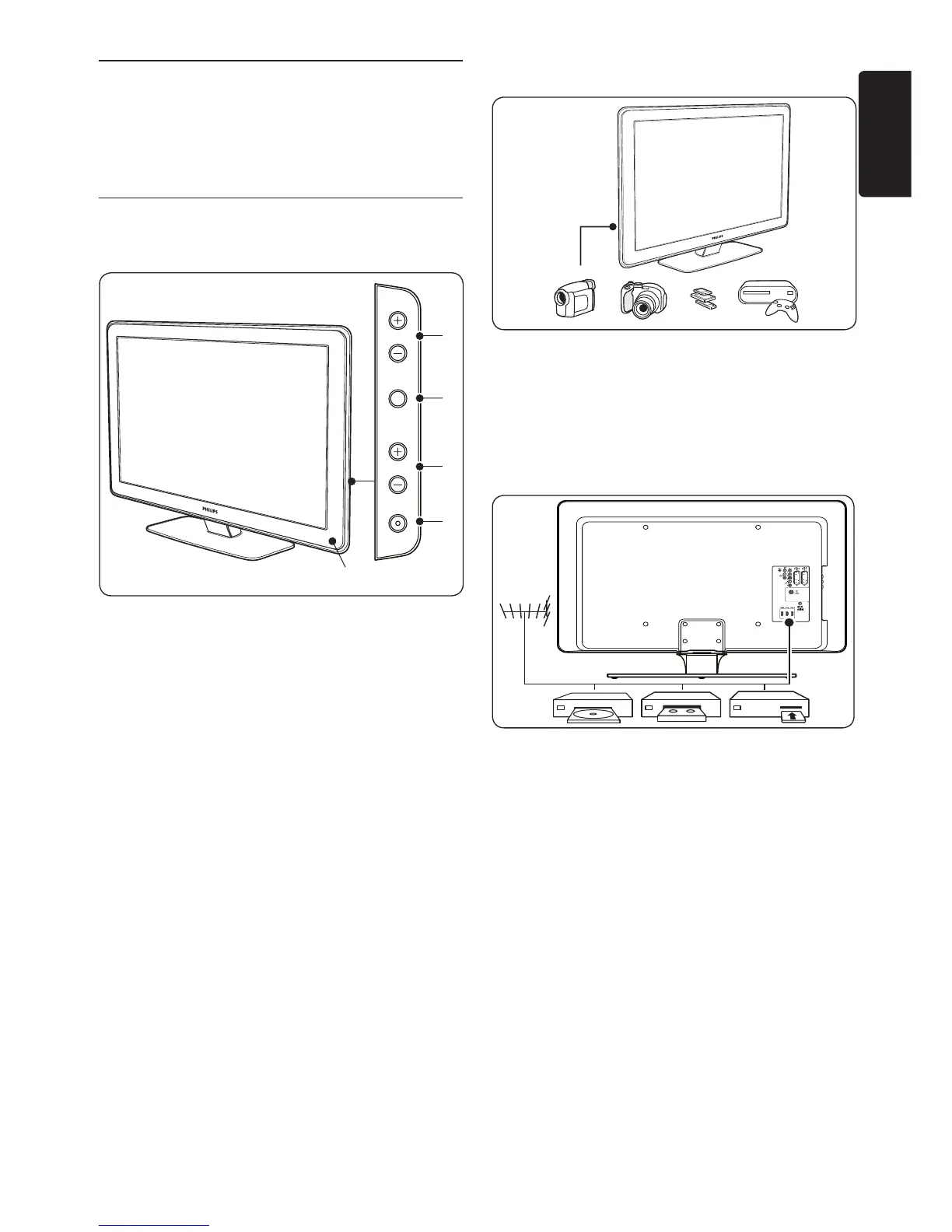
Side controls and indicators
POWER
1.
PROGRAM +/-2.
MENU3.
VOLUME +/-4.
Power indicator/Remote control sensor5.
Side connectors
Use the TV side connectors to connect to
mobile devices such as a camera or high-
definition game console. You can also connect
a pair of headphones or a USB memory device.
Back connectors
Use the TV back connectors to connect to the
antenna and permanent devices such as a high-
definition disc player, DVD player or VCR.
Note D
For more information about connections,
see Section 7 Connect devices.













 To Next Page