7�3 Connect devices
This section describes how to connect
various devices with different connectors and
supplements examples provided in the Quick
Start Guide.
Caution
C
Disconnect the mains cord before
connecting devices.
Note D
Different types of connectors may be used
to connect a device to your TV, depending
on availability and your needs.
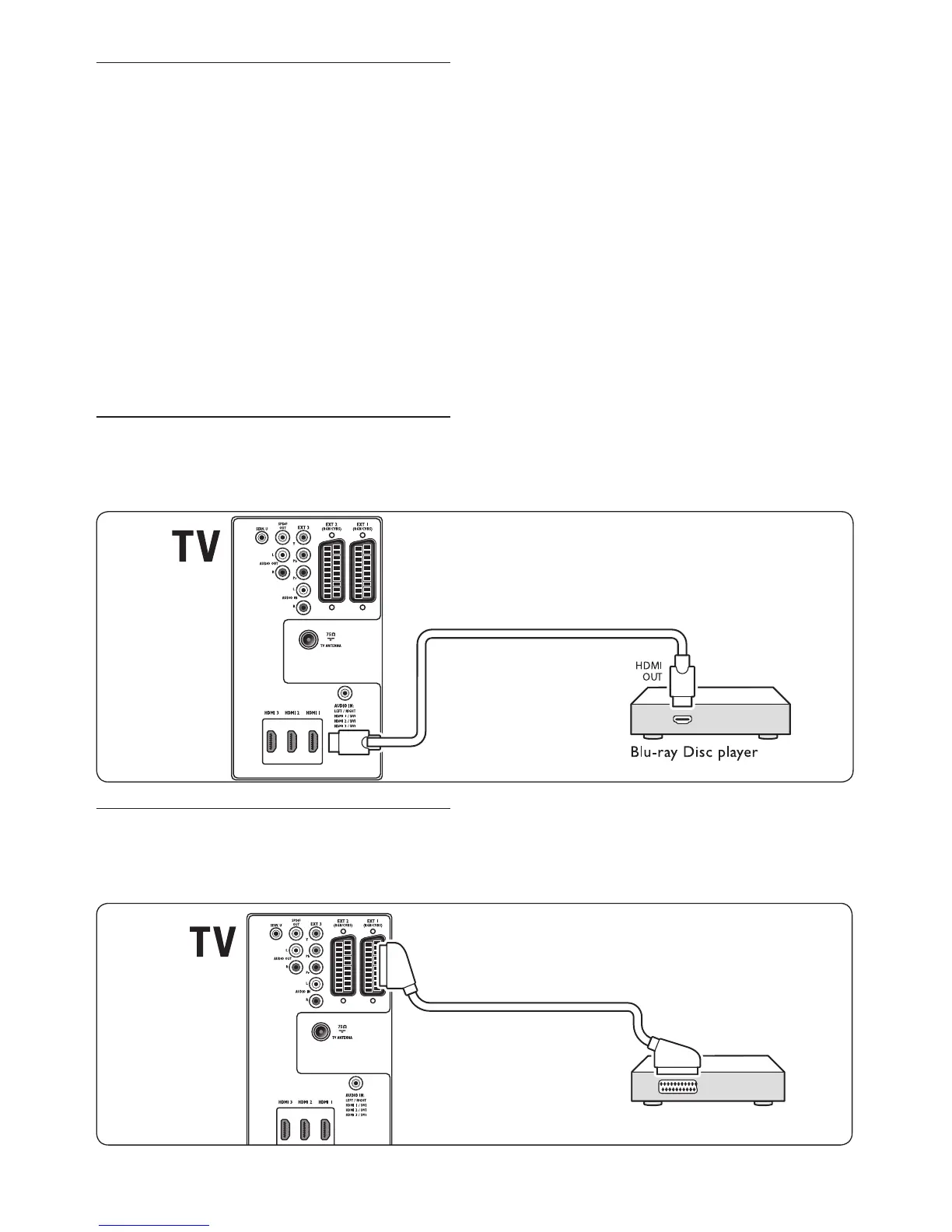
7�3�1 Blu-ray Disc player
For full high-definition video, connect a HDMI
cable as illustrated:
7�3�2 DVD player
For DVD video, connect a SCART cable as
illustrated:












 To Next Page