11
Use smart sound
Use smart sound to apply pre-defi ned sound
settings.
1 Press SOUND .
The » [Smart sound] menu appears.
2 Press to select a smart sound
setting:
• [Standard] : Adjusts sound settings
to suit most environments and types
of audio.
• [News] : Applies settings for spoken
audio, such as news.
• [Movie] : Applies settings for movies.
• [Personal] : Applies the settings that
were customized in the sound menu.
3 Press OK to confi rm your choice.
The selected smart sound setting is »
applied.
Manually adjust sound settings
1 Press ( Home ).
2 Press to select [Setup] > [Sound] .
The » [Sound] menu appears.
3 Press to select and adjust:
• [Smart sound] : Accesses pre-defi ned
smart sound settings.
• [Bass] : Adjusts the bass level.
• [Treble] : Adjusts the treble level.
• [Volume] : Adjusts the volume.
• [Audio language] : Available for digital
channels, when multiple languages
are broadcast. Lists available audio
languages.
• [Alternate audio] : Available for
analog channels when a main and
second audio program (SAP) is
broadcast. Select the main or second
audio program.
• [Mono/Stereo] : Selects mono
or stereo if stereo broadcast is
available.
• [Balance] : Adjusts the balance of the
right and left speakers.
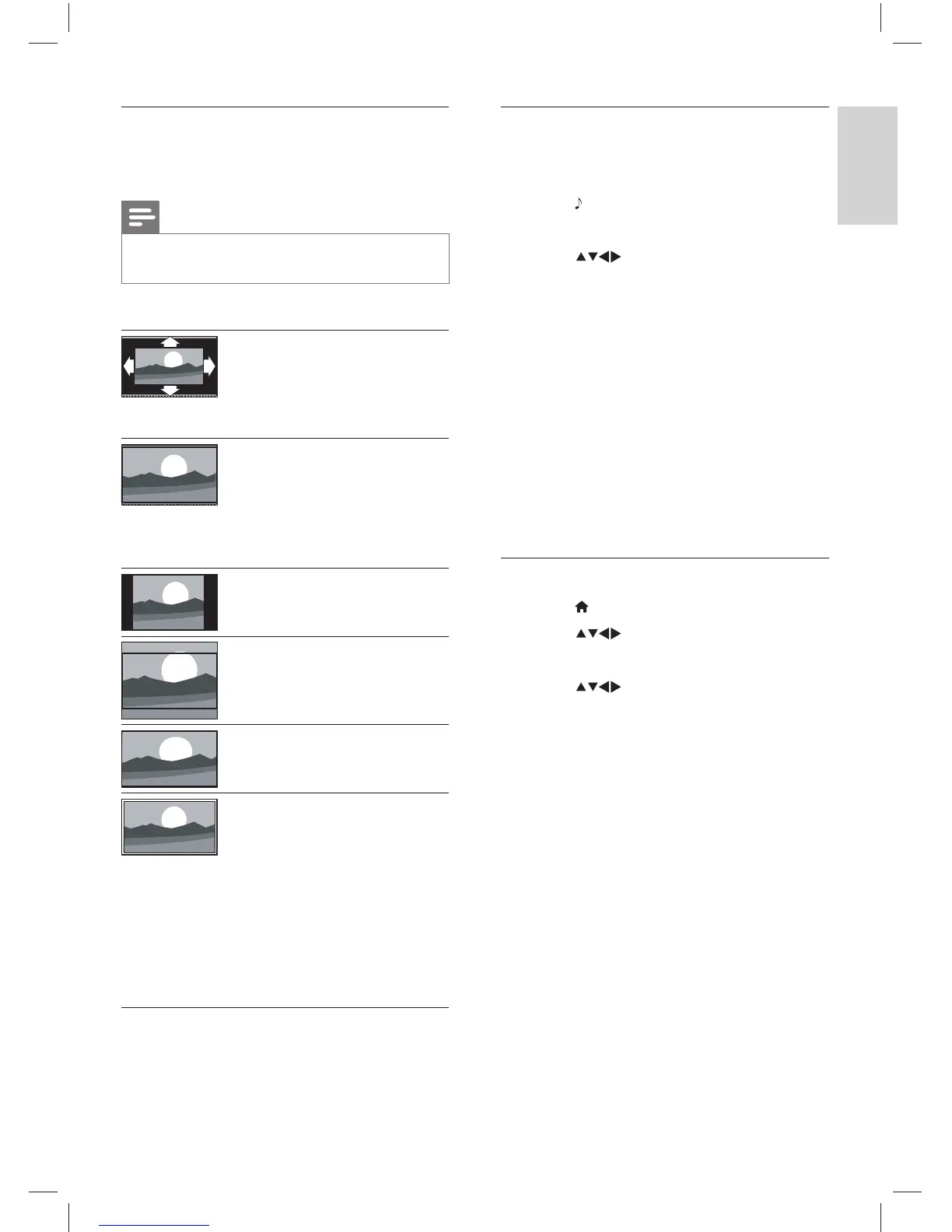
Summary of picture formats
The following picture settings can be
confi gured.
Note
Depending on the format of the picture •
source, some picture settings are not available.
[Auto format] : (Not for
PC mode.) Enlarges the
picture automatically to
best fi t the screen. The
subtitles remain visible.
[Super zoom] : (Not
for HD and PC mode.)
Removes the black bars on
the side of 4:3 broadcasts.
There is minimal
distortion.
[4:3] : Shows the classic 4:3
format.
[Movie expand 16:9] :
(Not for HD and PC
mode.) Scales 4:3 format
to 16:9.
[Wide screen] : Scales 4:3
format to 16:9.
[Unscaled] : For HD
and PC mode only,
and in selected models
only. Allows maximum
sharpness. Some
distortion may be present
due to the broadcaster’s
systems. Set your PC
resolution to wide screen
mode for best results.
English
EN
Dali_78_EN.indd 11Dali_78_EN.indd 11 1/14/2010 10:13:13 AM1/14/2010 10:13:13 AM











 To Next Page