22
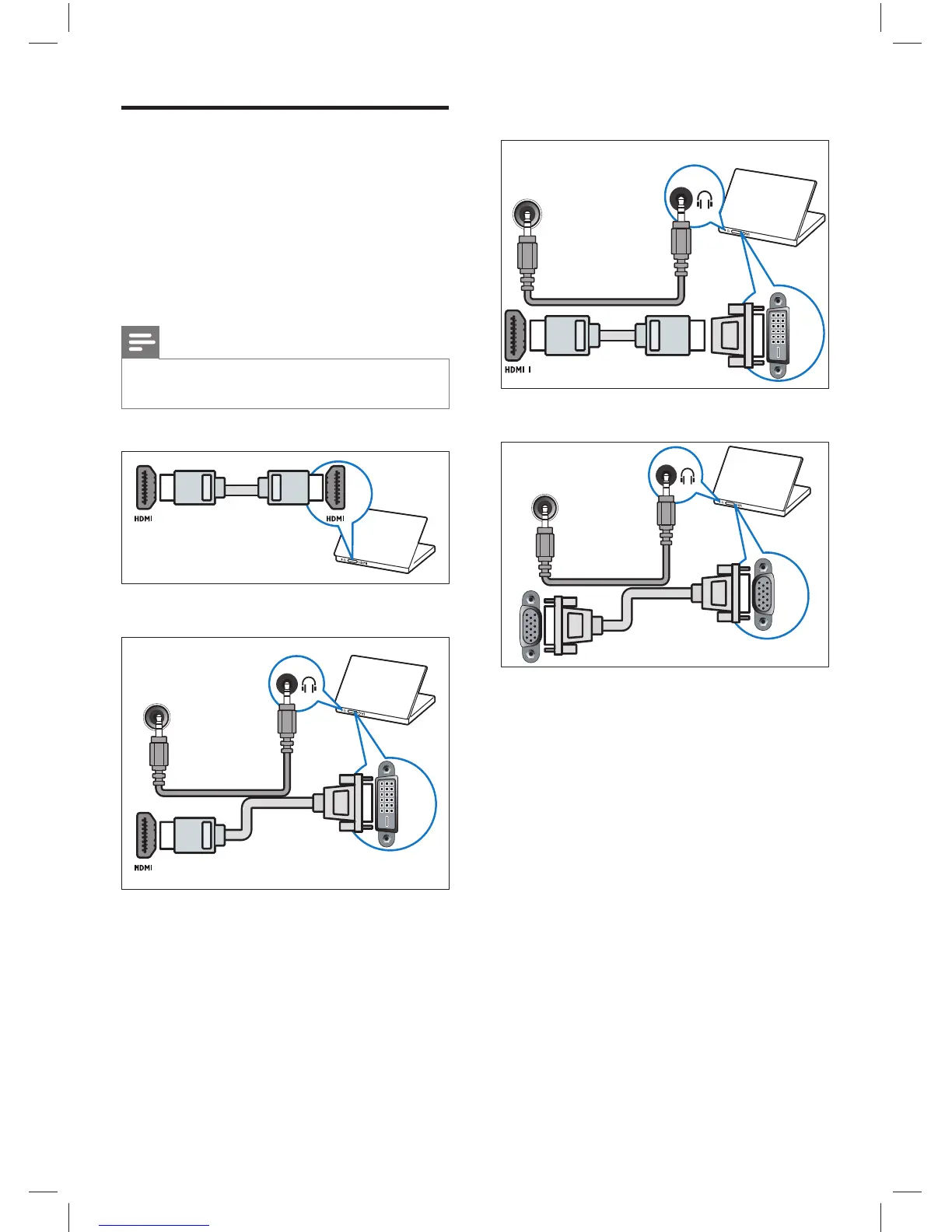
• HDMI cable and HDMI-DVI adaptor
• VGA cable
DVI
DVI/VGA
AUDIO IN
VGA
DVI/VGA
AUDIO IN
VGA
Connect a computer
Before you connect a computer to the TV
Set the screen refresh rate on your •
computer to 60Hz.
Select a supported screen resolution on •
your computer.
Connect a computer with one of the
following connectors:
Note
Connections via DVI or VGA require an •
additional audio cable.
• HDMI cable
• DVI-HDMI cable
DVI
DVI/VGA
AUDIO IN
EN
Dali_78_EN.indd 22Dali_78_EN.indd 22 1/14/2010 10:13:15 AM1/14/2010 10:13:15 AM











 To Next Page