55BDL4050D
2
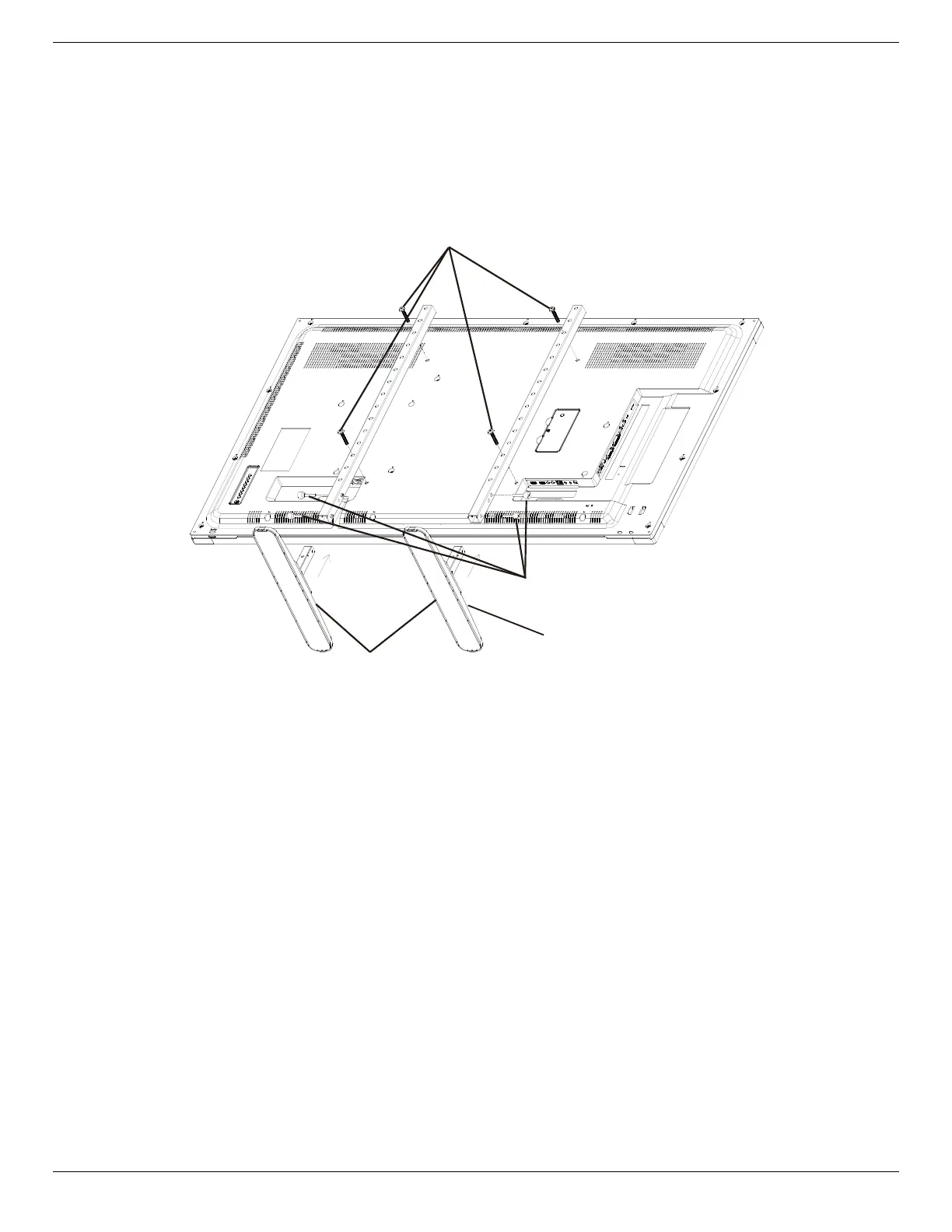
1.4. Installing and Removing Table Stands (optional)
Step 1- Put on the table
Layaprotectivesheetonthetable,whickwaswrappedarroundthedisplaywhenitwaspackaged,beneachthescreensurfacesoasnottoscratch
thescreenface.
Step 2- Fix the tube to the display (by using M6xL41 screws)
Pleaserefertothefollowingdrawingtoknowthepositionofscrews.
Step 3- Set up the stand (by using thumb)
Table stand
Longer portions face the front
M6xL41 screws
Thumb screws
To remove table stands:
1. Poweroffthedisplay.
2. Spreadaprotectivesheetonaatsurface.
3. Placethedisplayface-downontheprotectivesheet.
4. Removescrewsusingascrewdriverandplacetheminasafeplaceforreuse.













 To Next Page