55BDL4050D
26
4.7. SmartCMS
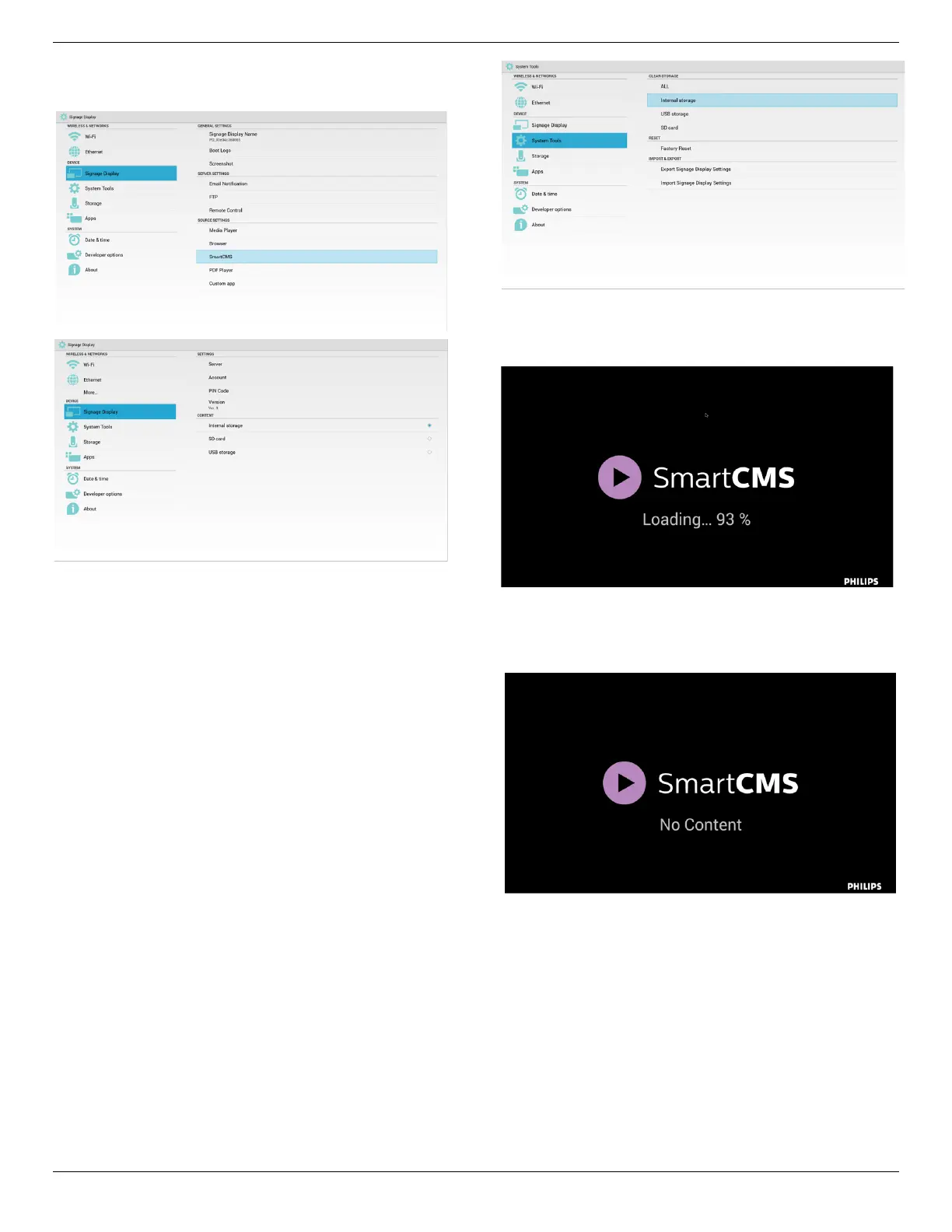
1. Settings
1)ServerIP:Your_SmartCMS_server_address
2)Account:admin
3)PINCode:0281(Default,whichcanbegeneratebyservertool)
4)Version:Ver.3(defaultvalue)
YoucanselectVer.2orVer.3.AndSmartCMSwoulddownloadcms
contentsfromaVer.2serveroraVer.3server.
a.Ver.3:Youneedtosetserverinformation(ip,account,PINCode)
inthesettings.
b.Ver.2:Youneedtoinstallcmsdatafromlocalstoragefortherst
time.Andserverinformationwouldbeaccessedfromthelocalcms
content.Theoptionsinthesettings,includingIP,account,andPIN
Code,wouldbedisabled.
5)Content:cmscontentcanbestoredintheinternalstorage,SD
card,andUSBstorage.Bydefault,thetargetisinternal.
a.Ifserverisconnected,cmsdatawouldbedownloadedfrom
SmartCMSserver.
b.Ifserverisdisconnected,cmsdatawouldbeaccessedfromlocal
storage.
6)Localcmscontent(*.cmsle)
a. Ifcontentissettobeinternalstorage,*.cmsshouldbestoredin
theFTProotfolder(highpriority)or/sdcard/philips(lowpriority).
b.IfcontentissettobeUSBstorageorSDcard,*.cmsshouldbe
storedintherootfolderofexternalstorage.
7)YoucandeletecmsdataviaSystemTools.
2. SetsourcetoSmartCMS,cmsdatawillbedownloaded
automatically
1)Ifthereisnocmsdataintheserverorthenetworkisdisconnect.
“NoContent”willbeshown.
2)Ifyouselect“SDcard”or“USBstorage”,“NoContent”willbe
shownwhenyouremovetheSDcard/USBstorage.













 To Next Page