55BDL4050D
32
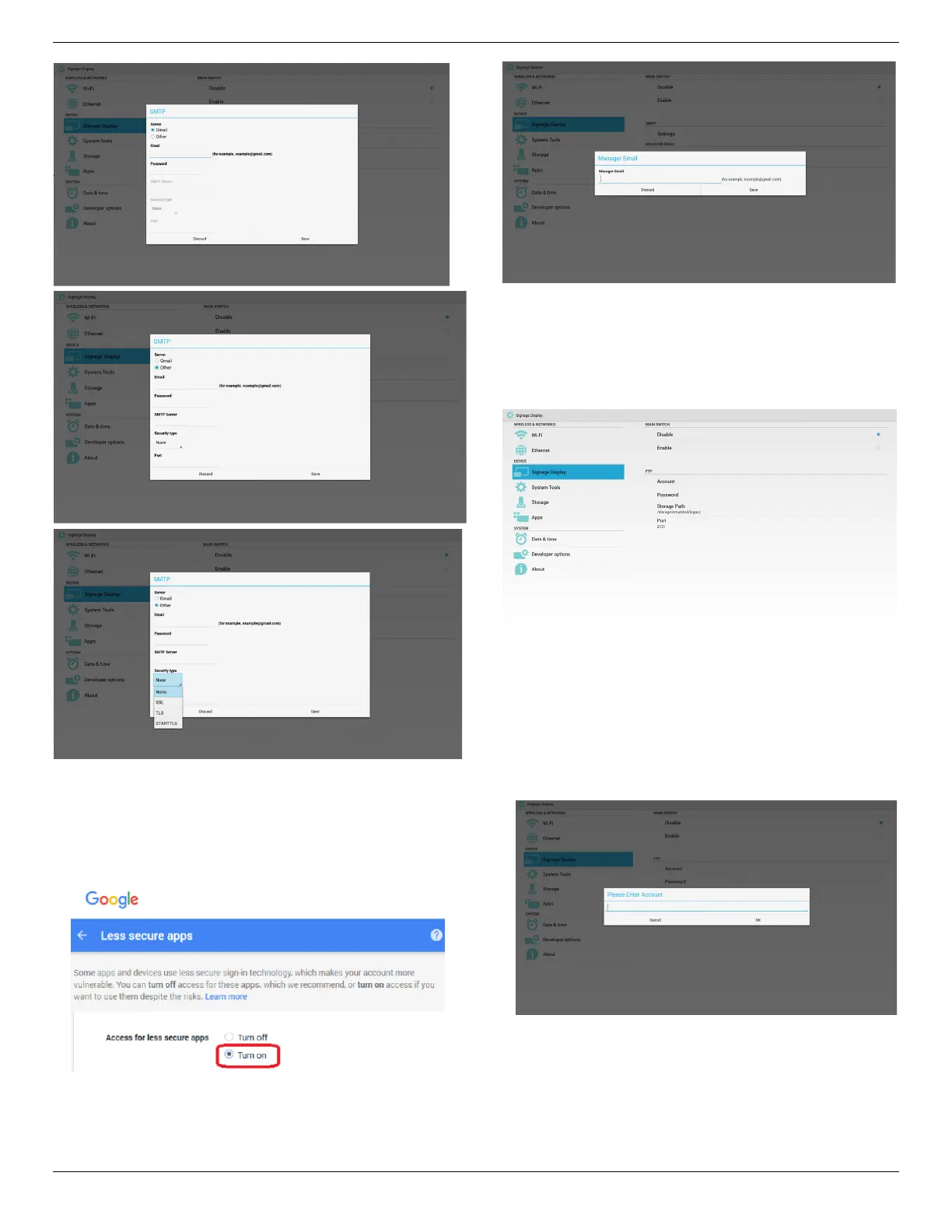
Gmailsafetysetting
IfitcannotsendmanageraftersettingGmail,pleaseloginyourGmail
testaccount,thenaccesstowebsite:
https://www.google.com/settings/security/lesssecureapps.
Conrmthe“Accessforlesssecureapps”,pleasesettoTurnon
2)ManagerEmail
Email
SetupReceivermailaccount
3)Test
SendTestMail
TotestGmailaccountreceive/sendfunction.
2. FTP
ViaEnable/DisabletocontrolFTPOn/Off.Aftersetup,PDcanshare
FTPles.
1)Account
SetupFTPaccount
Note:
Inputlimitation
(1)Length:4-20characters
(2)Format:
I. Englisha-zandA-Z
II. Number0-9
2)Password
SetupFTPpassword.
Note:
Inputlimitation
(1)Length:6-20characters
(2)Format:
I. Englisha-zandA-Z













 To Next Page