16
English
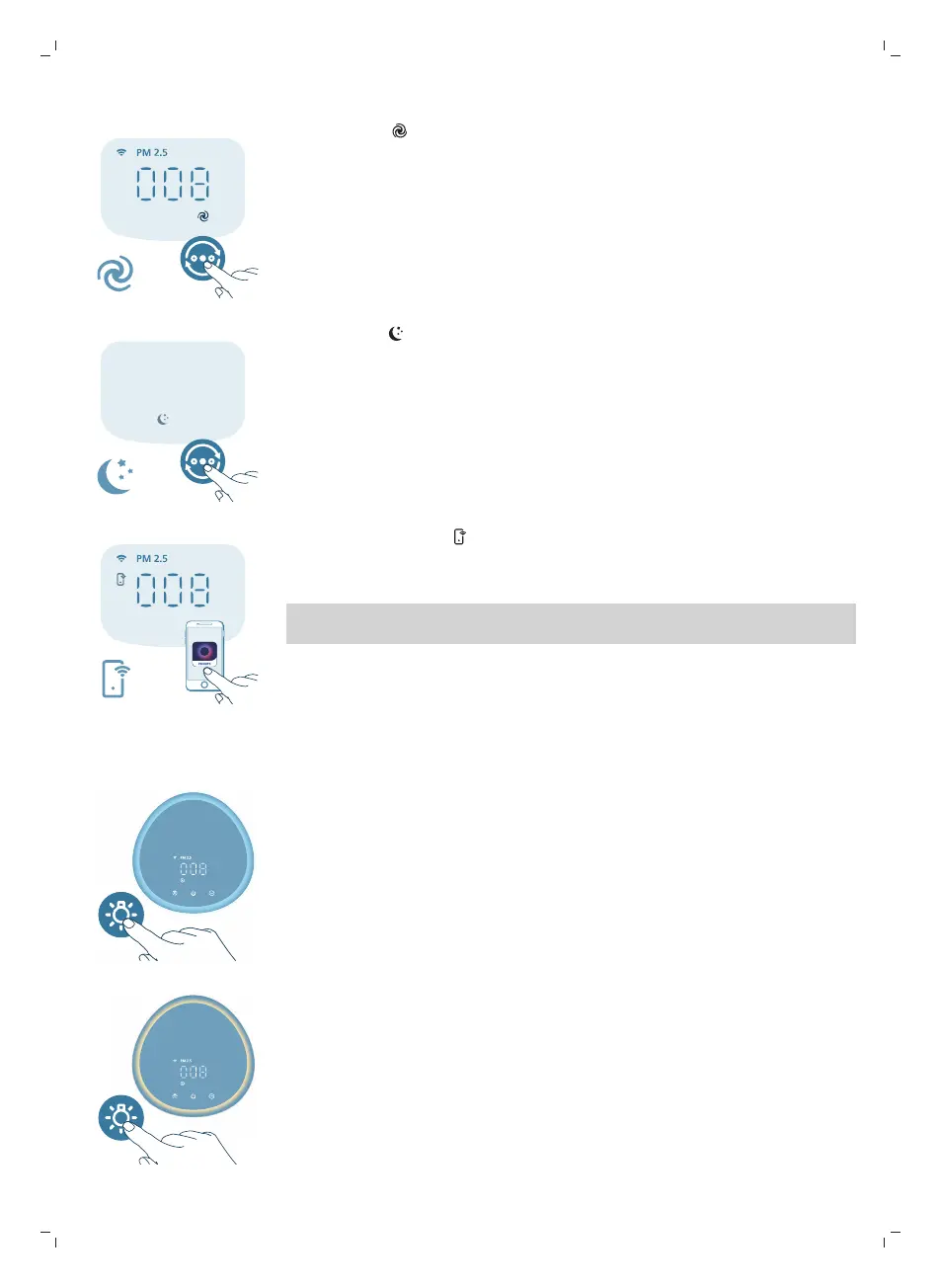
Turbo mode ( ): The air purifier operates on the highest speed.
Sleep mode ( ): The air purifier operates quietly at a low speed. After 3
seconds, the display lights turn off.
-
Allergy Seep mode: This mode can be enabled in the Air+ app. Allergy Sleep
mode turns your Sleep mode into a more powerful one when you need it. By
enabling it, your Sleep mode automatically adapts the fan speed in a similar
way with the Auto mode, while keeping the sound level low. This mode is
ideal for people who want a higher performance at night vs. regular Sleep
mode.
App-operated mode ( ): The appliance is operating a mode that is only
available through the app, such as additional manual fan speeds or other modes
that were customized in the app.
Note: The app-operated mode is available ONLY through the app after the Wi-Fi
connection is successful.
Using the light function
With the light sensor, the control panel can automatically turn on, turn off or
dim according to the ambient light.
The control panel will be off or dim when the ambient light is dark. You can
press any button to wake up all lights. Then, if no further operation, all lights will
be off or dim again to match with the ambient light.
You can press the light function button to switch to lamp mode: a cozy light ring
around the control panel. Tailor the brightness of the cozy light in the Air+ app.


 To Next Page