32 EN
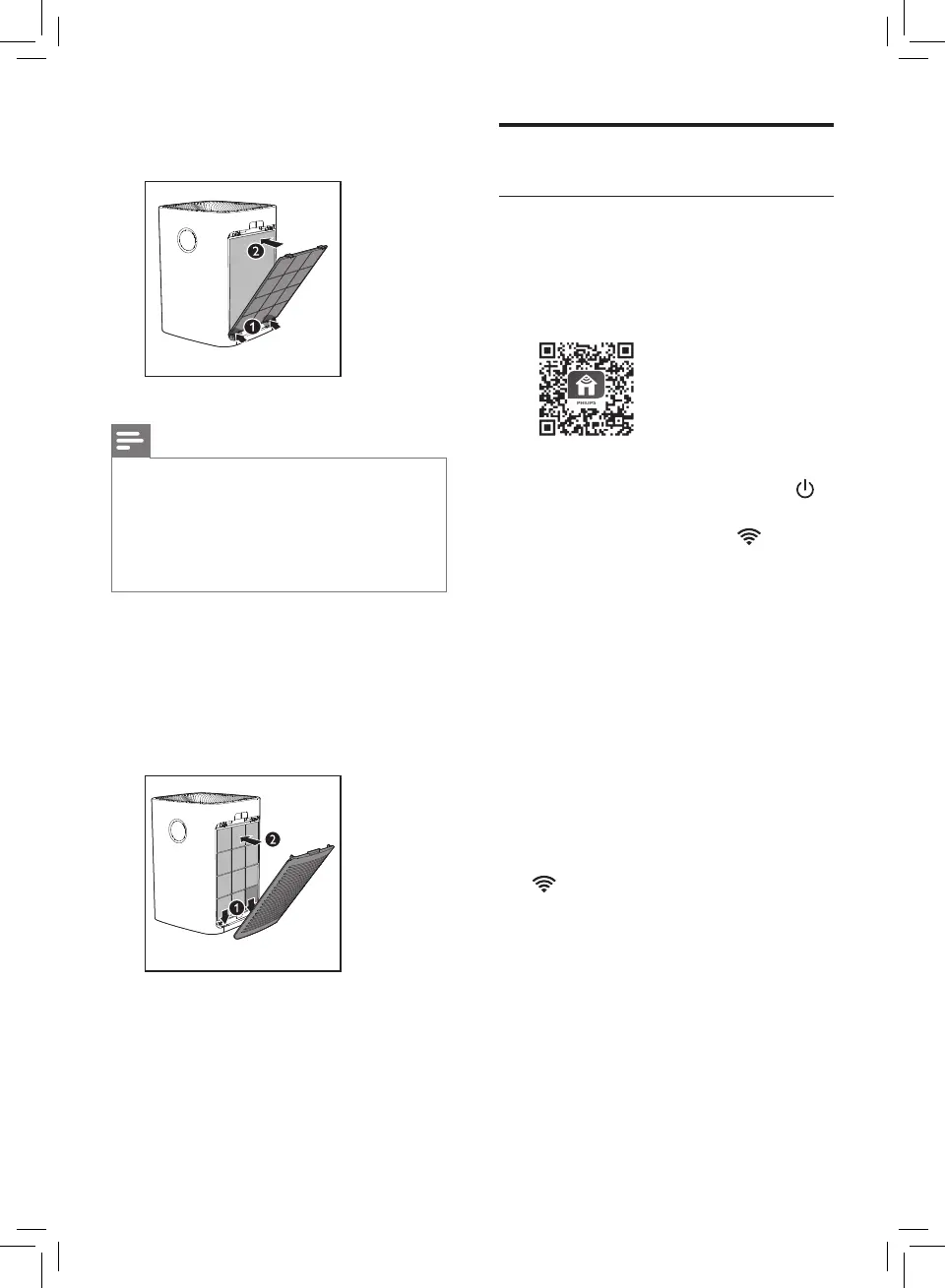
5 Put the pre-lter back into the
appliance.
Note
• Make sure the side with the two
clips is pointing towards you,
and that all hooks of the pre-
lter are properly attached to
the purier.
6 To reattach the side panel,
mount the panel onto the
bottom of the appliance rst
(1). Then, gently push the
panel against the body of the
appliance (2).
7 Repeat the above steps and
assemble the lter for the other
side of the appliance.
Wi-Fi connection
Setting up the Wi-Fi connection
for the rst time
1 Download and install the Philips
"Clean Home+" app from the
App Store or Android market.
2 Put the plug of the air purier in
the power socket and touch
to turn on the air purier.
» The Wi-Fi indicator blinks
orange for the rst time.
3 Make sure that your smart
device is successfully connected
to your Wi-Fi network.
4 Launch the "Clean Home+" app
and click on "Connect a New
Device" or press the "+" button
on the top of the screen. Follow
the onscreen instructions to
connect the air purier to your
network.
5 After the successful pairing and
connection, the Wi-Fi indicator
will light up white. If pairing
is not successful, consult the
troubleshooting section, or
the help section in the "Clean
Home+" App for extensive and
up-to-date troubleshooting tips.


 To Next Page