45EN
Note
• After you have selected the lter
code of the new lter using the
button, if you do not touch
any other buttons in 10 seconds,
the appliance will automatically
conrm the lter code of the new
lter.
4 After the new lter code is
conrmed, displays on the
screen.
» If you have the second lter
to change the lter type, tap
rst to choose the new
lter code, and then tap and
hold for 3 seconds to
conrm the selection and
exist the lter type change
mode.
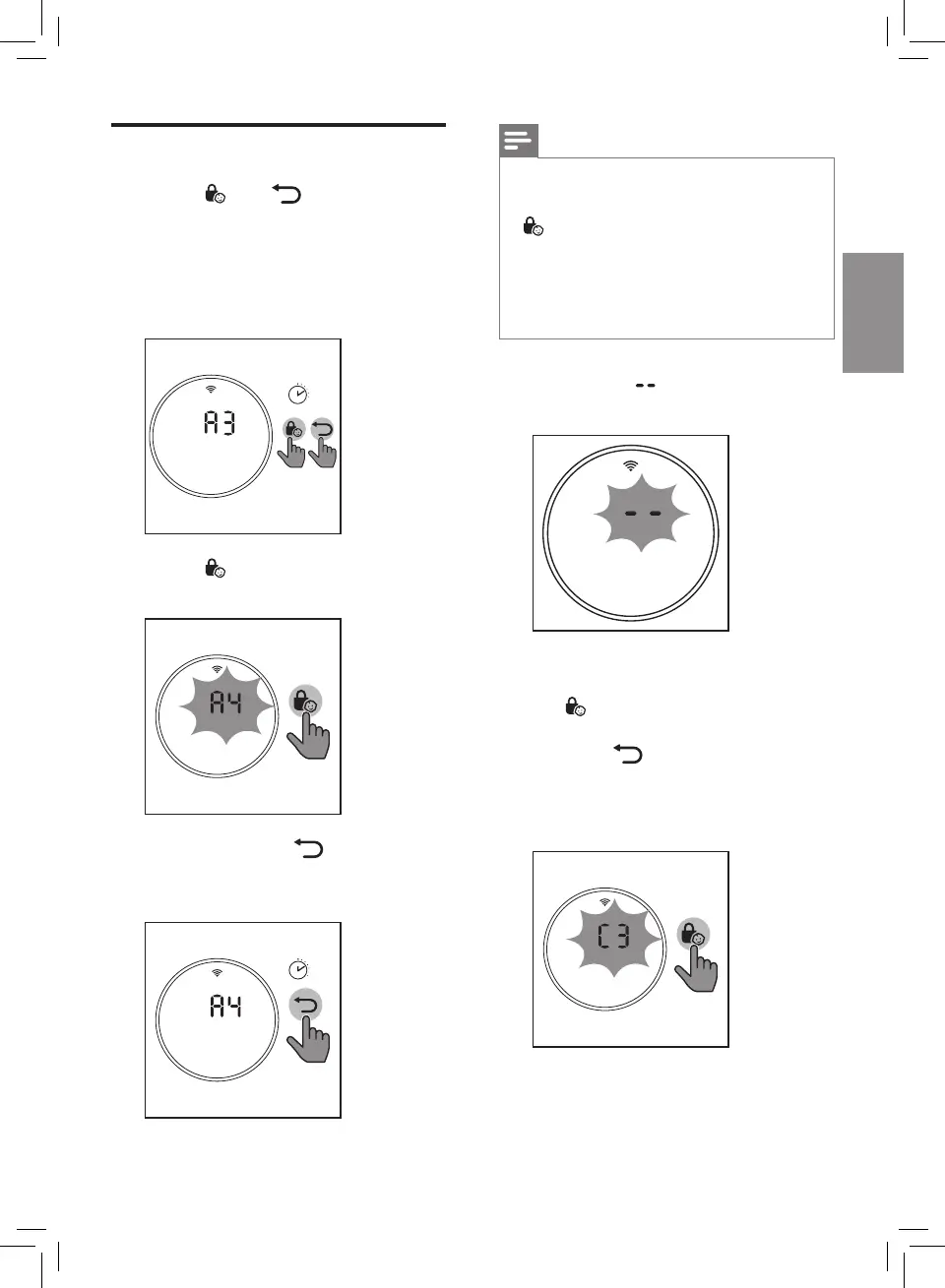
Changing lter type
1 Touch and simultaneously
for 3 seconds to enter the lter
type change mode.
» Code (A3) of the
NanoProtect lter Pro S3
displays on the screen.
3’
2 Touch to select lter code of
the new lter you will use.
3 Touch and hold for
3 seconds to conrm the lter
code of the new lter.
3’


 To Next Page