- English 22 -
the parent unit�
be muted�
Tip: The sensitivity level can be adjusted so you will always hear your
baby without the disruption of other sounds� When there is a lot of
sounds through the parent unit�
3 Press the left part of the control button to save the new setting and to
return to the main menu�
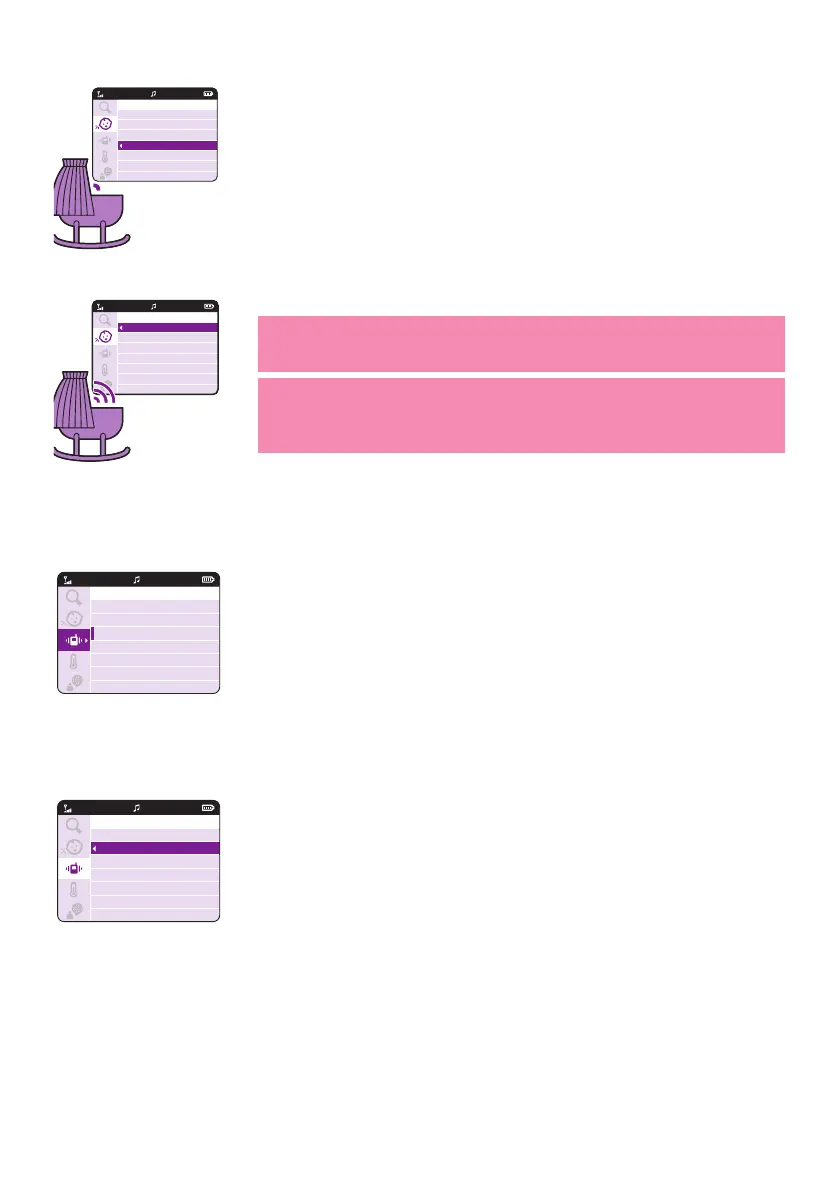
Vibration
1 Press the right part of the control button to access the vibration
options�
2 There are three options for vibration:
a 'On if audio is muted': When volume is set to minimum (muted) the
parent unit will vibrate when sound is detected from the baby unit
and above sensitivity level�
b 'Always on': Parent unit will always vibrate when sound is detected
from the baby unit and above sensitivity level�
c
unit lost connection with the baby unit�
20°C
1
20°C
1
VIDEO
Sensitivity
Low
Medium
High
Very High
Sensitivity
Low
Medium
High
Very High
20°C
1
20°C
1
VIDEO
20°CVIDEO
1
Vibrate
On if speaker is off
Always On
Off
20°CVIDEO
1
Vibrate
On if audio is muted
Always on
Off


 To Next Page
 Loading...