User Manual BDL4771V
RETURN TO THE CONTENTS
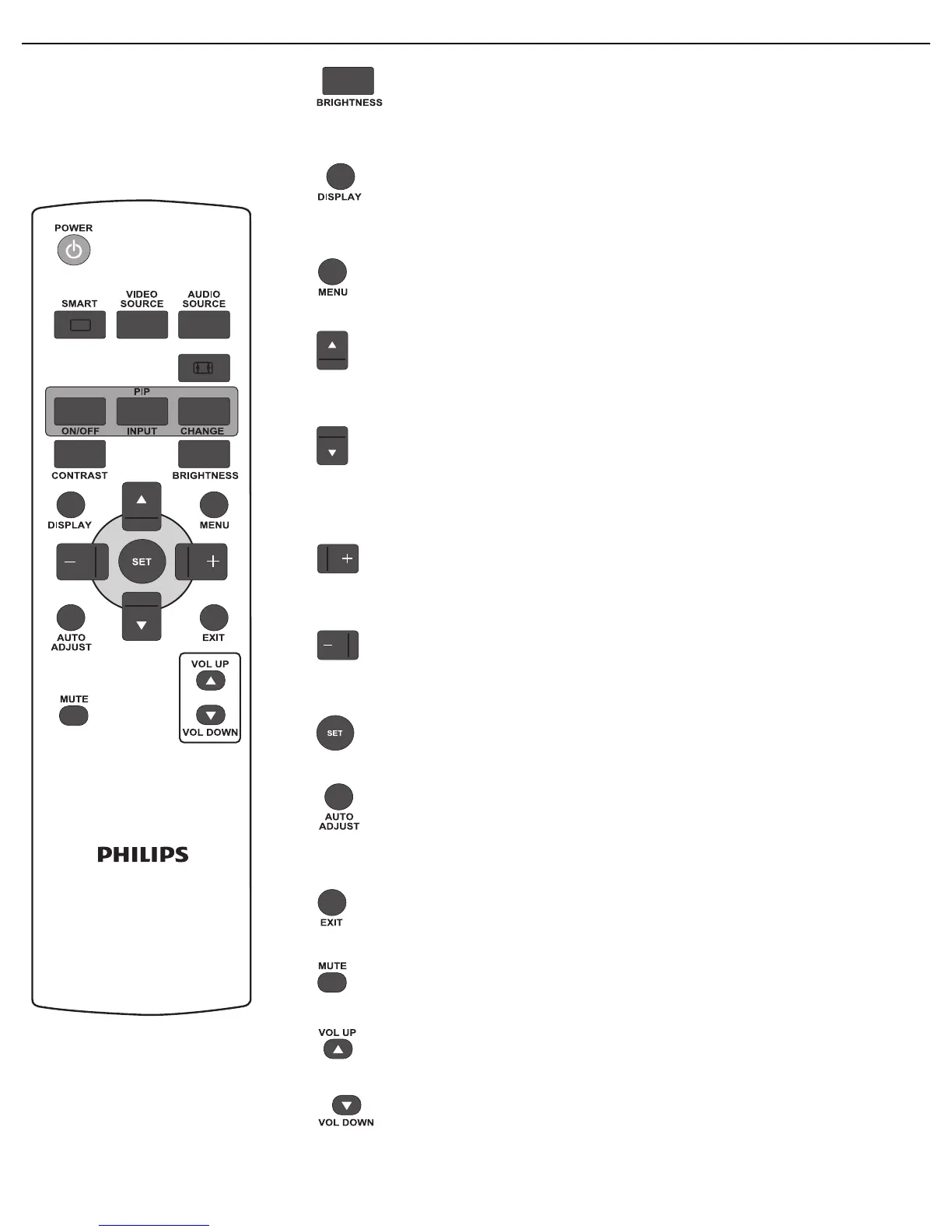
BRIGHTNESS button
Press to open the Brightness OSD selection, and then press the PLUS or
MINUS button to adjust the value.
DISPLAY button
To turn on/off the setting information displayed on the upper right corner of the
screen.
MENU button
To turn the OSD menu on/off.
UP button
• To move the highlight bar up to adjust the selected item when OSD menu is on.
• To move the sub-picture up in “PIP” mode.
DOWN button
• To move the highlight bar down to adjust the selected item when OSD menu is
on.
• To move the sub-picture down in “PIP” mode.
PLUS button
• To increase the adjustment within the OSD menu.
• To move the sub-picture right in “PIP” mode.
MINUS button
• To decrease the adjustment within the OSD menu.
• To move the sub-picture left in “PIP” mode.
SET button
To activate the changed settings inside the OSD menu.
AUTO ADJUST button
Note: For VGA input only.
To execute the Auto adjust function.
EXIT button
To return to the previous OSD menu.
MUTE button
To turn the mute function on/off.
VOL UP button
To increase the audio output level.
VOL DOWN button
To decrease the audio output level.












 To Next Page