User Manual BDL4771V
RETURN TO THE CONTENTS
3. CONNECTIONS TO EXTERNAL EQUIPMENT
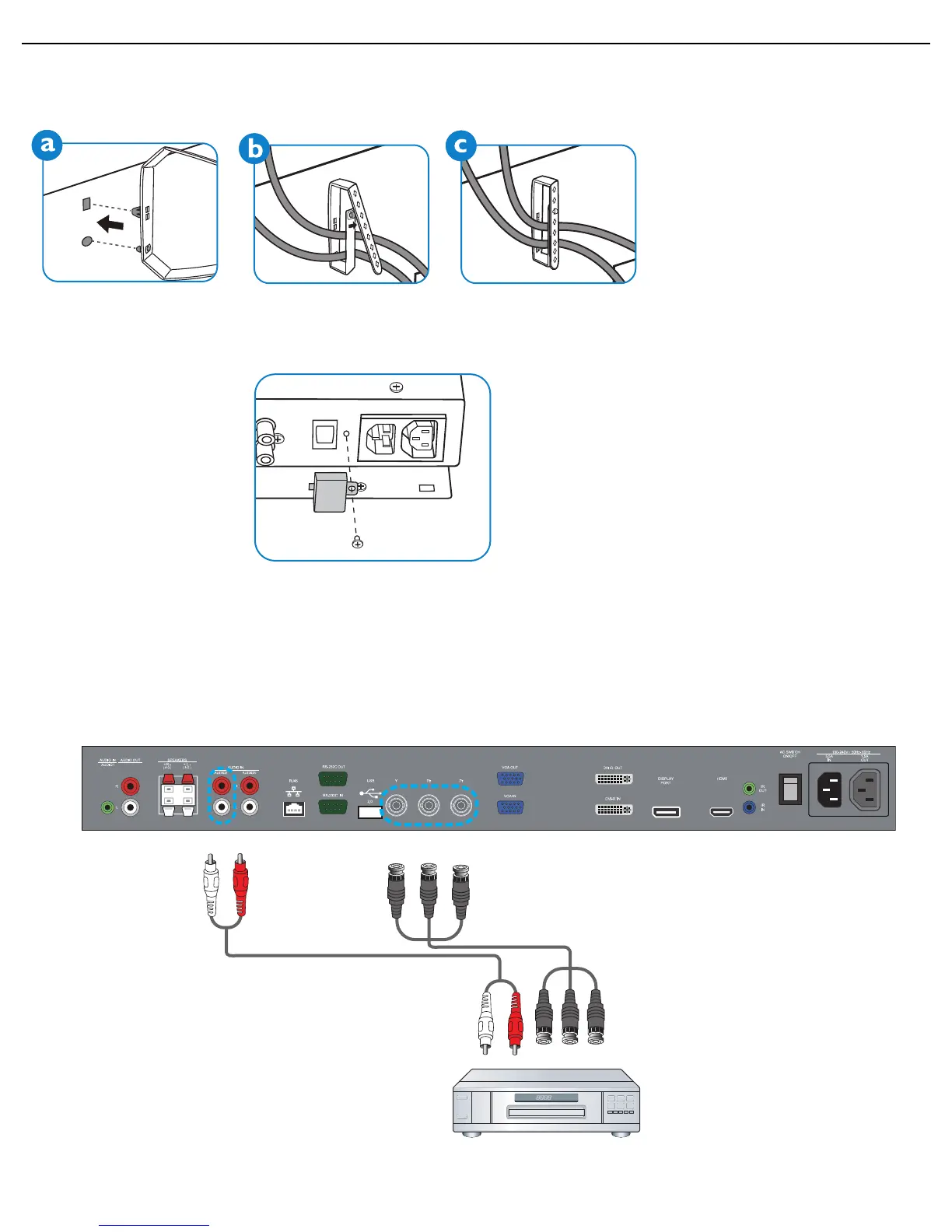
3.1. USING THE CABLE RETAINER
3.2. USING THE SWITCH COVER
You can use the switch cover to prevent the monitor from being turned on or off accidentally.
3.3. CONNECTING EXTERNAL EQUIPMENT (DVD/VCR/VCD)
3.3.1. USING COMPONENT VIDEO INPUT
1. Connect the BNC jacks of the device to the BNC jacks (YPbPr) of the display.
2. Connect the red (R) and white (L) audio jacks of the device to the AUDIO IN (AUDIO2 or AUDIO3) jacks of the
display.












 To Next Page