EN
Play from USB or recored
discs
YoucanplayDivX(HomeTheater3.1)/MP3/
JPEGpicturelescopiedontoaCD-R/RW,
recordable DVD, or USB storage device.
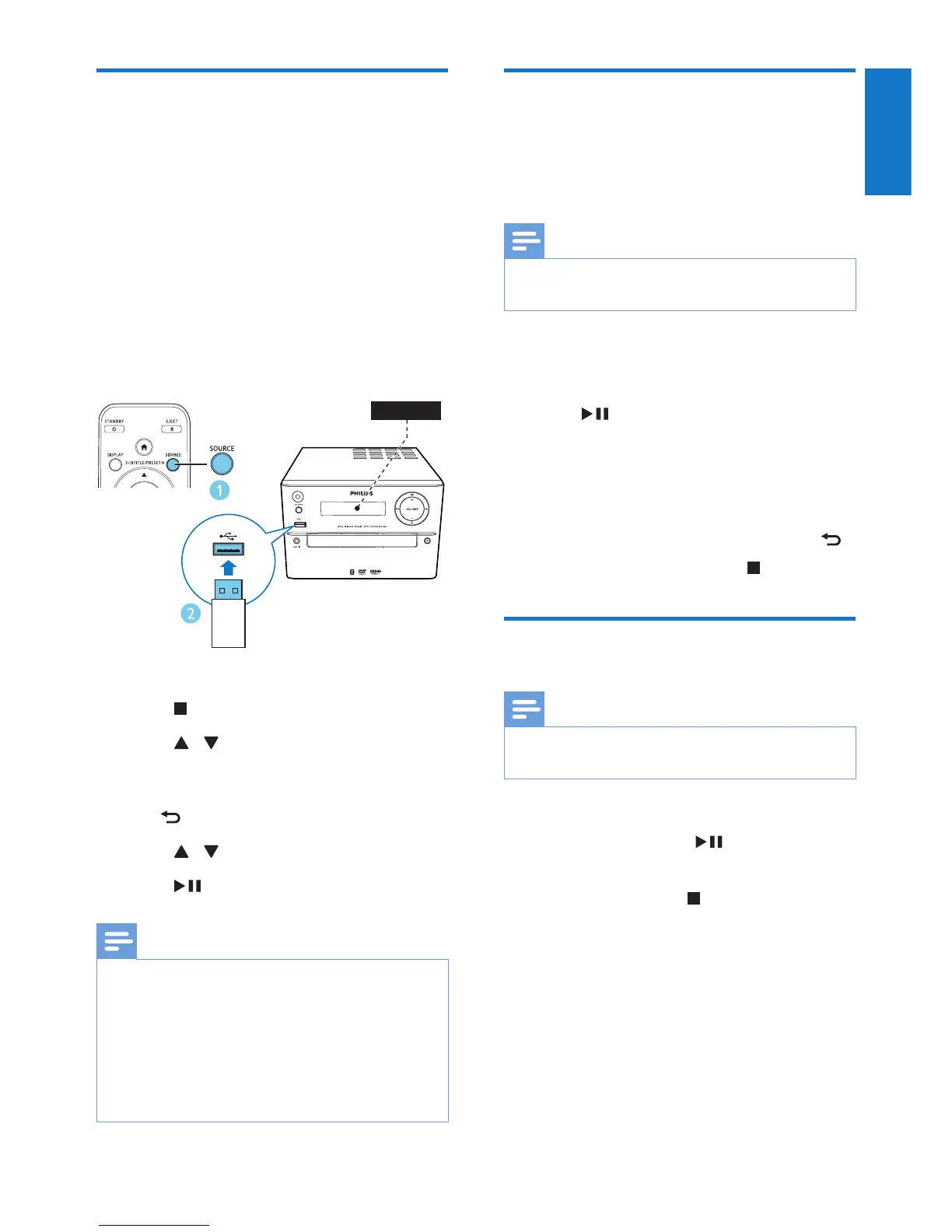
1 Select a source.
• Press SOURCE repeatedly to select
the disc or USB source.
2 Insert the USB storage device or disc.
» Play starts automatically.
To play a specied le:
1 Press to stop play.
2 Press / to select a folder, and then
press OKtoconrm.
• To return to the previous menu, press
.
3 Press / toselectalefromthefolder.
4 Press to start play.
Note
• YoucanonlyplayDivX(HomeTheater3.1)videos
rented or purchased through the DivX registration
code of this unit.
• Subtitleleswiththefollowinglenameextensions(.srt,
.smi,.sub,.ssa,.ass)aresupportedbutdonotappearon
thelenavigationmenu.
• Thesubtitlelenamehastobethesameasthele
name of the video.
USB
Play a slideshow with
background music
ThisdevicecanplayMP3lesandJPEGphotos
simultaneously.
Note
• TheMP3andJPEGlesmustbestoredonthesame
disc or USB storage device.
1 PlayanMP3le.
2 Navigate to the photo folder/album and
press to start the slideshow.
» Slideshow begins and continues till the
end of the photo folder or album.
» Audio continues till the end of the last
le.
• To return to the previous menu, press .
• To stop the slideshow, press .
Resume video play from last
stopped point
Note
• This feature is only available for CD/DVD/VCD/DivX
play.
• In stop mode and when the disc has not
been removed, press .
To stop play completely:
• In stop mode, press .


 To Next Page