EN
8 Adjust settings
1 Press .
2 Select the [Setup] page.
3 Select a setting and press OK.
• To return to the previous menu, press
.
• To exit the menu, press .
General setup
On the [General] page, you can set the
following options:
[Disc Lock]
Lock or unlock a disc.
[OSD Language]
Select the preferred language for on-screen
display.
[DivX(R) VOD Code]
DisplaytheDivX(R)registrationcode.
Note
• Enter this DivX registration code when you rent or
purchase a video from http://vod.divx.com/. The DivX
videos rented or purchased through the DivX
®
VOD
(VideoOnDemand)servicecanbeplayedonlyonthe
device to which it is registered.
Video setup
On the [Video] page, you can set the following
options:
[TV System]
Change this setting if the video is not displayed
correctly. By default, this setting matches the
most common setting for TVs in your country.
• [PAL] - For TV with PAL color system.
• [Multi] - For TV that is compatible with
both PAL and NTSC.
• [NTSC] - For TV with NTSC color
system.
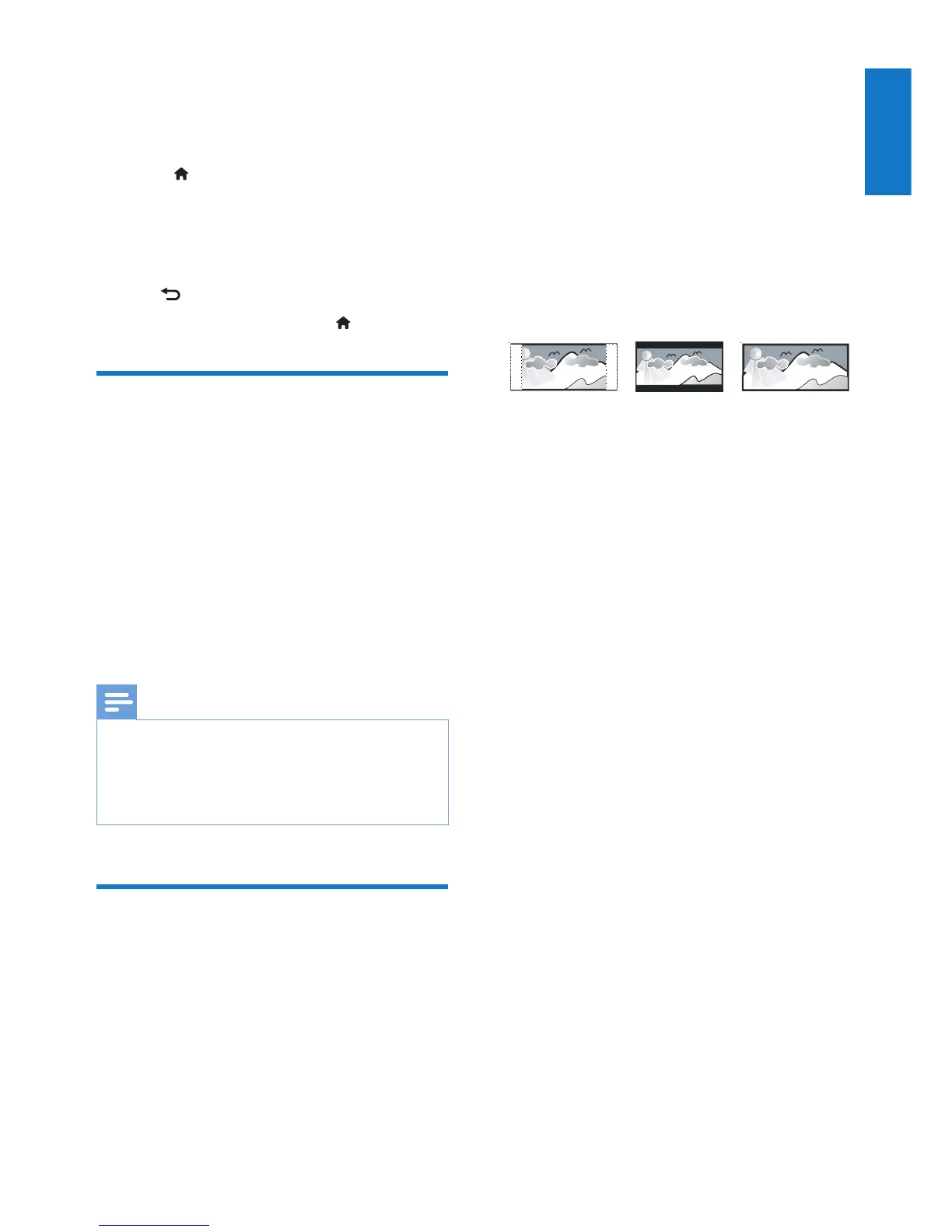
[TV Display]
The TV format determines the aspect ratio of
display according to the type of TV you have
connected.
• [4:3 Pan Scan] – For 4:3 screen TV: full-
height display with the trimmed sides.
• [4:3 Letter Box] – For 4:3 screen TV:
wide-screen display with black bars on
the top and bottom of the screen.
• [16:9](16:9WideScreen)–Forwide-
screen TV: display ratio 16:9.
[Progressive]
Set the video output according to the video
connection. If the composite connection is used,
this setting is not required.
• [On] – turn on progressive scan.
• [Off] – turn off progressive scan.
[Picture Setting]
Selectapredenedsetofpicturecolorsettings.
• [Standard] – Original color setting.
• [Bright] – Vibrant color setting.
• [Soft] - Soft color setting.
• [Personal] – Customizes the color setting.
Set the level of brightness, contrast, tint,
and color saturation, and then press OK.
4:3 Letter Box (LB)
4:3 Pan Scan (PS)
16:9 (Wide Screen)


 To Next Page