13EN
4 Play
Play from disc
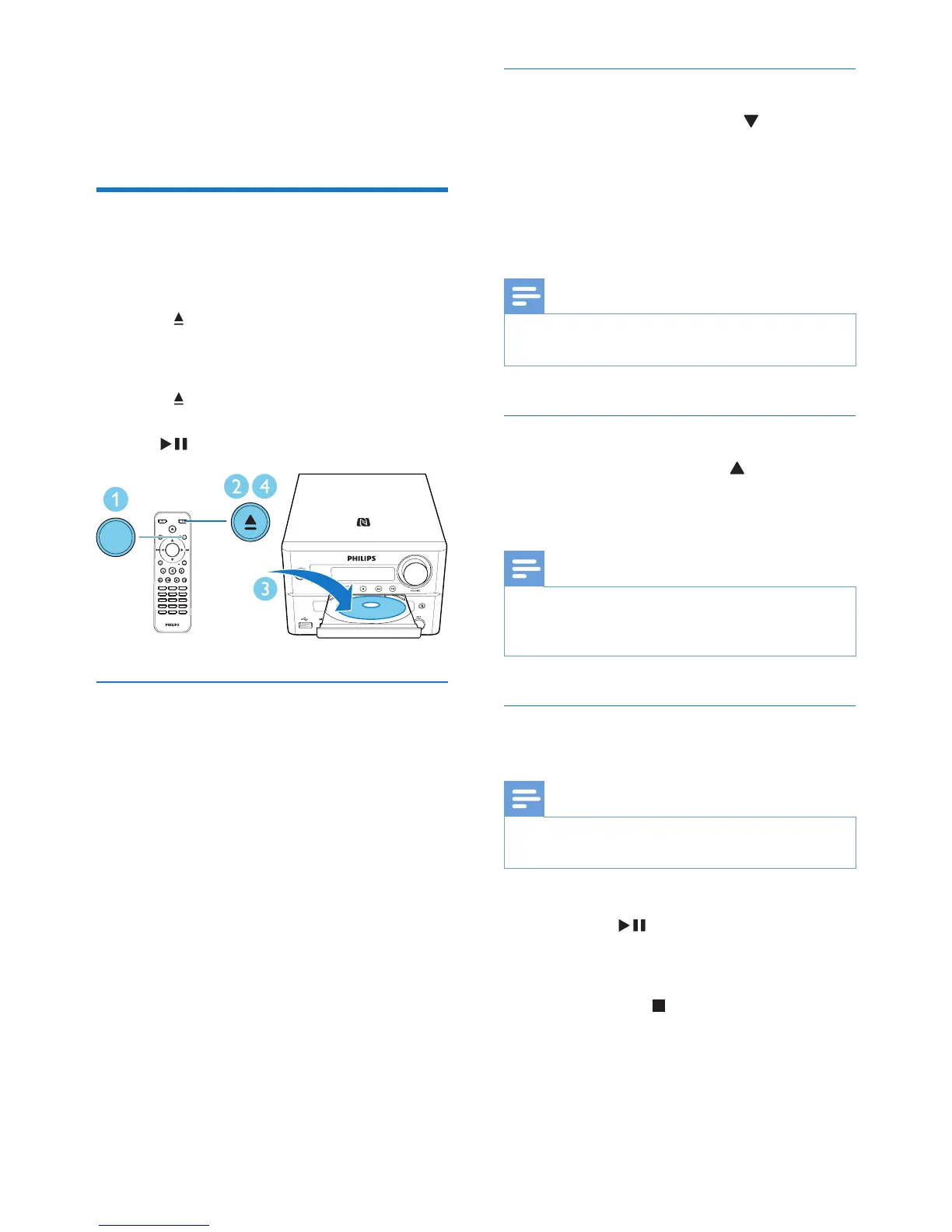
1 Press SOURCE repeatedly to select DISC
source.
2 Press to open the disc compartment.
3 Insert a disc with printed side facing
upward.
4 Press to close the disc compartment.
» Play starts automatically. If not, press
.
Use the disc menu
When you load a DVD/(S)VCD disc, a menu
may be displayed on the TV screen.
Press MENU to access or exit disc menu
manually.
For VCD with PlayBack Control (PBC) feature
(version 2.0 only):
With the PBC feature, you can play VCD
interactively according to the menu screen.
During play, press MENU to enable/disable PBC.
» When PBC is enabled, the menu screen is
displayed.
» When PBC is disabled, normal play is
resumed.
SOUND
DISPLAY
STANDBYEJECT
OK
1
4
7
0
2
5
8
3
6
9
TIME
RDS
PROG
CLOCK SETSLEEP
OPTION
MENU
PRESET
AUDIO/
PRESET
SUBTITLE/
SOURCE
SOURCE
Select an audio language
During disc play, press AUDIO ( ) to select
an audio language for a DVD or DivX (Home
Theater 3.1) video.
» The language options are displayed. If the
selected audio channel is unavailable, the
default disc audio channel is used.
Note
• For some DVDs, the language can only be changed
from the disc menu. Press MENU to access the menu.
Select a subtitle language
During play, press SUBTITLE ( ) repeatedly
to select a subtitle language for a DVD or DivX
(Home Theater 3.1) video.
Note
• For some DVDs, the language can only be changed
from the disc menu. Press MENU to access the disc
menu.
Resume video play from last stopped
point
Note
• This feature is only available for CD/DVD/VCD/DivX
play.
In stop mode and when the disc has not been
removed, press .
To cancel resume mode and stop play
completely:
In stop mode, press .



 To Next Page