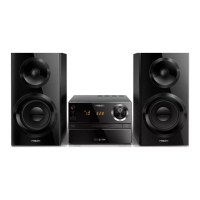
a
• Turn the unit on or off.
• Switch to standby mode or Eco
standby mode.
• Bluetooth indicator.
b Disc compartment
c
• USB socket.
d MIC IN
• Connect a microphone.
e SRC
• Select a source: DISC, USB, TUNER, BT
(Bluetooth), AUDIO IN.
f
• Start, pause, or resume play.
g
• Stop play or erase a program.
a
b
n
c
d
e
f
i
h
g
j
k
l
m
h /
• Skip to the previous/next track.
• Search within a track/disc/USB.
• Tune to a radio station.
• Adjust time.
i
• Headphone socket.
j BASS
• Adjust bass level.
k TREBLE
• Adjust treble level.
l
• Open/close the disc compartment.
m VOLUME
• Adjust volume.
n NFC area
• Touch with a Near Field Communication
(NFC) compatible device to set up
Bluetooth connection automatically.



 To Next Page