55BDL6051C 65BDL6051C
20
4.4. Media Player
4.4.1. OSD menu interaction with media player:
1. Boot on source:
- Input:
■
If you select Media player as the source, the
system will enter media player automatically after
the boot process is completed.
- Playlist:
■
0: go to the main page of media player.
■
1 - 7: go to media player and playback File1 - File7
of playlist automatically.
2. Schedule:
- Today:
■
Show date and time.
- 1 - 7:
■
Set up to 7 schedules.
- On/O:
■
Set start time and end time.
- Input:
■
Select Media player as the source, the PD will
launch the media player automatically at end
time.
- MON, TUE, WED, THU, FRI, SAT,SUN, Every week :
■
Set life cycle.
- Play list :
■
0: go to the main page of media player.
■
1 - 7: go to media player and playback File1 - File7
of the playlist automatically.
- Clear all
4.4.2. Media Player introduction:
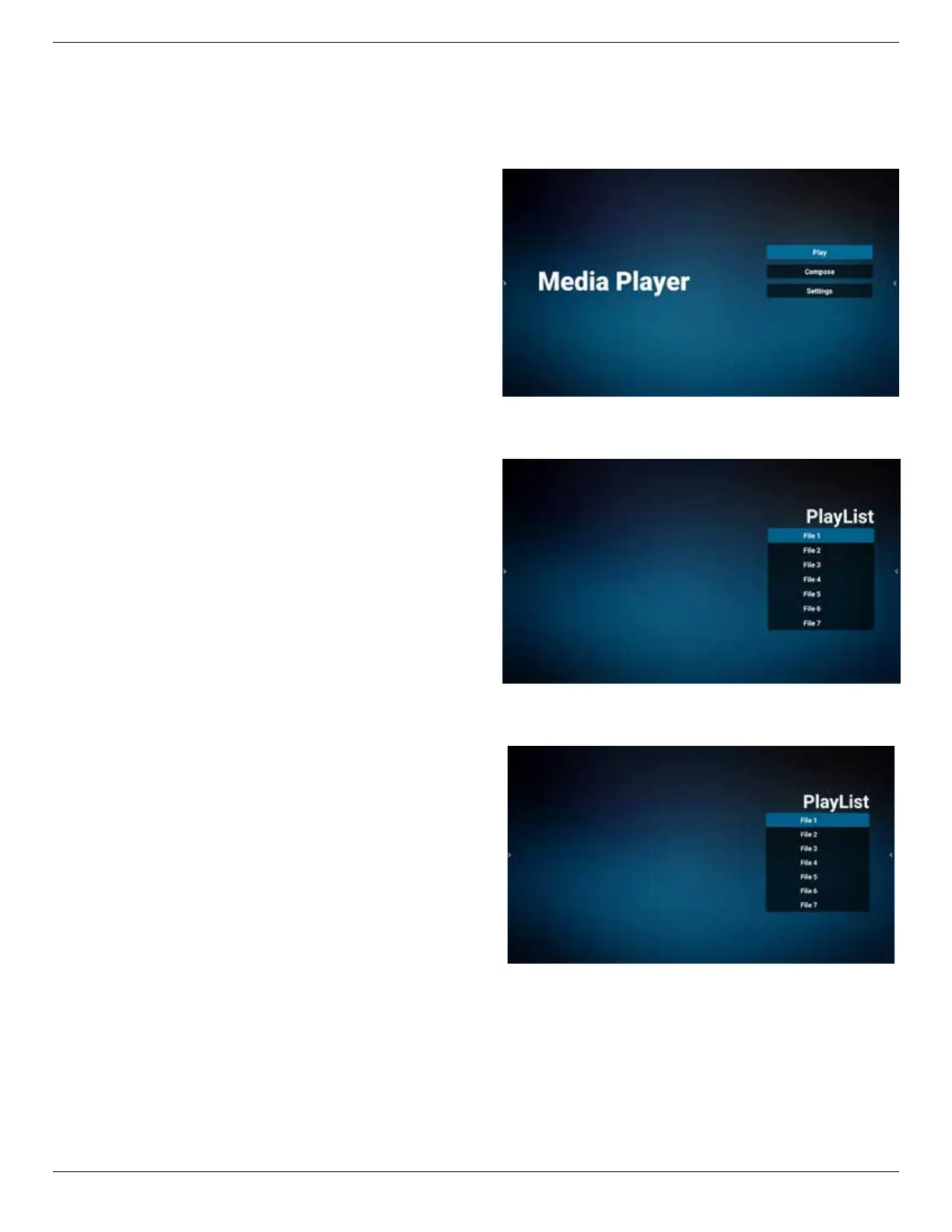
1. Main page of Media Player app, this App consists of
three items: “Play”, “Compose” and “Settings”.
Play: select a playlist to play.
Compose: edit playlist.
Settings: set play properties.
2. Select “Play” on the main page, rst you should choose
one playlist to play between FILE 1 and FILE 7.
The pencil icon means the playlist is non-empty.
3. Select “Compose” on the main page, rst you should
choose one playlist to edit between FILE 1 and FILE 7.
The pencil icon means the playlist is non-empty.
4. If an empty playlist is chosen, the app will guide you
through selecting the media source.
All media les should be placed in /philips/ of root
directory.
For example,
- videos in /philips/video/
- photos in /philips/photo/
- music in /philips/music/


 To Next Page