Setting the Clock (cont’d) 15
7
When the TV/VCR finds the PBS channel, the time will
appear on the screen. Press the STATUS/EXIT button.
8
When the clock is set, go to page 19 and set the TV/VCR
clock for your time zone. The channel that supplies the time
might be broadcasting from a different time zone. So, select your
Time Zone to ensure the TV/VCR clock is correct.
6
NOW SEARCHING flashes on the TV/VCR screen.
● If CANNOT FIND CLOCK DATA flashes on the TV/VCR
screen, you will be prompted to turn off the TV/VCR.
Turn off the TV/VCR. Leave it off for several minutes. When
you turn on the TV/VCR again, the clock will be set.
• To display the time on the TV/VCR
screen, press the STATUS/EXIT but-
ton. Details are on page 25.
• You cannot use the AUTO CLOCK
feature if you don’t receive a PBS
channel that carries a time signal in
your area. Set the clock manually.
• Automatic clock setting is not possi-
ble if the car battery cord is con-
nected to the DC 13.2V jack. CAR
USERS SET CLOCK MANUALLY will
flash on the screen briefly, then the
SET MANUAL CLOCK screen will
appear. Refer to pages 12-13 to set
the clock manually.
Helpful Hints
5
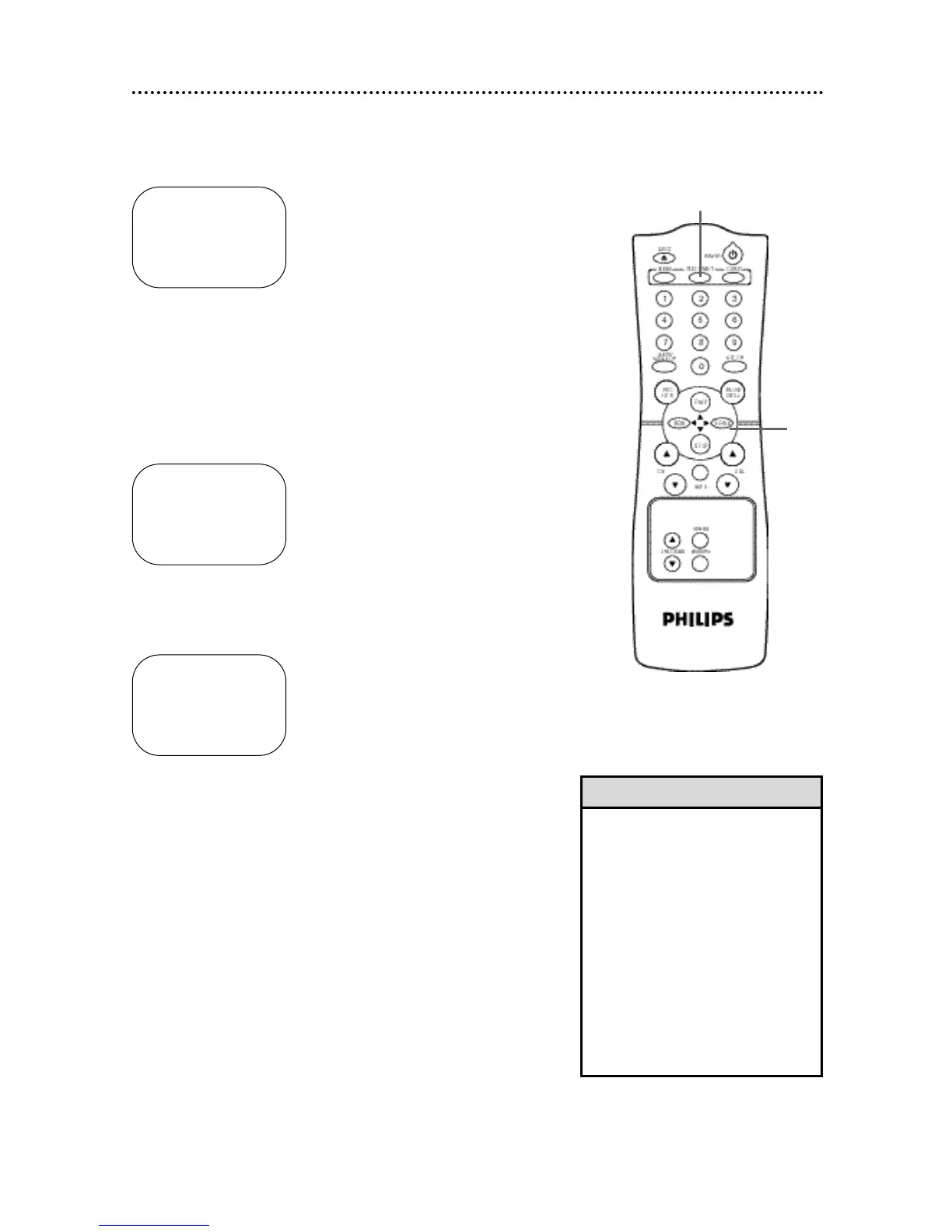
Press the PLAY/▲ button or the STOP/▼ button to select
SET PBS CH. AUTO. Then, press the F.FWD/B button.
SET AUTO CLOCK
TIME – – : – –
DATE – – / – – / – – – –
NOW SEARCHING
TO END PRESS EXIT
SET AUTO CLOCK
TIME 06 : 30 PM
DATE 07 / 01 / 2001
SUNDAY
TO END PRESS EXIT
SET AUTO CLOCK
TIME – – : – –
DATE – – / – – / – – – –
CANNOT FIND CLOCK DATA
TO END PRESS EXIT
6
Wait for the TV/VCR to find
the time.
7
5









 To Next Page