One-Touch Recording 31
A One-Touch Recording (OTR) is an immediate timed recording
from 30 minutes to eight hours long.
Before you begin, make sure:
● Channels are set. Details are on page 10.
● A tape is in the TV/VCR. The record tab must be intact.
1
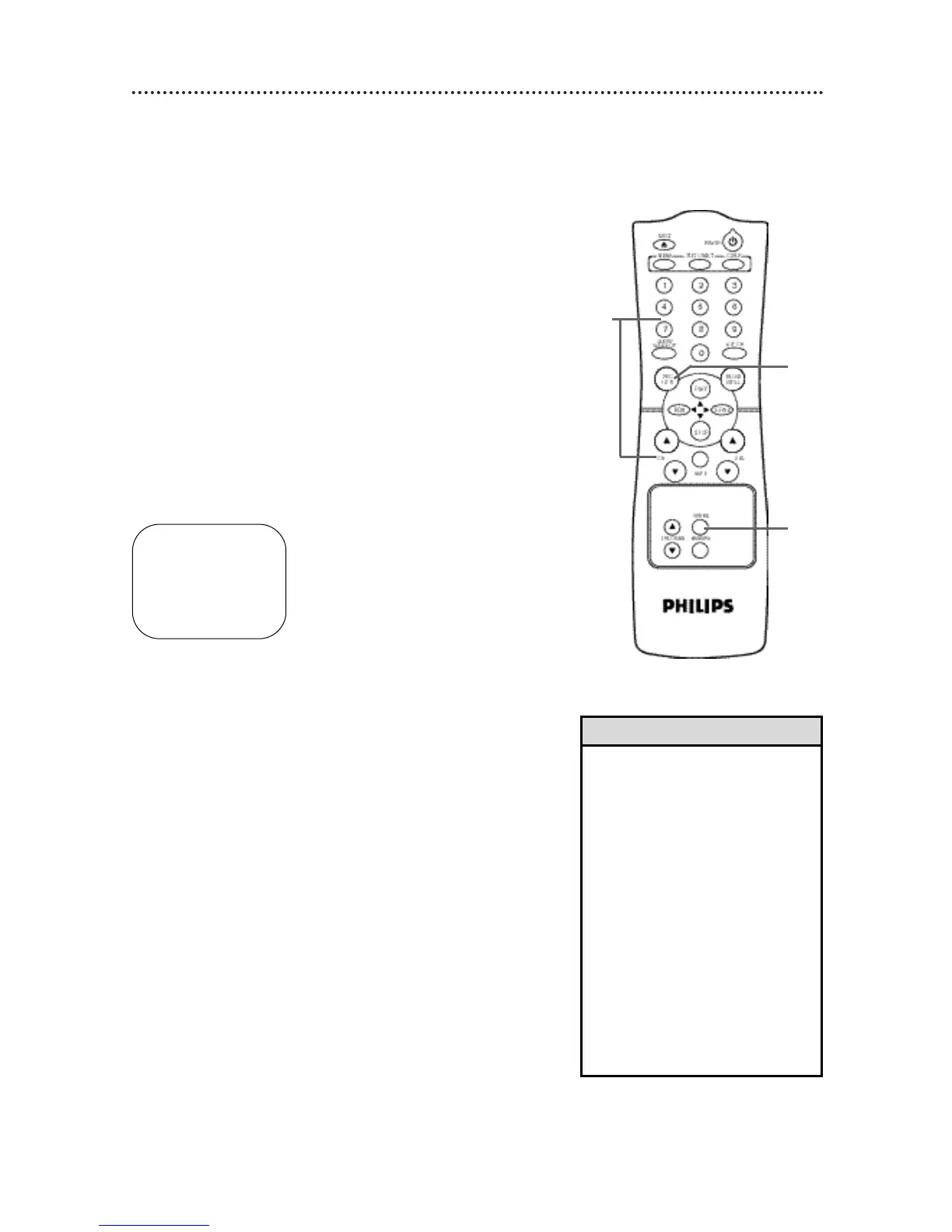
Use the CH(annel)
oo
/
pp
buttons or the Number buttons to
select the channel you want to record.
4
2
Press the SPEED button until the desired recording speed
(SP or SLP) appears on the screen. Details are on page 30.
3
Press the REC(ord)/OTR button repeatedly until the desired
recording length appears in the upper right corner of the screen.
Recording will begin immediately. The REC(ord) light will appear.
OTR LENGTH 0:30
CH12
LENGTH : PRESS OTR
CANCEL : PRESS CLEAR
4
To stop an OTR before recording is finished, press the
STOP/EJECT button on the TV/VCR.
Or, press the REC(ord)/OTR button, then press the CLEAR
button, then press the STOP/▼ button on the remote con-
trol.
If the end of a tape is reached during an OTR, recording will stop.
The TV/VCR will turn itself off and eject the tape. The REC(ord)
light will flash rapidly.
The TV/VCR will turn off at the end of the OTR.
• To check the time remaining for an
OTR, press the STATUS/EXITbutton.
• To change the recording length while
an OTR is in progress, press the
REC(ord)/OTRbutton until the
desired recording length appears on
the screen.
• You can not pause an OTR.
• To cancel an OTR but continue
recording, press the REC(ord)/OTR
button, then press the CLEAR button.
• You cannot record if DEFEAT
RECORDING is ON. Details are on
page 37.
• You can change the tape speed with
the SPEEDbutton while a recording is
in progress, but some distortion may
appear on the tape.
Helpful Hints
Press the STOP/EJECT button
on the TV/VCR to stop the
OTR.
2
3
1









 To Next Page