17EN
3 Rotate to select an option, and then
press
to conrm.
• [ANTENNA OFF]: Disable the DAB
reception.
• [ANTENNA 12V]: Enable the DAB
reception.
Reset the DAB tuner
1
Press and hold to access the system
menu.
» [DAB SCAN] is displayed.
2 Press / repeatedly until
[DAB RESET] is displayed.
• To clear the list of detected and
programmed stations, press
to
conrm.
• To exit the system menu, press
.
Remove invalid stations
1
Press and hold to access the system
menu.
» [DAB SCAN] is displayed.
2 Press / repeatedly until [PRUNE] is
displayed.
• To remove invalid stations from the list
of scanned stations, press
.
• To exit the system menu, press
.
Check the current version of
DAB rmware
1
Press and hold to access the system
menu.
» [DAB SCAN] is displayed.
2 Press / repeatedly until
[SW VERSION] is displayed, and then
press
.
» The current version of DAB rmware
is displayed.
7 Play from a
storage device
This system can play .mp3 and .wma les that
are copied onto a compatible storage device.
Note
•
Philips does not guarantee compatibility with all storage
devices.
• NTFS (New Technology File System) le system is not
supported.
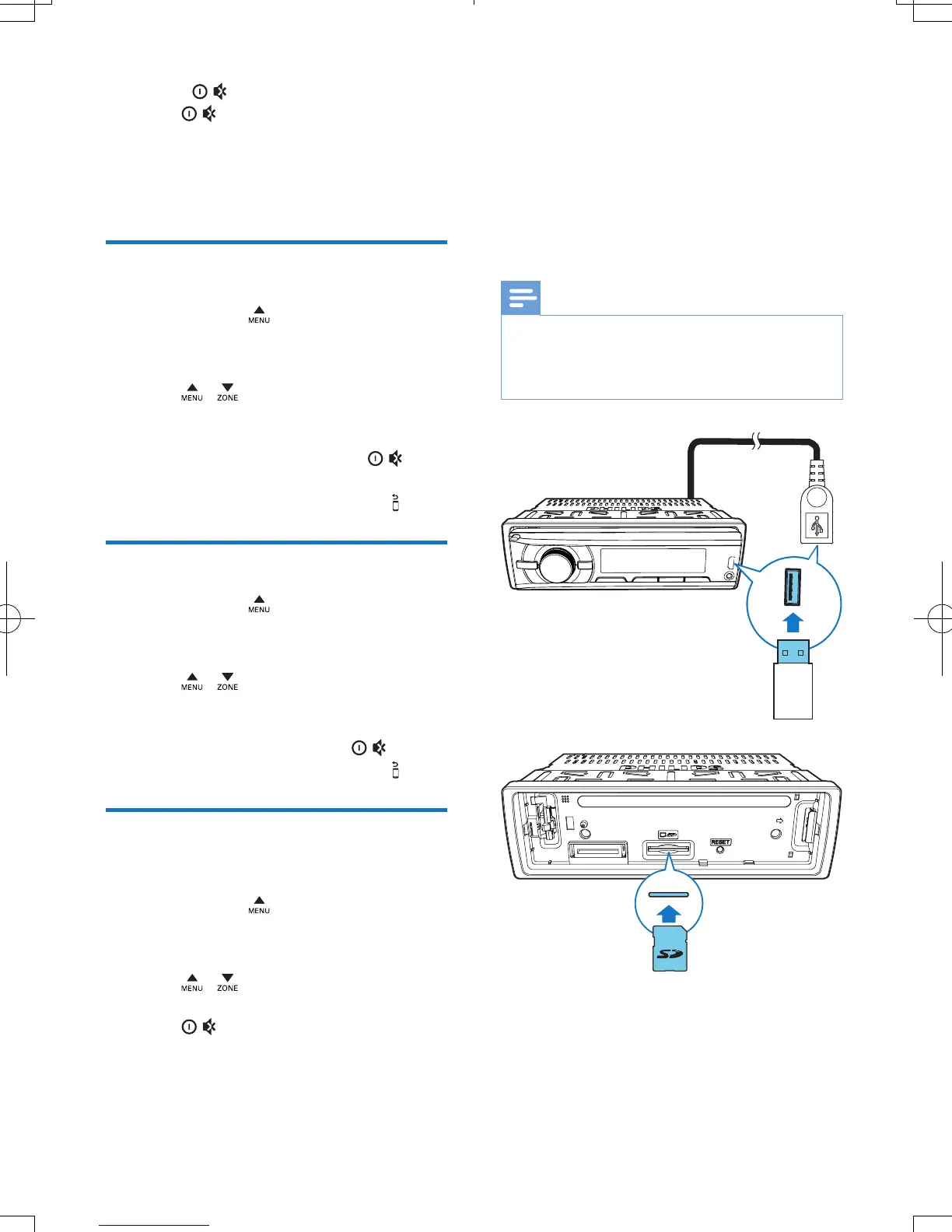
1 Connect a compatible USB storage device
or SD/SDHC card.
• For an SD/SDHC card, detach the
front panel rst, insert the card into
the card slot, and then attach the front
panel.



 To Next Page