4 EN
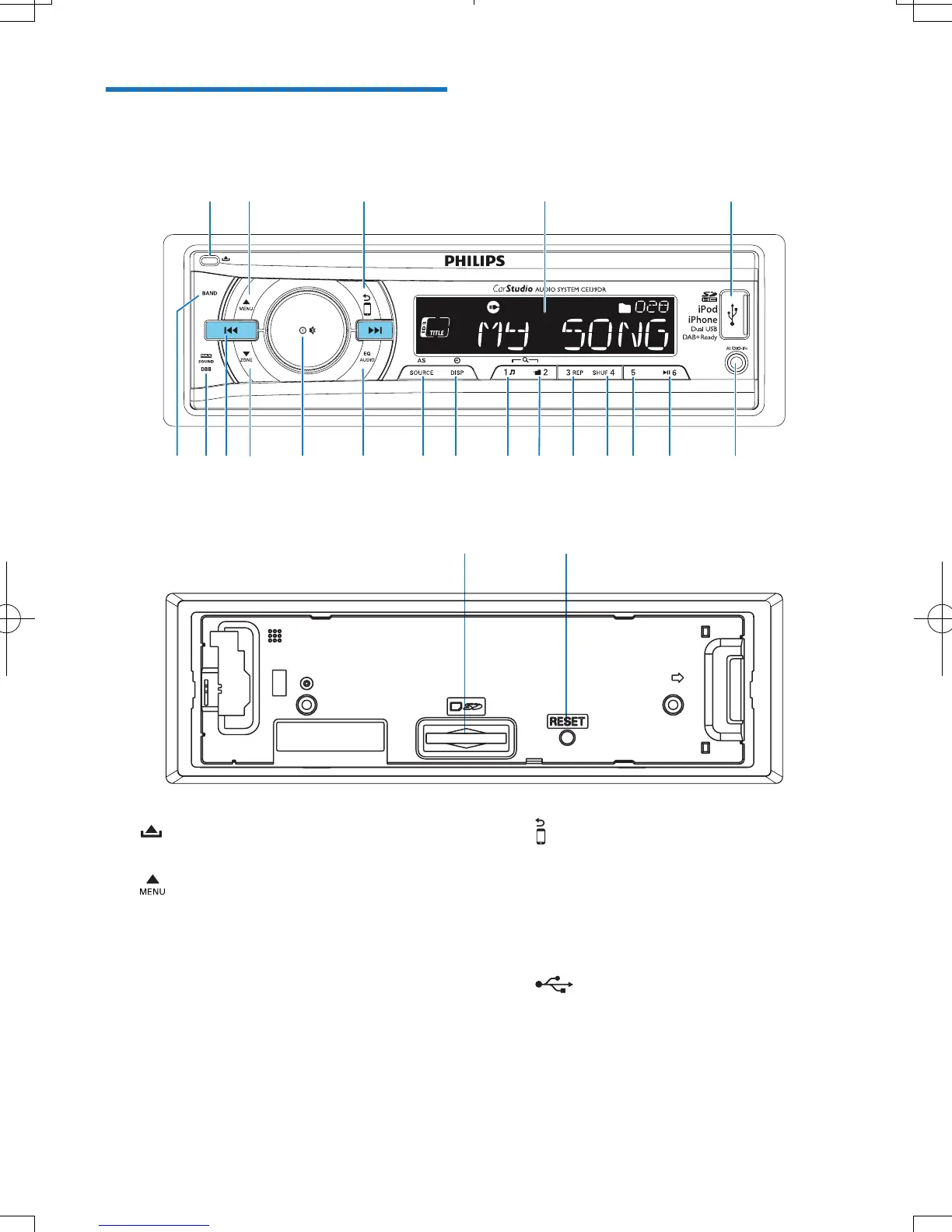
Overview of the system
a
• Unlock the front panel.
b
• For .wma and .mp3 tracks, press to
select the previous folder.
• In DAB mode, press to access the
DAB menu.
• Press and hold to access the system
menu.
• Press to select a tuner band.
ab cd e
tsrq ponm lk jihfg
uv
c
• Return to the previous menu.
• For iPod/iPhone, press repeatedly to
select a control mode: control play on
the iPod/iPhone or on this system.
d LCD screen
e
• Connect to a USB storage device.
• Connect to a compatible iPod/iPhone.



 To Next Page