7EN
Connect wires
Note
•
Make sure that all loose leads are insulated with
electrical tape.
• Consult a professional to connect wires as instructed
below.
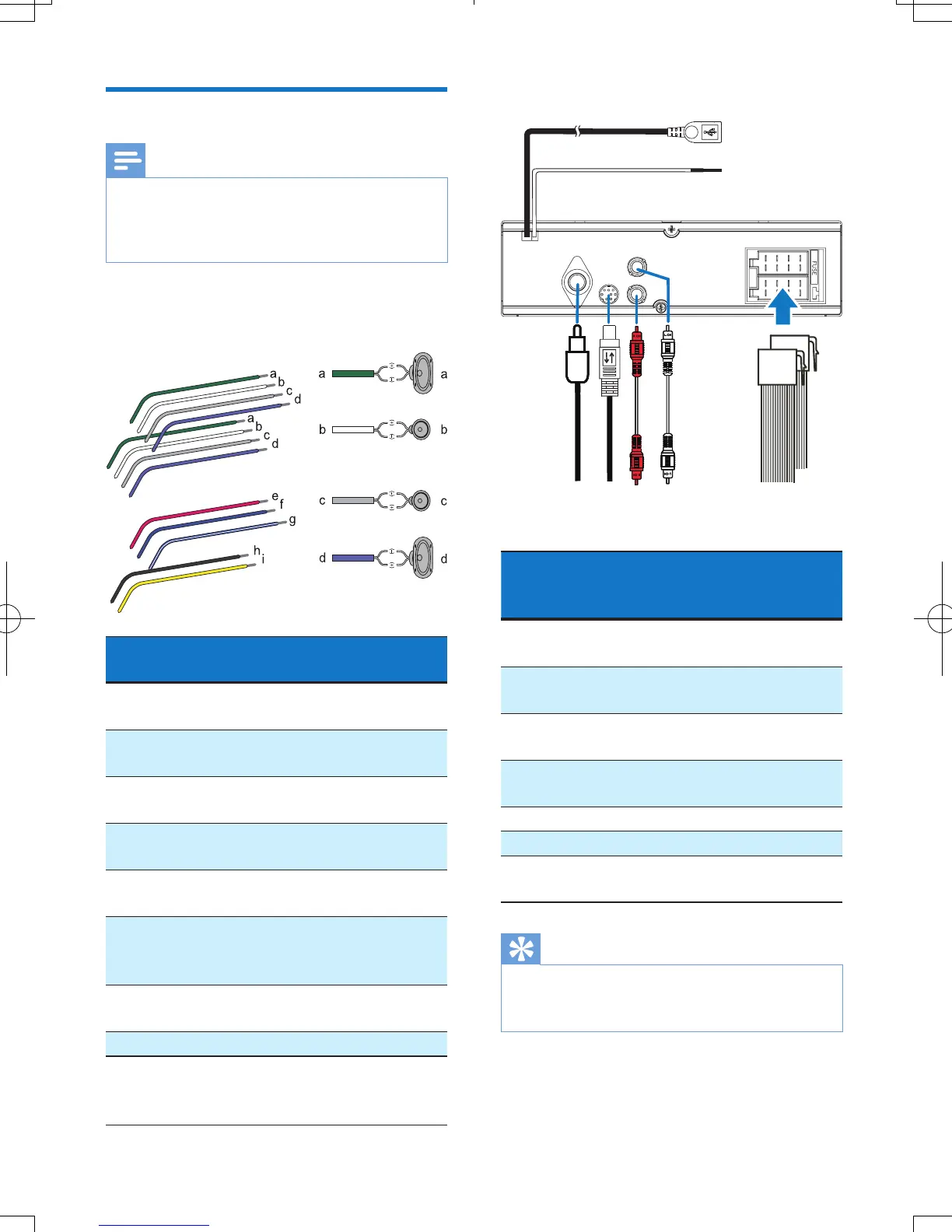
1 Check the car's wiring carefully and
connect them to the the supplied ISO
male connectors.
ISO male
connectors
Connect to
1 Green strip, black-
edged green strip
Rear left speaker
2 White strip, black-
edged white strip
Front left speaker
3 Gray strip, black-
edged gray strip
Front right speaker
4 Purple strip, black-
edged purple strip
Rear right speaker
e Red strip Ignition key +12V
DC when ON/ACC
f Blue strip Motor/electric
antenna relay control
lead
g White-edged blue
strip
Amplier relay
control lead
h Black strip Ground
i Yellow strip To the +12V car
battery which is
energized at all times
2 Connect other wires if necessary.
Sockets or
connectors on rear
panel
External sockets or
connectors
1 USB connector A USB storage device
or iPod/iPhone
2 Purple strip OE remote control
module
3 FM/MW radio
antenna socket
FM/MW radio
antenna
4 DAB radio receiver
socket
DAB radio receiver
5 REAR R Rear right speaker
6 REAR L Rear left speaker
7 For ISO male
connectors
ISO male connectors
Tip
•
The pin arrangement for the ISO connectors depends
on the type of your vehicle. To avoid damage to the
unit, connect properly.
g
b
a
fedc



 To Next Page